User’s Manual
Enterprise Access Point ENGLISH
Copyright © 4IPNET, INC. All rights reserved.
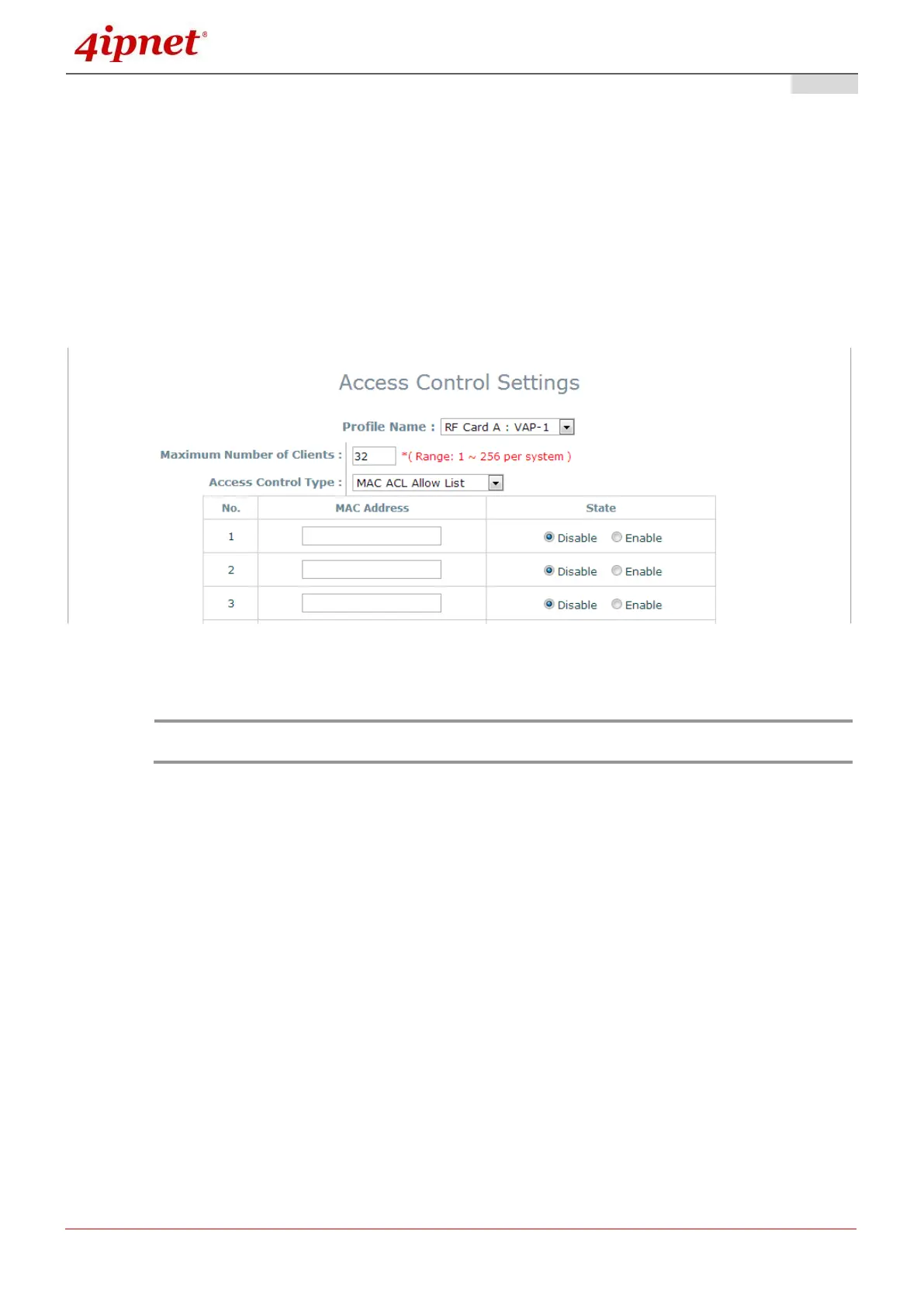
Access Control Type
The administrator can restrict the wireless access of client devices based on their MAC addresses.
Disable Access Control: When Disable is selected, there is no restriction for client devices to
access the system.
MAC ACL Allow List: When selecting MAC ACL Allow List, only the client devices (identified by
their MAC addresses) listed in the Allow List (“allowed MAC addresses”)are granted access to the
system. The administrator can temporarily block any allowed MAC address by checking Disable,
until the administrator re-Enables the listed MAC.
MAC Allow List
An empty Allow List means that there is no allowed MAC address. Make sure at least the
MAC of the management system is included (e.g. network administrator’s computer)



 To Next Page