User’s Manual
Enterprise Access Point ENGLISH
Copyright © 4IPNET, INC. All rights reserved.
Action: The rule can be chosen to be Block or Pass.
Remark: Any note of this rule can be specified here.
When the configuration for firewall rule is completed; please click SAVE and Reboot system to let the
firewall rule take effect.
>>To insert a specific rule,
In in the Setting column of the firewall list will lead to the following page for detail configuration with rule
ID for the current inserted rule.
From this page, a rule can be added or edited from an existing rule for revision.
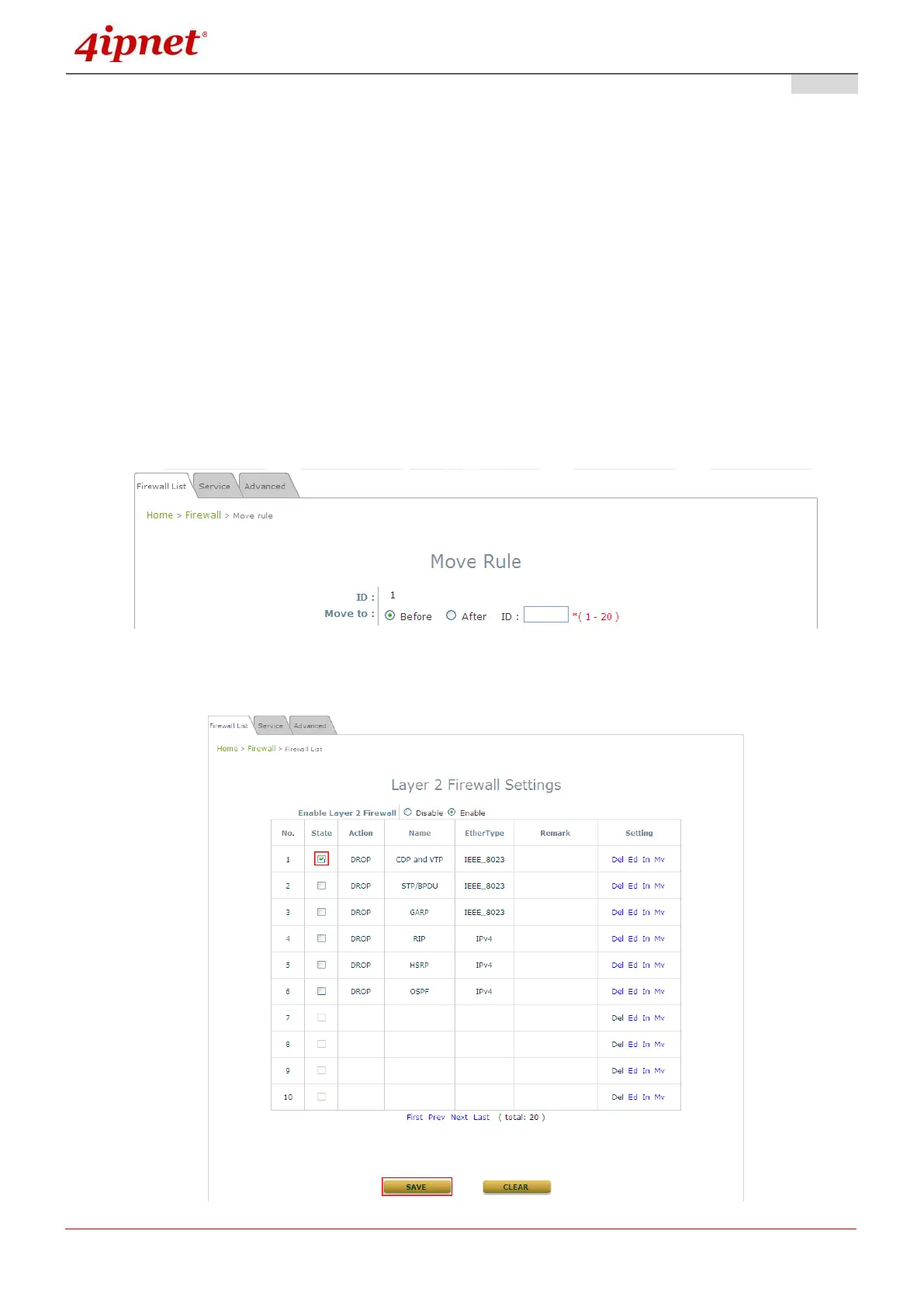
>>To move a specific rule,
Mv in the Setting column of the firewall list will lead to the following page for reordering confirmation.
After the SAVE button is clicked and system is rebooted, the order of rules will be updated.
Please make sure all desired rules (state of rule) are checked and saved in the overview page; the rules
will be enforced upon system reboot.



 To Next Page