User’s Manual
Enterprise Access Point ENGLISH
Copyright © 4IPNET, INC. All rights reserved.
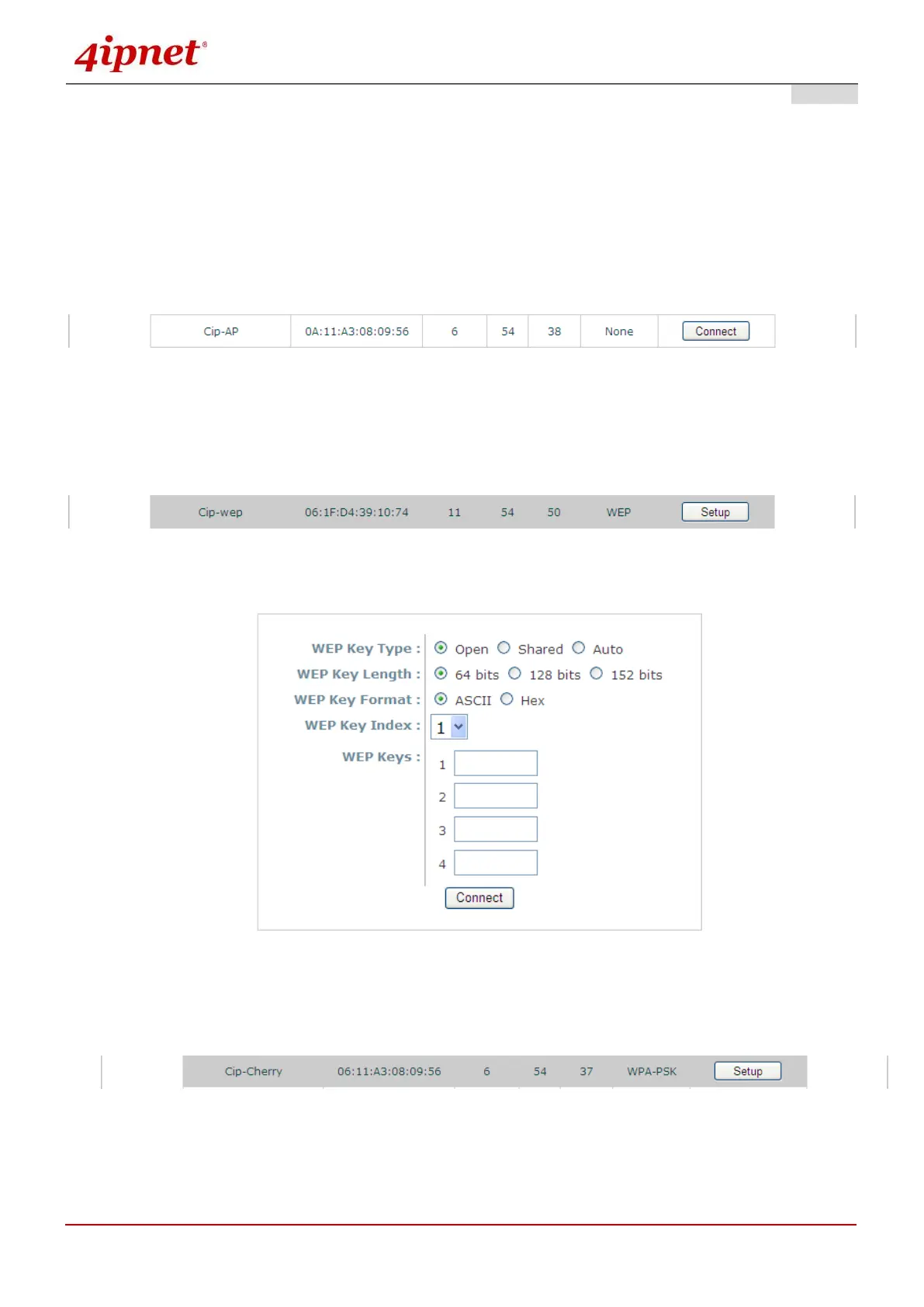
Rate: The transmitting rate of the respective AP.
Signal: The signal strength of the respective AP.
Security: The encryption type used by the respective AP.
Setup / Connect:
Connect: Click Connect to associate with the respective AP directly; no further configuration is
required.
Setup: Click Setup to configure security settings for associating with the respective AP or repeater.
o WEP: Click Setup to configure the WEP setting for associating with the target AP.
The following configuration box will then appear at the bottom of the screen. For more
information on the WEP security settings, please refer to Section 8.2.3 Security Settings.
o WPA-PSK: Click Setup to configure the WPA-PSK setting for associating with the target AP.
The following configuration box will then appear at the bottom of the screen. For more
information on the WPA-PSK security settings, please refer to Section 8.2.3 Security Settings.



 To Next Page