User’s Manual
Enterprise Access Point ENGLISH
Copyright © 4IPNET, INC. All rights reserved.
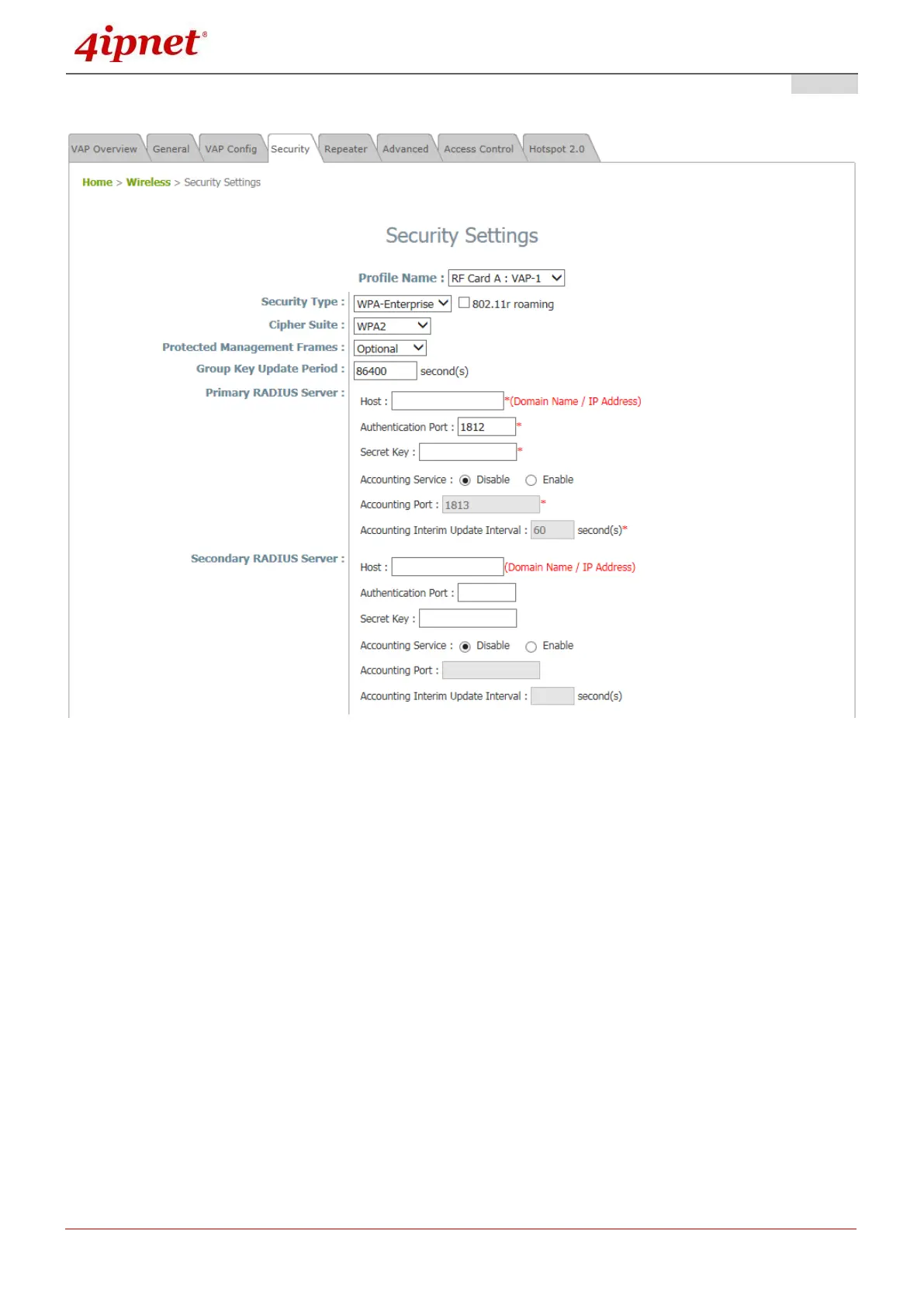
WPA-Enterprise: Authenticates users by RADIUS and provides WPA data encryption.
Security Settings: WPA-Enterprise
WPA Settings:
o Cipher Suite: Select an encryption method from WPA2 or WPA2/WPA.
o Roaming Target AP List: When 802.11r roaming is enabled, the target roaming VAP MAC
addresses can be configured here.
o Protected Management Frames: Select Disable, Optional or Mandatory.
o Group Key Update Period: The time interval for the Group Key to be renewed; the time unit is
in seconds.
RADIUS Server Settings:
o Host: Enter the IP address or domain name of the RADIUS server.
o Authentication Port: The port number used by the RADIUS server. Specify a port number or
use the default, 1812.
o Secret Key: The secret key for the system to communicate with the RADIUS server.
o Accounting Service: Enabling this option allows accounting of login and logouts through the
RADIUS server.
o Accounting Port: The port number used by the RADIUS server for accounting purposes.



 To Next Page