User’s Manual
Enterprise Access Point ENGLISH
Copyright © 4IPNET, INC. All rights reserved.
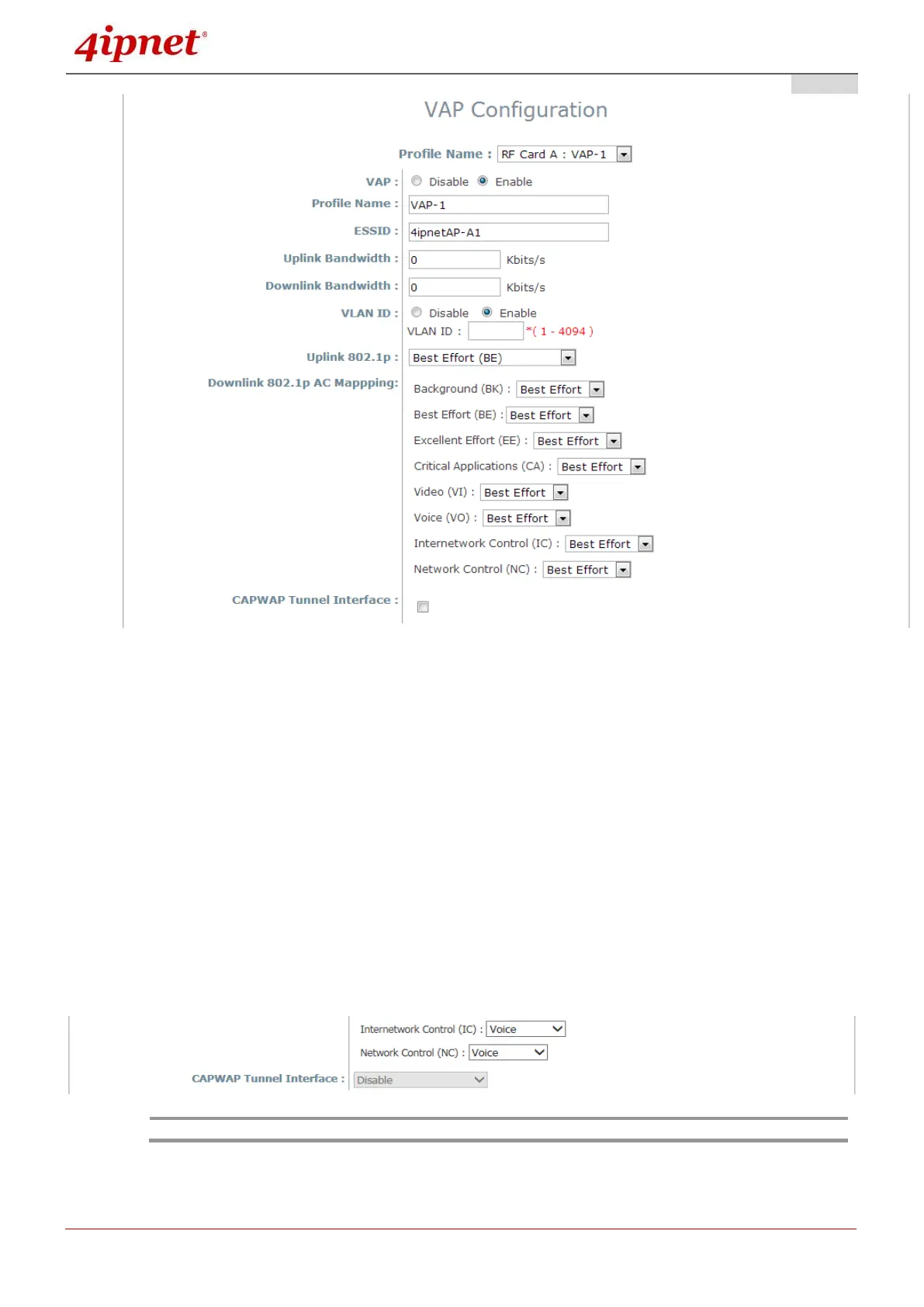
Uplink/Downlink Bandwidth: Bandwidth control is configurable on the VAP in Kbits per second.
Set 0 for unlimited bandwidth control and the maximum allowed value for this field is 999999999.
Uplink 802.1P per VAP: Priority levels for uplink traffic can be selected here. The options
available are Background, Best Effort, Excellent Effort, Critical Applications, Video, Voice,
Internetwork Control, Network Control. For more information, please refer to IEEE Standards
802.1P.
Downlink 802.1P AC Mapping: Re-mapping options are available on 802.1P downlink traffic.
The options available are Background, Best Effort, Video, and Voice.
CAPWAP Tunnel Interface:
For not support Split Tunnel model: Select Checkbox to designate traffic for the VAP to
pass through CAPWAP Tunnel established between the AP and the controller.
For support Split Tunnel model: This option will be configured by AC (AP Controller), if this
AP is managed by controller.
- Downlink 802.1P AC Mapping may be limited on RF Card B for selected models.



 To Next Page