User’s Manual
Enterprise Access Point ENGLISH
Copyright © 4IPNET, INC. All rights reserved.
802.11 Authentication: Select from Open System, Shared Key, or Auto.
WEP Key Length: Select a key length from 64-bit, 128-bit, or 152-bit.
WEP Key Format: Select a WEP key format from ASCII or Hex.
WEP Key Index: Select a key index from 1~4. The WEP key index is a number that specifies
which WEP key will be used for the encryption of wireless frames during data transmission.
WEP Keys: Provide the pre-defined WEP key value; the system supports up to 4 sets of WEP
keys.
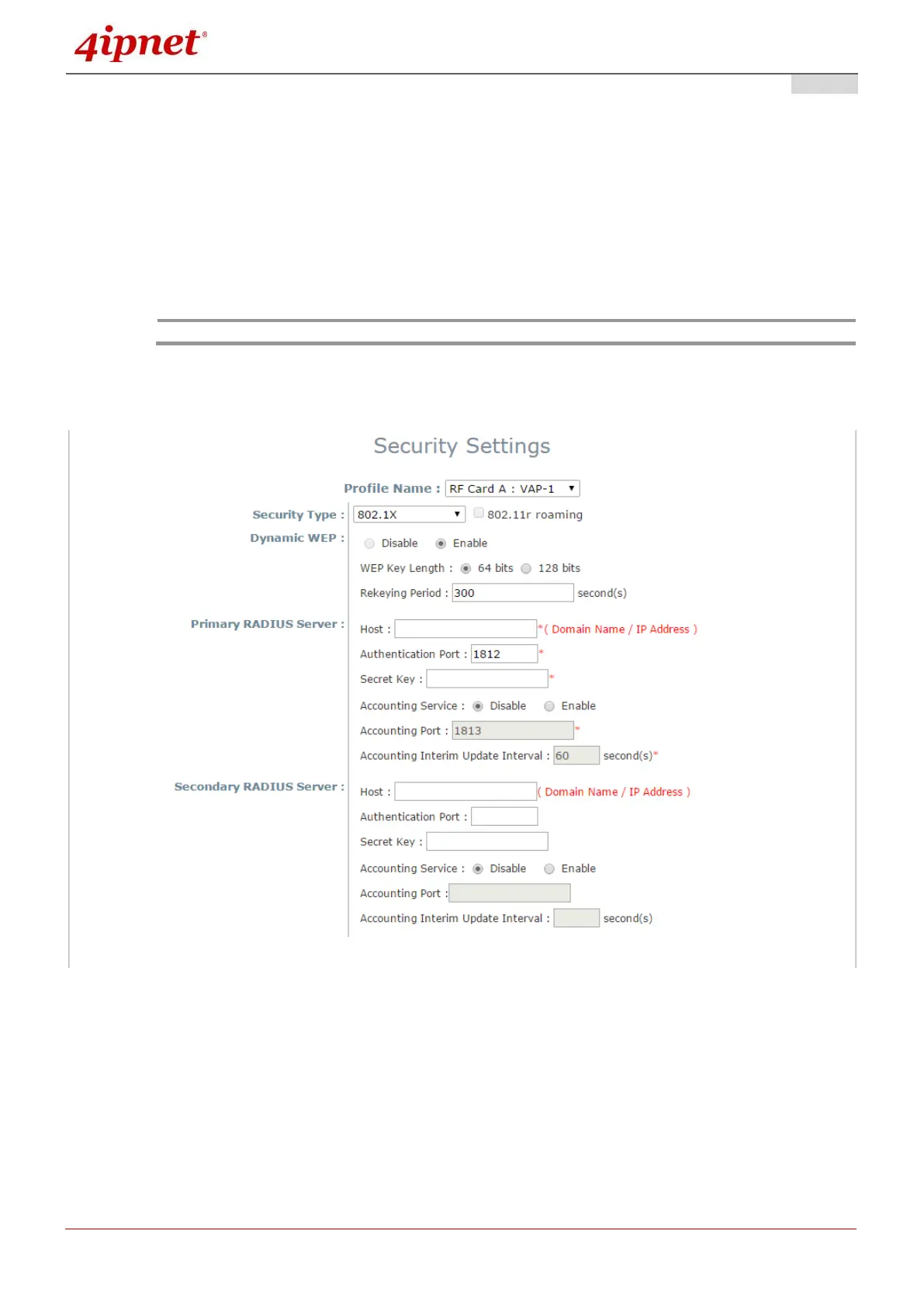
802.1X: When 802.1X Authentication is selected, RADIUS authentication and Dynamic WEP are
provided.
Security Settings: 802.1X Authentication
Dynamic WEP Settings:
o Dynamic WEP: For 802.1X security type, Dynamic WEP is always enabled to automatically
generate WEP keys for encryption.
o WEP Key Length: Select a key length from 64-bit or 128-bit.
o Re-keying Period: The time interval for the dynamic WEP key to be updated; the time unit is in
seconds.
152 bits WEP key length may be limited on selected AP models.



 To Next Page