BM series 17
4. Display Symbols and Key Operation
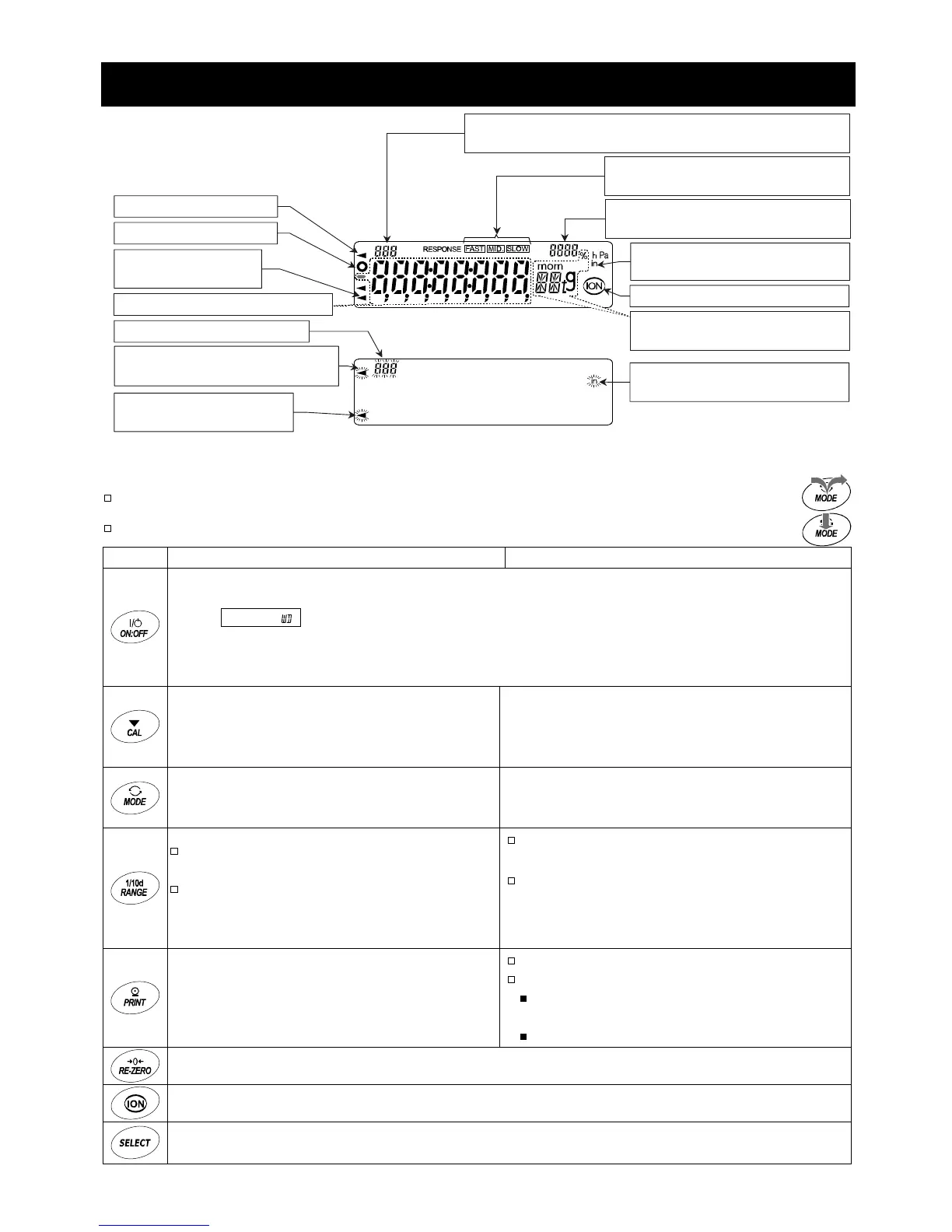
Display
The interval memory function is used to store the weighing data periodically. Refer to "12. Data Memory".
Key operation
Press and release the key immediately or "Click the key"
...................................................................
Press and hold the key (for approx. 2 seconds)
..............................................................................
Key When pressed and released When pressed and held (approx. 2 seconds)
Turns the display on and off. The standby indicator is displayed when the display is turned off.
When the display is turned on, the weighing mode is enabled. If the password function is
used,
pa55
is displayed to prompt you to enter a password. Refer to "15.4. Entering
the Password Before Weighing".
This key is available anytime. Pressing the key during operation will interrupt the operation
and turn the display off.
Cancels the operation when performing
function settings.
Enters the calibration mode using the internal
mass.
Displays other items of the calibration menu.
Switches the preset weighing units stored
in the function table.
Refer to "5. Weighing Units".
Performs automatic response adjustment.
In the weighing mode, turns the minimum
weighing value on and off.
In the counting or percent mode, enters
the unit mass storing mode or reference
mass storing mode.
Displays the function table menu.
Refer to "10. Function Table".
Performs a repeatability test when pressed
and held for another 2 seconds after the
function table menu is displayed.
Refer to "6.7. Repeatability Test".
The key to output the weighing data to a
printer or personal computer (or store it in
memory) depending on the function table
settings. (Factory setting = output)
No function at the factory setting.
By changing the function table:
"Title block" and "End block" for GLP /
GMP report are output.
The data memory menu is displayed.
The key to set the display to zero.
The key to turn the ionizer on and off.
The key to monitor the time and date, and the environmental sensors (temperature, humidity, barometric
pressure), for several seconds. Refer to "6.6. Monitoring the Clock and Environmental Sensors".
Response indicato



 To Next Page