96 BM series
19. Maintenance
19.1. Cleaning and Handling the Balance
Clean the balance with a lint free cloth that is moistened with warm water and a mild detergent.
Do not use organic solvents to clean the balance.
Do not disassemble the balance. Contact the local A&D dealer if the balance needs service or repair.
Use the original packing material for transportation.
Consider "3. Precautions" when handling the balance.
19.2. Error Codes
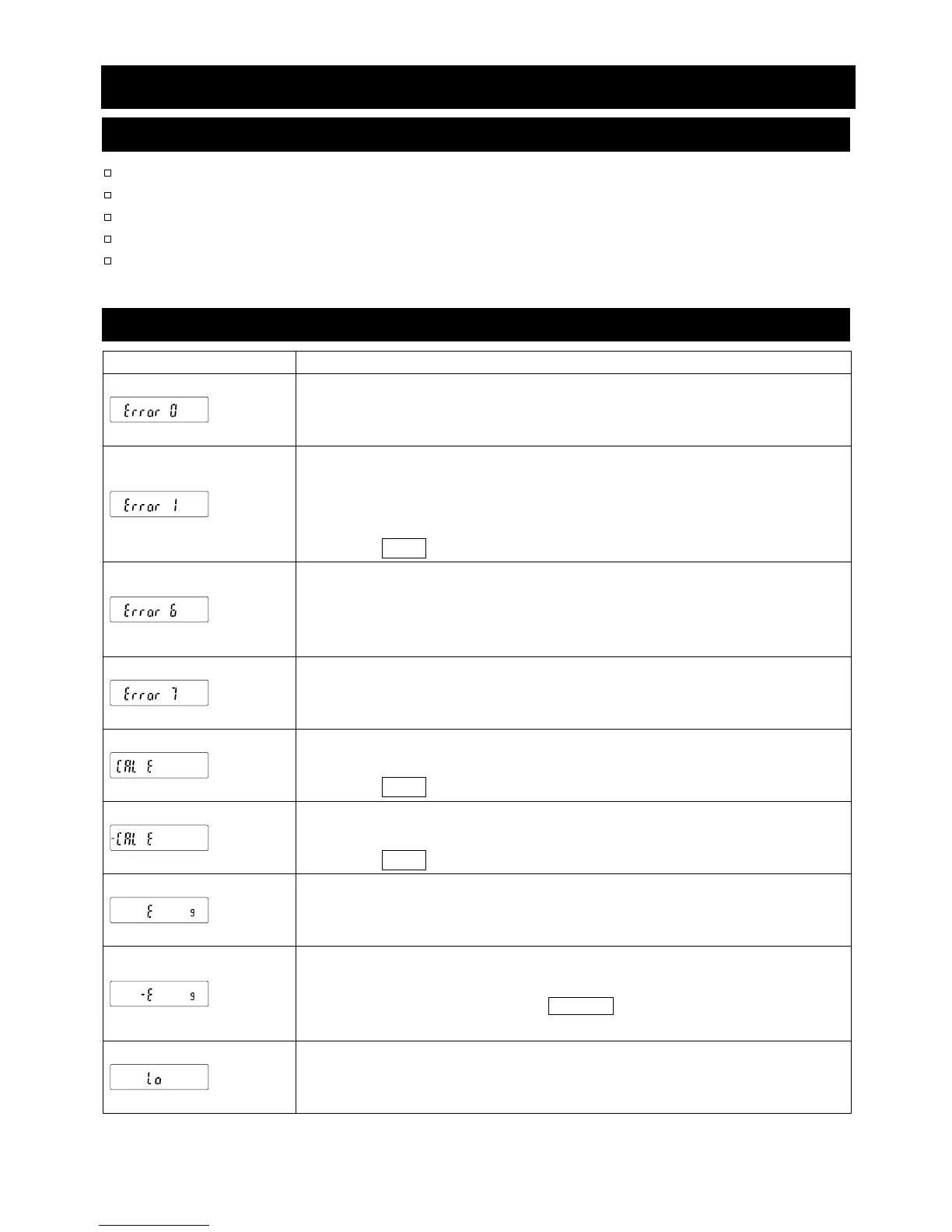
Display Error code Description
EC,E00
Internal error
If this error is displayed continuously, contact your local A&D dealer to
repair the balance.
EC,E11
Stability error
The balance cannot stabilize due to an environmental problem. Check
around the pan. Prevent vibration, drafts, temperature changes, static
electricity and magnetic fields, from influencing the balance.
Press the CAL key to return to the weighing mode.
EC,E16
Internal mass error
Applying the internal mass does not yield a change in the mass value as
specified. Confirm that there is nothing on the pan and perform the
weighing operation from the beginning again.
EC,E17
Internal mass error
The internal mass application mechanism does not function properly.
Perform the weighing operation from the beginning again.
EC,E20
Calibration weight error
The calibration weight is too heavy. Confirm the calibration weight value.
Press the CAL key to return to the weighing mode.
EC,E21
Calibration weight error
The calibration weight is too light. Confirm the calibration weight value.
Press the CAL key to return to the weighing mode.
Overload error
A sample beyond the balance weighing capacity has been placed on the
pan. Remove the sample from the pan.
Weighing pan error
The mass value is too light. Confirm that the weighing pan and pan support
are properly installed. Press the ON:OFF key two times to return to the
weighing mode. If the error still persists, calibrate the balance.
Sample mass error
The balance cannot store the sample for the counting mode or for the
percent mode because it is too light. Use a larger sample.



 To Next Page