34 BM series
7. Response Adjustment
This function stabilizes the weight value by reducing the influence on weighing that is caused
by drafts and/or vibration at the place where the balance is installed. The adjustment of the
function can be performed by analyzing the environment automatically or hand-operation.
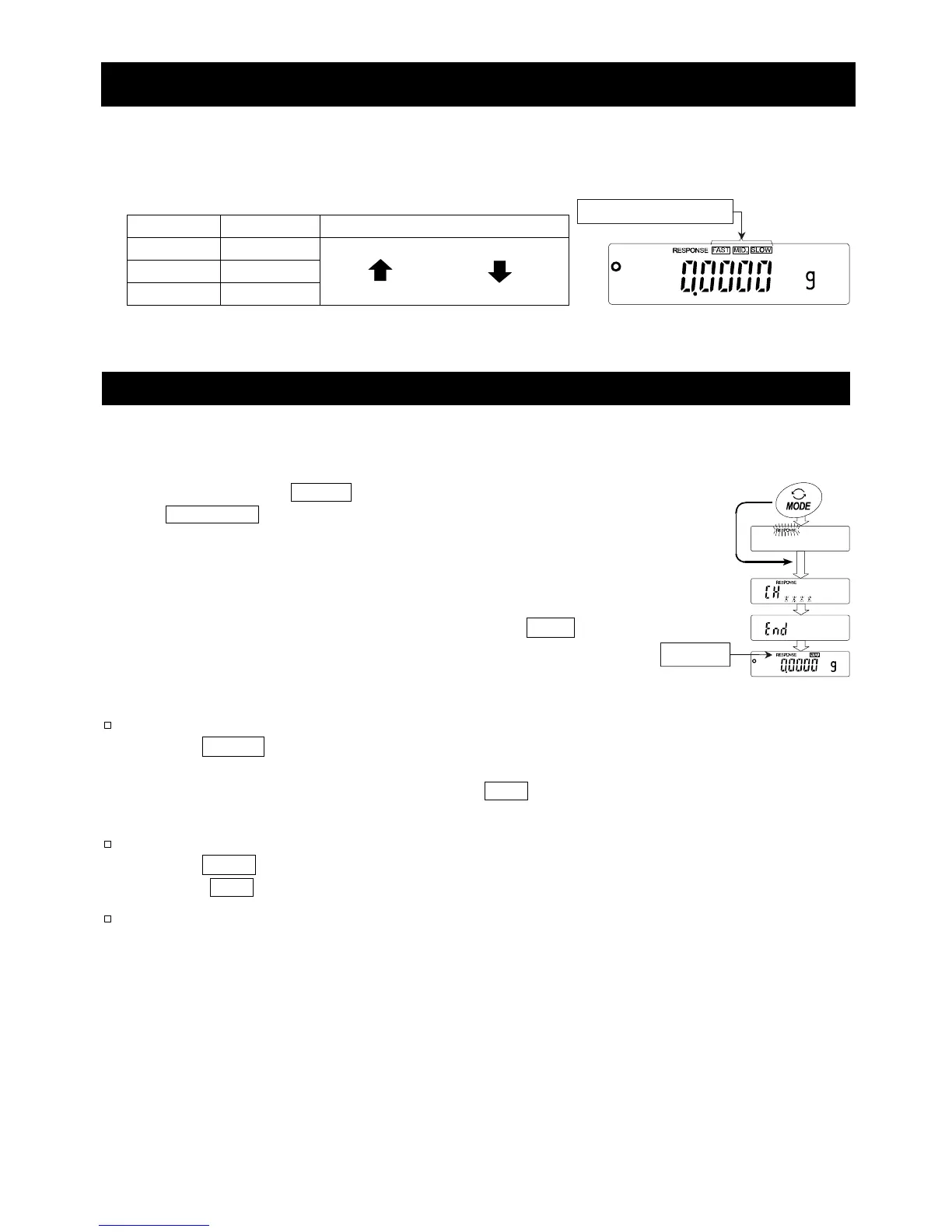
The state of the function has three stages as follows :
Indicator Parameter Response Stability
FAST Cond 0
MID. Cond 1
SLOW Cond 2
Fast response, Sensitive value
Slow response, Stable value
7.1. Automatic Response Adjustment
This function automatically updates the response adjustment by analyzing the influence of
the environment using the internal mass.
1 Press and hold the MODE key (for approx. 2 seconds)
until RESPONSE is displayed, then release the key.
2 The balance automatically sets the response characteristic.
Caution Do not allow vibration or drafts to affect the
balance during adjustment.
3 After automatic adjustment, the balance displays end ,
returns to the weighing mode and displays the updated
response indicator for about thirty seconds.
Notes
If the automatic response adjustment fails, the balance
displays CH ng . Check the ambient conditions such
as breeze and vibration, also check the weighing pan.
Then, perform adjustment again. Press the CAL key
to return to the weighing mode.
If there is anything on the weighing pan, the balance
displays CH e . Remove the substance from the pan.
Press the CAL key to return to the weighing mode.
If the automatic response adjustment is not helpful, try
"7.2. Manual Response Adjustment".
Pres



 To Next Page