BM series 35
7.2. Manual Response Adjustment
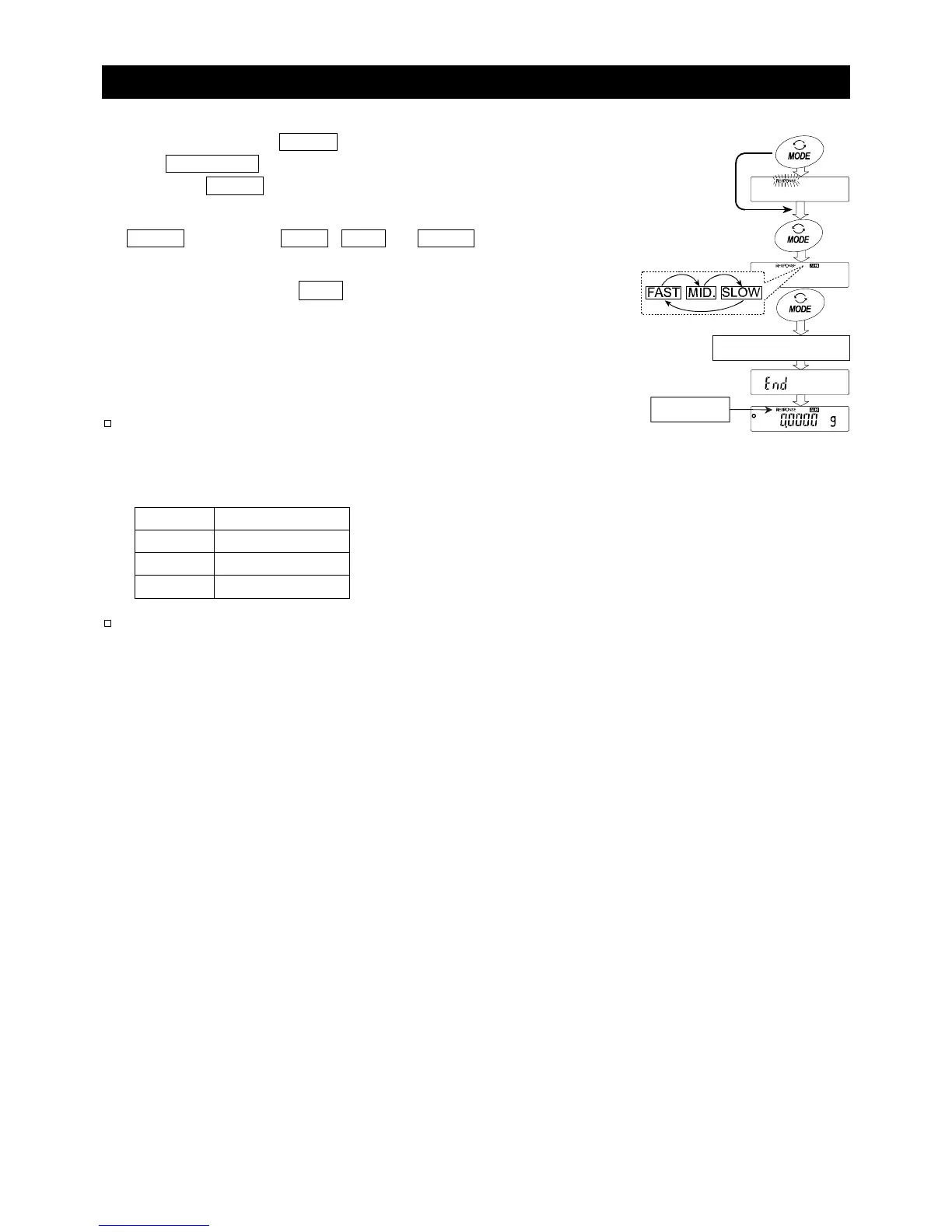
1 Press and hold the MODE key (for approx. 2 seconds)
until RESPONSE is displayed, then release the key.
Press the MODE key again immediately.
2 Select a setting for the response adjustment using the
MODE key. Either FAST , MID. or SLOW can be
selected.
3 The balance displays 1end1, returns to the weighing
mode and displays the updated response indicator for
about thirty seconds.
Notes
When the response adjustment is selected, the
"Condition (Cond)" parameter of "Environment,
Display (ba5fnc)" in the function table will be
changed accordingly as shown below.
Display Cond(Condition)
FAST 0
MID. 1
SLOW 2
The response adjustment setting can be changed
by the "Condition (Cond)" parameter of
"Environment, Display (ba5fnc)" in the function
table. For details, refer to “10. Function Table”.
Press and hold
(approx. 2 seconds



 To Next Page