82 BM series
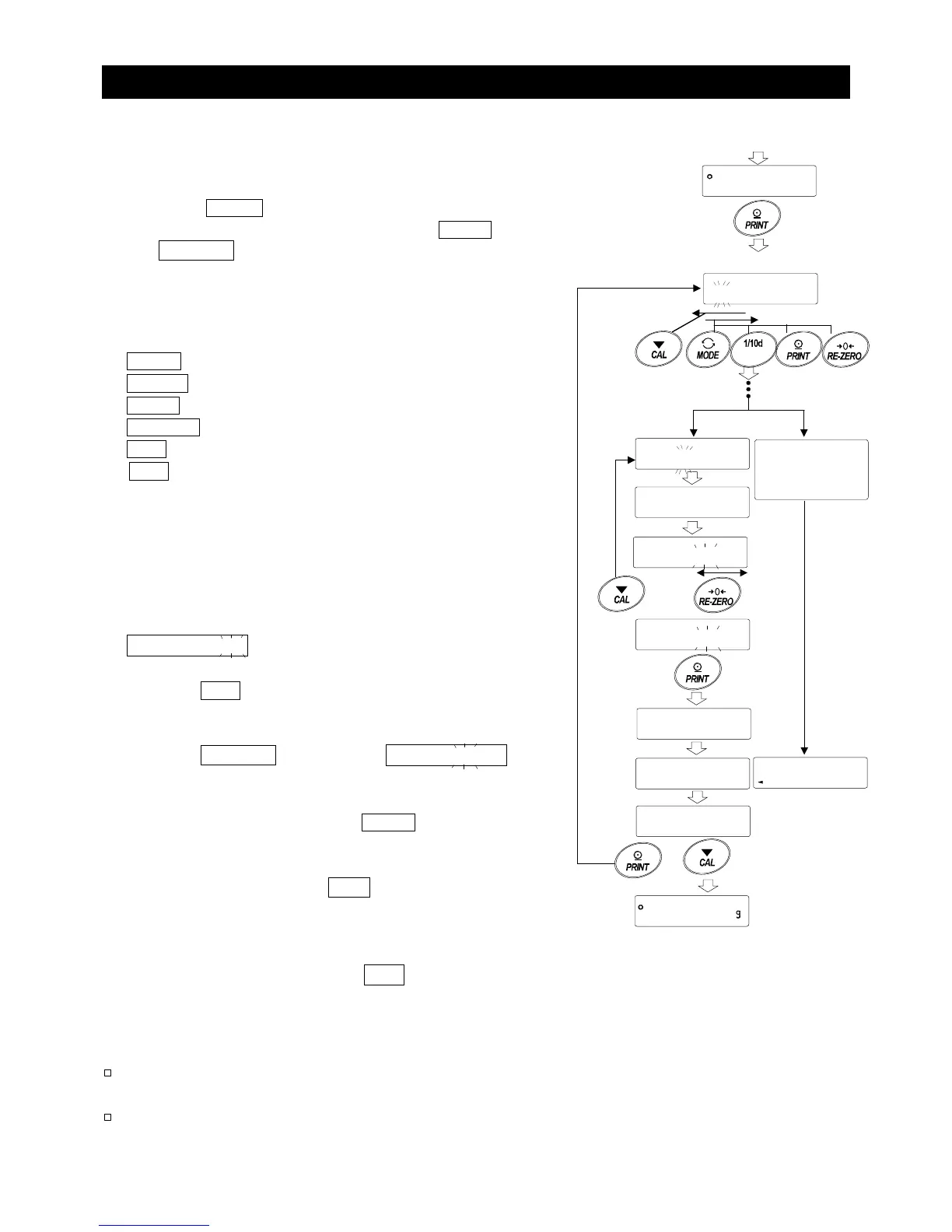
15.7. Changing the Password
1 Refer to “15.6. Storing or Changing the Password”
to display the login level to be changed.
2 Press the PRINT key to display the current password.
The default password set at the factory is 2222 (press
the RE-ZERO key four times), for administrator level.
3 Enter a new four-digit password using the following keys.
The display will turn off automatically after ten minutes of
non-operation.
MODE key............. To enter m
RANGE key........... To enter r
PRINT key............. To enter p
RE-ZERO key........ To enter 2
CAL key ................ To go back one character
CAL key (press and hold for approx. 2 seconds)
................To delete the password
Refer to “15.8. Deleting the
password”.
4 The new password is displayed.
5 5urE :YE5 is displayed with "No" blinking
(selected).
Press the CAL key to return to the fourth character
entry position.
6 Press the RE-ZERO key to display 5urE :YE5
with "yE5" blinking (selected).
7 While “yE5” is blinking, press the PRINT key to store the
new password.
8 When setting is complete, end and then the next
login level is displayed.
To set a password for the next level, follow the procedure
starting from Step 2.
To finish the operation, press the CAL key twice to
return to the weighing mode.
Notes
If you have forgotten the password, the balance cannot be used. Make a
record of the password and keep it where you can refer to it if needed.
The same password as the administrator password cannot be used for
U5ER 01 to 10.
No
No
Refer to “15.6. Storing or
Changing the Password”.
Current password
5urE : YE5
No
5urE : YE5
No
Confirm
5urE : YE5
End
No operation
for 10 minutes
Enter the 4



 To Next Page