78 BM series
15.4. Entering the Password Before Weighing
15.4.1. pA55 1 (
Entering a password is required before starting weighing
)
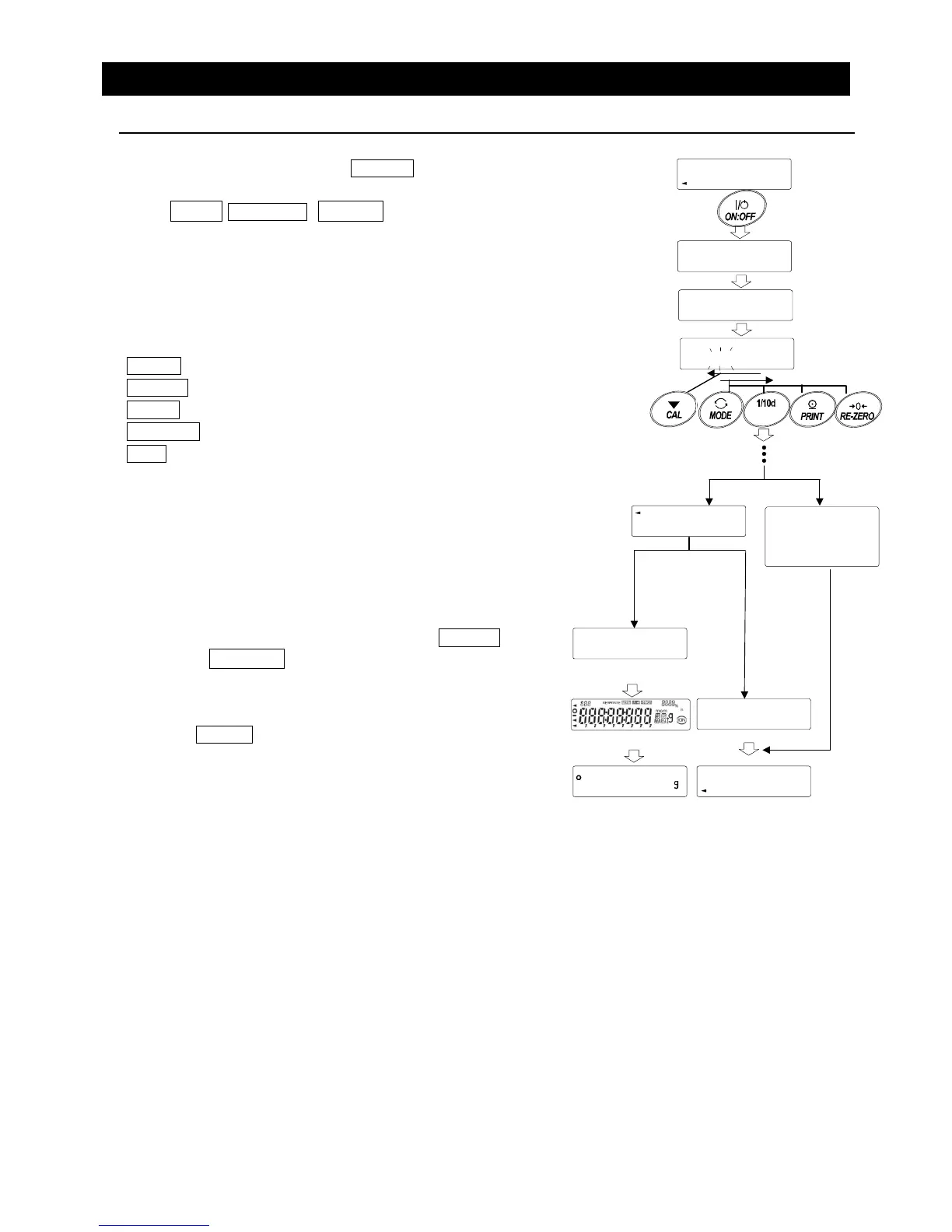
1 In the standby mode, press the ON:OFF key.
2 After U5ER PA55 WD , ---- is displayed to prompt
you to enter a password.
3 Enter a four-digit password using the following keys.
The display will turn off automatically after ten minutes of
non-operation.
MODE key............. To enter m
RANGE key........... To enter r
PRINT key............. To enter p
RE-ZERO key........ To enter 2
CAL key ................ To go back one character
4 When the password is correct, the balance
displays the login level, turns all the display
segments on, and then enters the weighing mode.
When the administrator password is entered, you
are logged in as an administrator.
The default password set at the factory is 2222
(press the RE-ZERO key four times), for
administrator level.
When the password is incorrect, the balance
displays FA iL , sounds the buzzer three times
and turns the display off.
Note When the balance software version is 1.50 to 1.64,
the login level is not displayed when logged in.
When the balance software version is 1.660 or later,
enter the administrator password to log in as an
administrator.
PA55
PA55 WD
PA55
----
RANGE
U5ER
Enter four characters
No operation
for 10 minutes
FA iL
Correc



 To Next Page