BM series 97
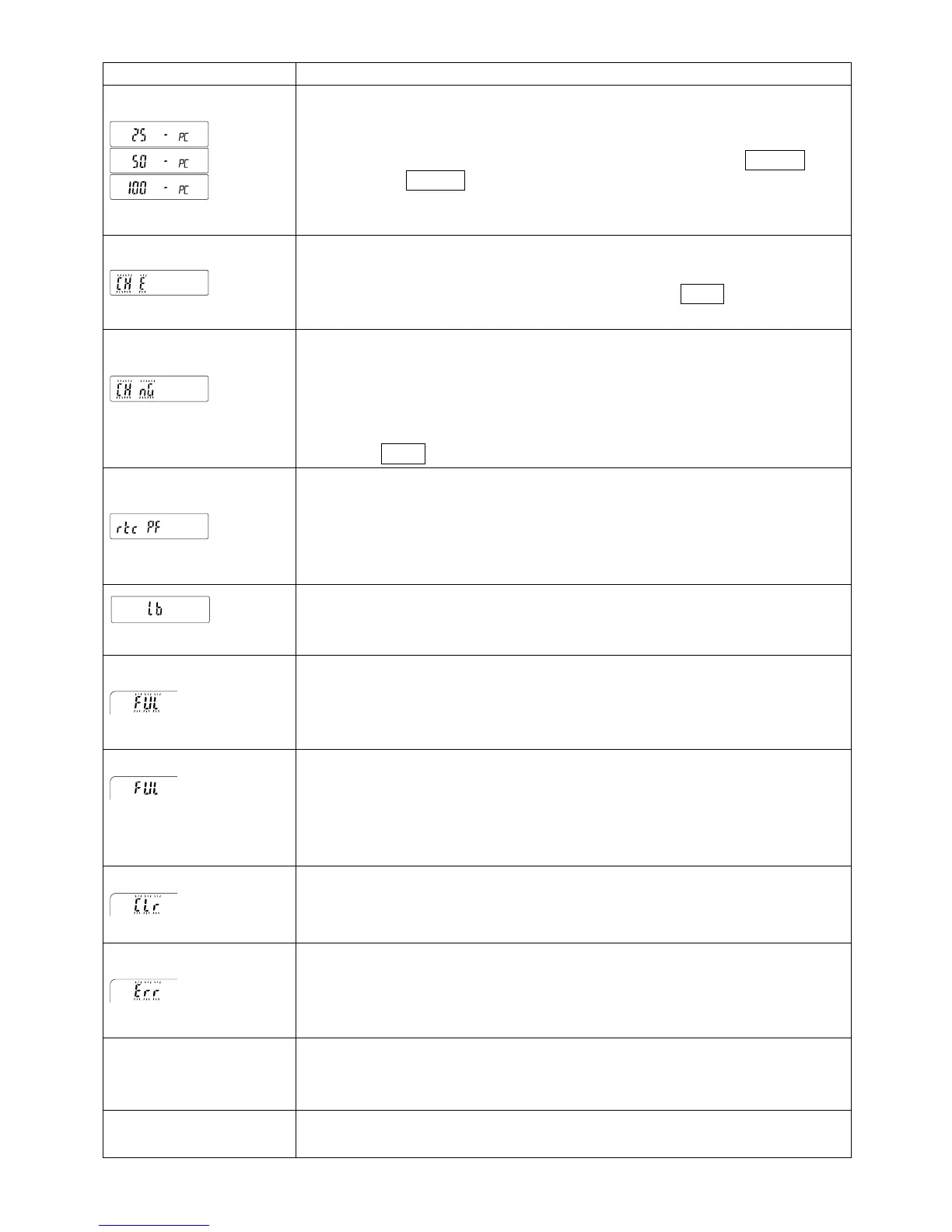
Display Error code Description
Unit mass error
The sample unit mass for the counting mode is too light. Storing and
using it for counting will cause a counting error.
Add samples to reach the specified number and press the PRINT key.
Pressing the PRINT key without adding samples will shift the balance
to the counting mode. But, for accurate counting, be sure to add
samples.
Automatic response adjustment zero error
The automatic response adjustment cannot be performed because there
is something on the pan. Clear the pan. Press the CAL key to return to
the weighing mode.
(Check NG)
Automatic response adjustment unstable error
The automatic response adjustment cannot be performed because the
mass value is unstable.
Check the ambient conditions such as breeze, vibration and magnetic
fields, also check the weighing pan.
Press the CAL key to return to the weighing mode.
Clock battery error
The clock backup battery has been depleted.
Press any key and set the time and date. The clock and calendar
function works normally as long as the AC adapter is connected to the
balance. If this error appears frequently, contact the local A&D dealer.
Low battery error
Voltage of the power supply drops.
Confirm whether the correct AC adapter is used.
(Blinking)
Memory full
The amount of weighing data in memory has reached the maximum
capacity. Delete data in memory to store new data. For details, refer to
"12. Data Memory".
(Illuminated)
Memory full
The amount of calibration or calibration test data in memory has reached
the maximum capacity (50 sets).
The data in memory will be deleted automatically to store new data. For
details, refer to "12. Data Memory".
Memory type error
Type of memory set in the function table and type of data stored are
different. For details, refer to "12. Data Memory".
Memory data error
A fatal error occurs in the stored data. To use the memory function,
delete all the old data and resolve the error. For details, refer to "12.1.
Notes on Using Data Memory".
EC,E00
Communications error
A protocol error occurred in communications.
Confirm the format, baud rate and parity.
EC,E01
Undefined command error
An undefined command was received.



 To Next Page