59
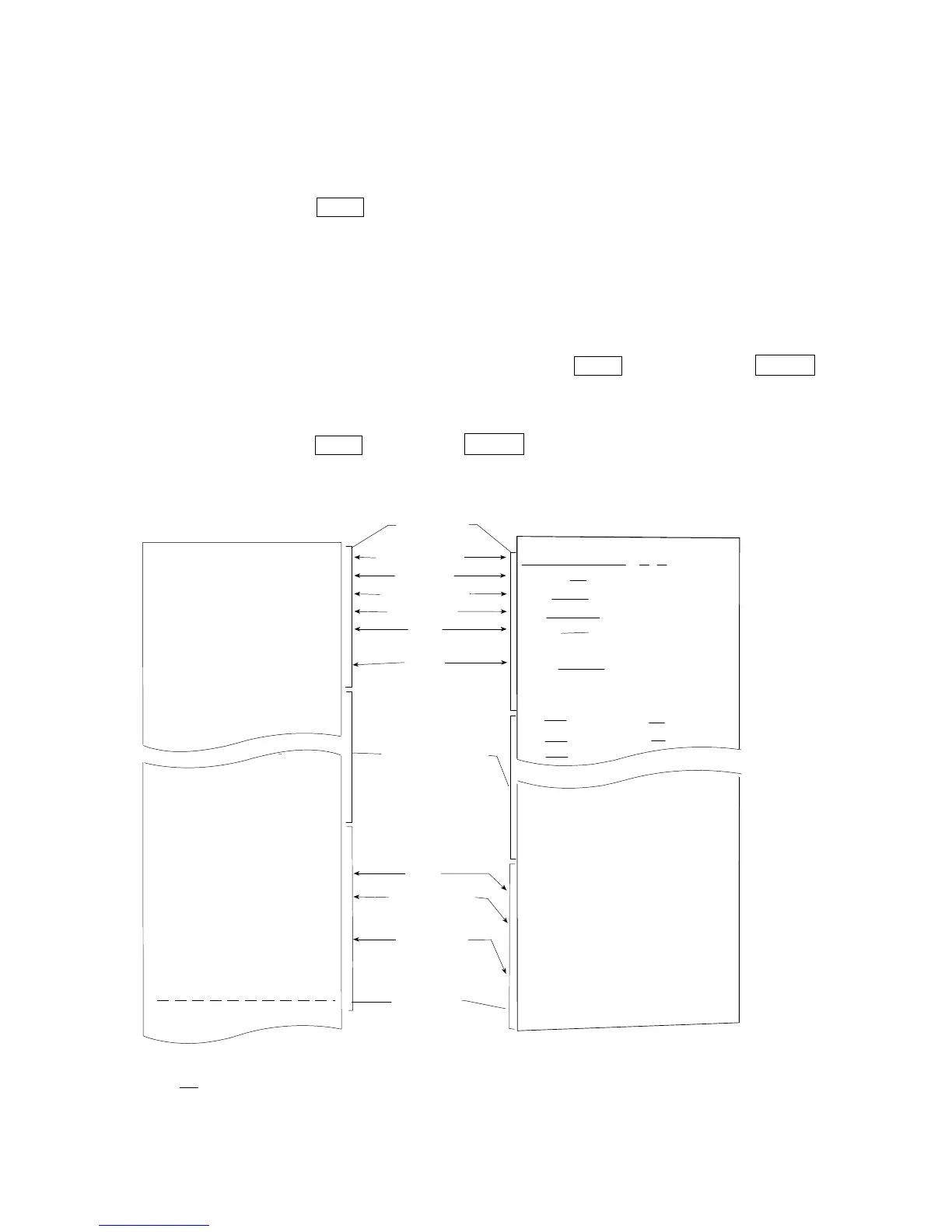
Heading and ending output
Application / Operation
As a method of managing weighing values, add "Heading" and "End" parts before and after the weighing
value.
By pressing and holding the PRINT key, "Heading" and "End" are output in turn.
Note
If the data memory function is used (except when
data 0), heading and end cannot be output..
Key output method
Step1 While displaying the weighing value, hold down the PRINT key and display 5tart to
output "Heading".
Step2 Output the weighing value. The output method depends on the setting of the data output mode.
Step3 Press and hold the PRINT key to display
recend, "End" is output.
A & D<TERM>
MODEL GX-10002A<TERM>
S/N 123456789<TERM>
ID LAB-0123<TERM>
DATE 2017/12/31<TERM>
START<TERM>
TIME 12:34:56<TERM>
<TERM>
WT +12.3456 g<TERM>
WT +12.3461 g<TERM>
WT +12.3462 g<TERM>
WT +12.3463 g<TERM>
WT +12.3451 g<TERM>
WT +12.3453 g<TERM>
WT +12.3471 g<TERM>
WT +12.3464 g<TERM>
<TERM>
END<TERM>
TIME 12:45:56<TERM>
REMARKS<TERM>
<TERM>
<TERM>
SIGNATURE<TERM>
<TERM>
<TERM>
Manufacrurer
Model
Serial number
ID number
Date
Time
CR
LF
Space, ASCII 20h
terminator, CR LF or CR
Carriage return, ASCII 0Dh
Line feed, ASCII 0Ah
<TERM>
Weighing data
Time
End block
Setting of
info 1
Printer format
Setting of
info 1
PC format
A &
D
MODEL GX-10002A
S/N 123456789
ID LAB-0123
DATE 2017/12/31
START
TIME 12:34:56
WT +12.3456 g
WT +12.3461 g
WT +12.3462 g
WT +1234.61 g
WT +12.3461 g
WT +12.3453 g
WT +12.3471 g
WT +12.3464 g
END
TIME 12:45:56
REMARKS
SIGNATURE
Remarks
(
Internal setting
type 1 )
(
Internal
Ttype 1 )
Titile block
Signature



 To Next Page