63
Transmitting the memory data
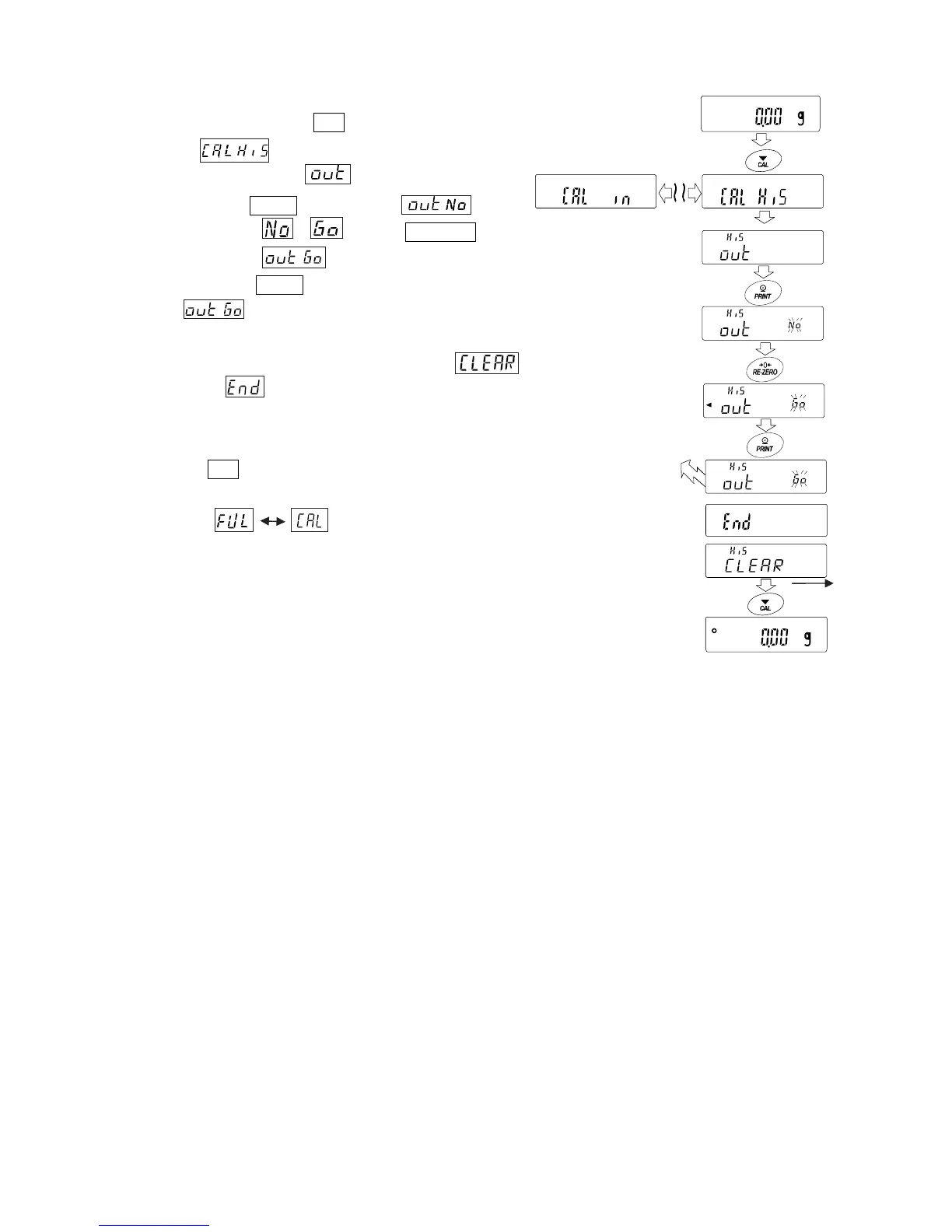
Step1 Press and hold the CAL key during weighing display. When
a displayed, release your finger from the key to
display .
Step2 Press the PRINT key to display .
Step3 Change the / with the RE-ZERO key.
Display the .
Step4 Press the PRINT key to start output at one time while
is displayed.
The output format conforms to "GLP output".
Step5
When output at one time is completed, displays
after is displayed.
Step6 If the saved history is deleted all at once, please proceed to
How to delete history. To return to the weighing value, press
the CAL key.
* If the indicators blink in turn during weighing
display, 50 instance of data are stored.
If history is saved history in this state, old data will be
overwritten. Optionally delete the saved data.
Press and hold
Release
Output at one time
Delete
all at once



 To Next Page