64
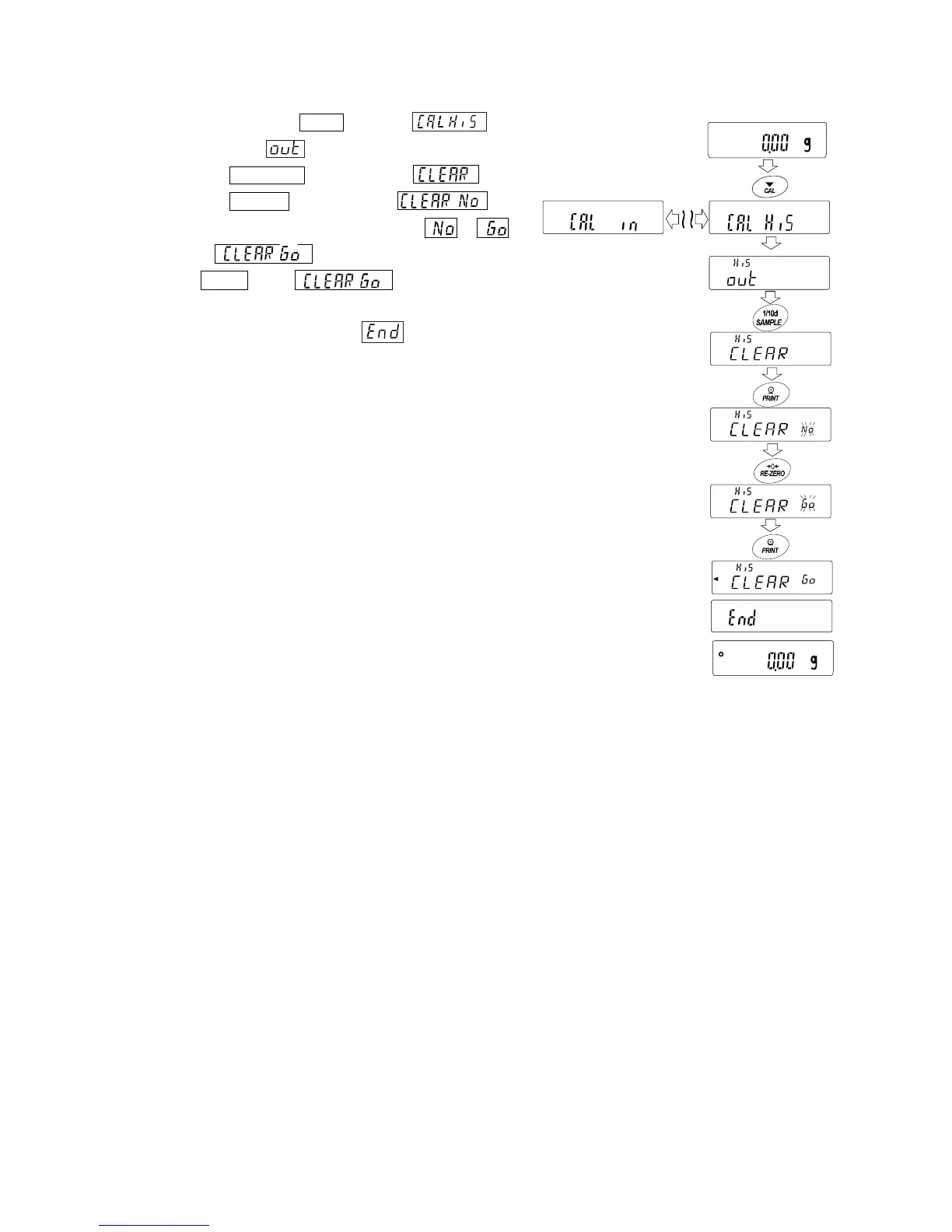
Deleting data stored in memory
1. Press and hold the CAL key until is displayed, then
release the key. is displayed.
2. Press the
SAMPLE key to display .
3. Press the PRINT key to display .
4. Press the RE-ZERO key to change / .
Display .
5. Press PRINT while is displayed, output at once is
started.
6. When the balance displays and returns to the weighing
mode.
Press and hold
Release
Deleting



 To Next Page