- 149 -
000910AG
8 - Maintenance
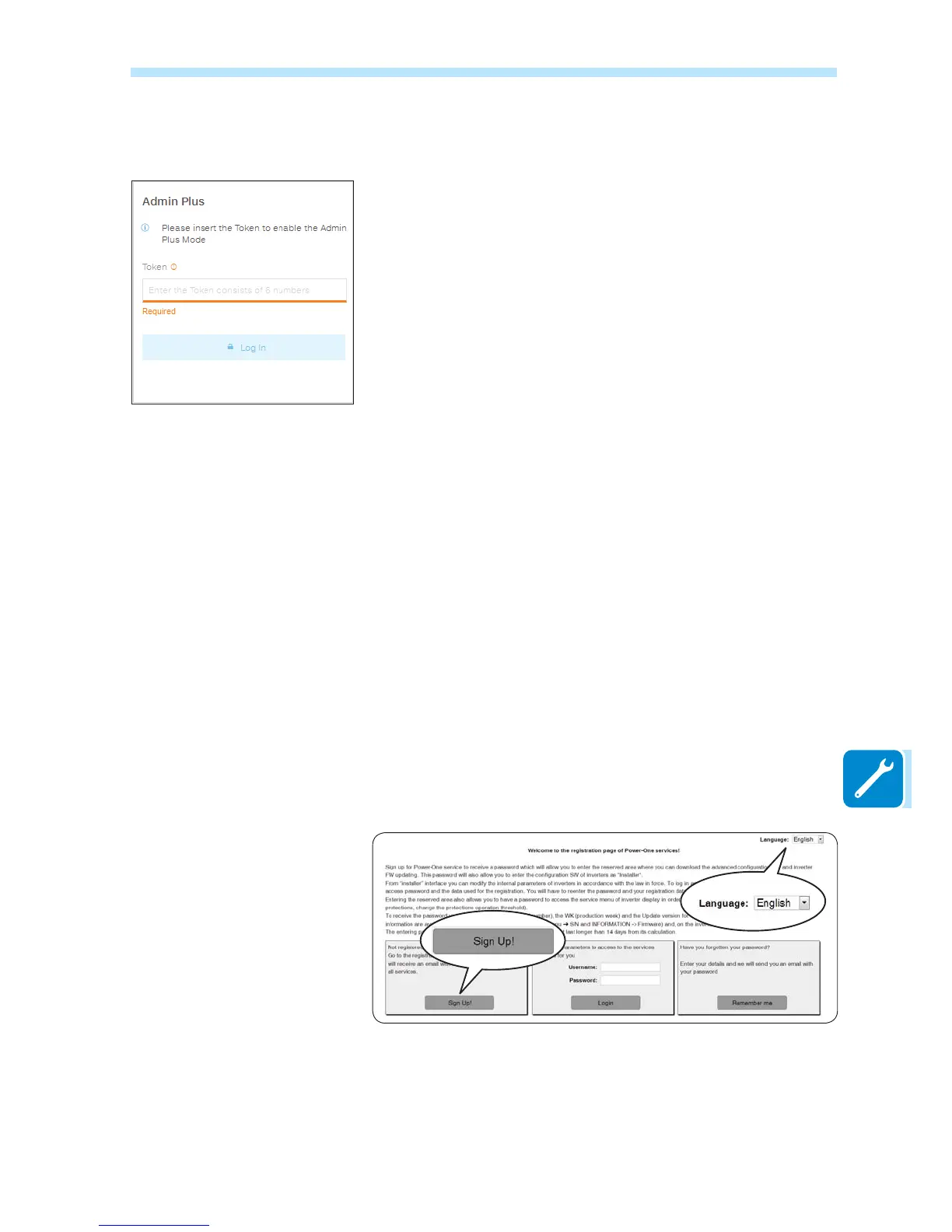
Registration on website and calculation of Admin Plus password
In order to obtain the password needed to access the web server user
interface with Admin Plus privileges, it is necessary to go through the
following stages:
Stage 1 - Collection of information relating to the inverter.
Collect the following information relating to each inverter for which you
wish to have a password:
- S/N - Serial number of the inverter. This information can be found
on the label giving the identity details of the inverter or on the di-
VSOD\ E\ DFFHVVLQJ WKH ³,1)250$7,21 PHQXĺ6HULDO 1R´
The serial number consists of 6 digits (the last 6 in models with a label
giving a 10-digit S/N)
- WK - Production week. This information can be found on the
label giving the identity details of the inverter or on the di-
VSOD\ E\ DFFHVVLQJ WKH ³,1)250$7,21 PHQXĺ6HULDO 1R´
7KHSURGXFWLRQZHHNFRQVLVWVRI¿JXUHVLQGLFDWLQJWKHZHHN¿UVW
digits) and the year of production (last 2 digits)
Stage 2 - Registration on
https://registration.abbsolarinverters.com
- Go online and access https://registration.abbsolarinverters.com
6HWWKHGHVLUHGODQJXDJHDQGFOLFNRQWKHVSHFL¿FLFRQWRVWDUWUHJLVWUD-
tion
- Insert the personal data requested and end the registration stage
- An email will be sent to the email address used with a link to complete
the registration process.
- Once the registration process is over, a further email will be sent with
the password to access the website.



 To Next Page