- 77 -
000899AG
5 - Installation
C
onnection for the AC output connector to the inverter
7RDYRLGULVNVRIHOHFWULFDOVKRFNDOOZLULQJRSHUDWLRQVPXVWEHFDUULHGRXWZLWKWKH
GLVFRQQHFWVZLWFKGRZQVWUHDPRIWKHLQYHUWHUJULGVLGHRSHQHGDQGDSSO\LQJ/272
procedure on it.
For all inverter models, connection to the electrical grid is carried out
using the AC output connector
17
.
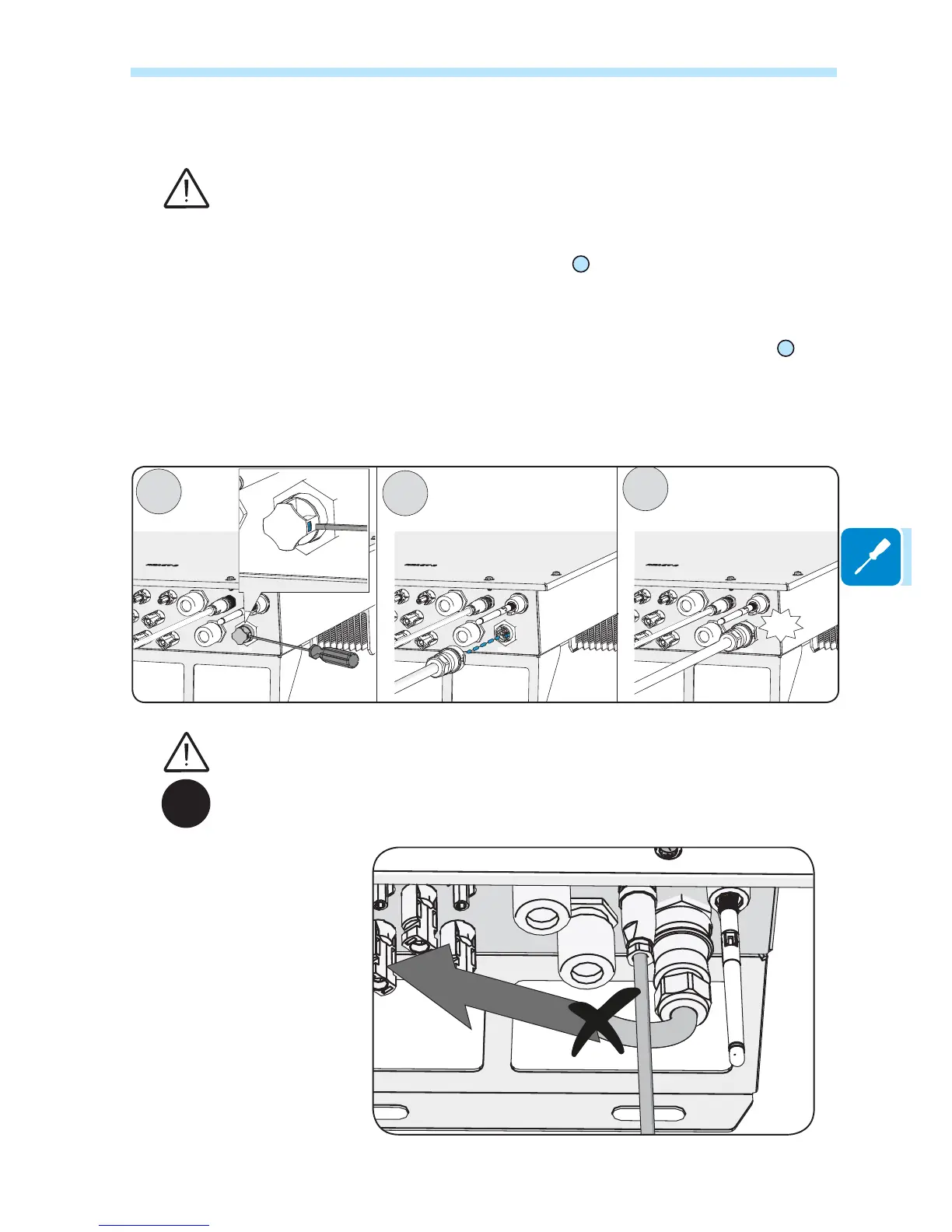
1. Remove the pre-installed protective cover on the inverter by pressing
RQWKHWKHODWFKZLWKDÀDWVFUHZGULYHU
2. Insert the counterpart in the AC output (GRID) connector
17
being
careful to align the reference points (present on both connectors)
which prevent connection errors.
3. Push the counterpart until you hear “click”
*LYHDSXOOWHVWWRFRQ¿UPWKHFRQQHFWLRQLVVHFXUH
,QDGGLWLRQWKHFRQQHFWRUPXVWQRWEHVXEMHFWWRWHQVLOHIRUFHVH[DPSOHVGRQRWFRQQHFWZHLJKWV
to the AC cable, do not leave excess cable windings hanging, etc).
IP65
In order to maintain the inverter’s level of IP protection, the corresponding part must be installed
with the AC cable connected or the protective cover, on the AC output connector.



 To Next Page