Case studies
System Manual
172
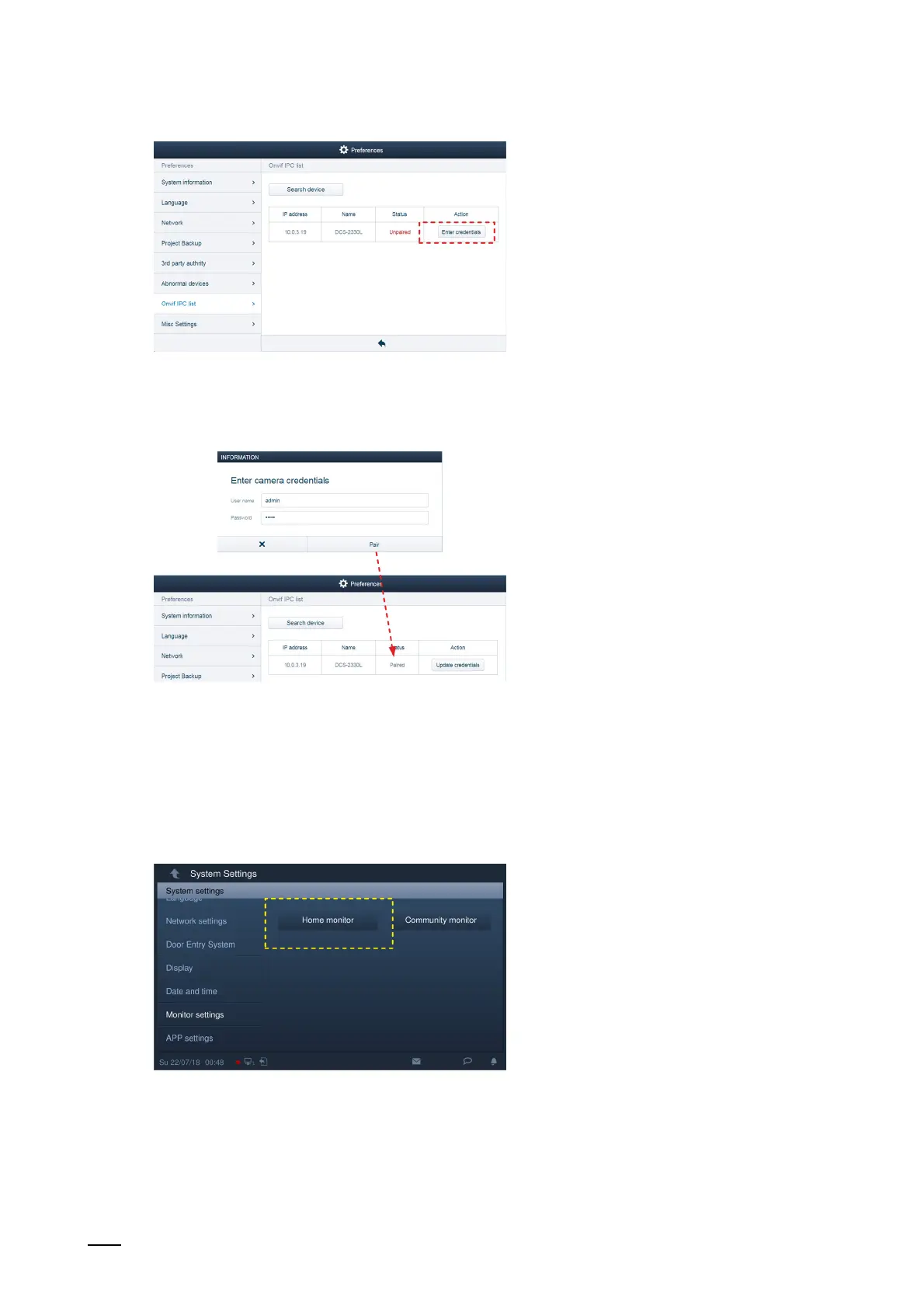
Abb. 155: Credentials of the IP camera in the "Smart Access Point"
2. Then click "Enter credentials".
Abb. 156: Enter the credentials of the IP camera in the "Smart Access Point"
3. Enter the user name and the password of the IP camera and click on "Pair".
Integrating the IP camera in the IP Touch 7
Fig. 157: Start screen in the IP Touch 7
4. In the IP Touch 7 change to "System settings" / "Monitor settings" and there open the "Start
screen" page.















 To Next Page