Case studies
System Manual
173
Fig. 158: Start screen in the IP Touch 7: IP cameras
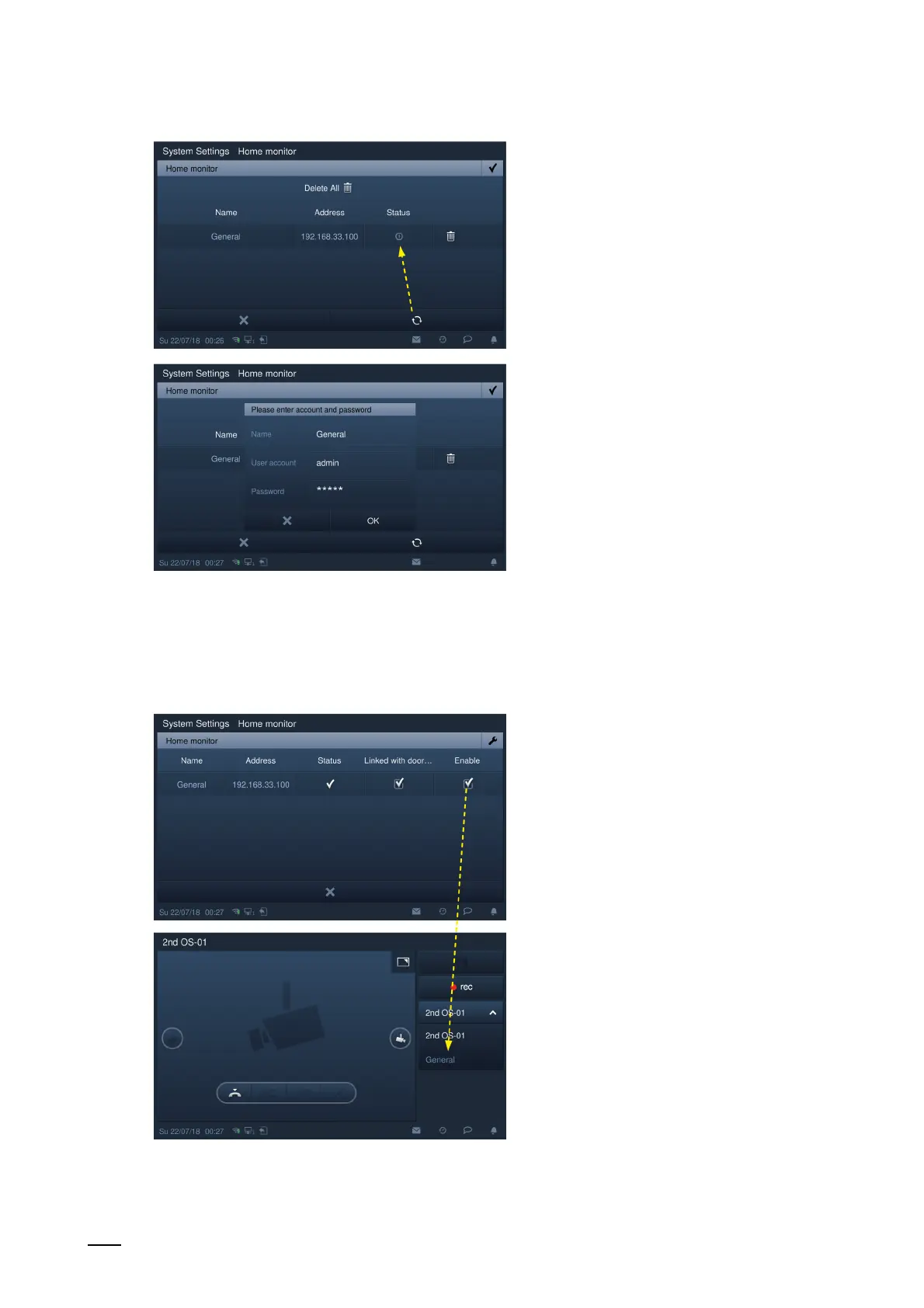
– Click on the "Search" button to search for the IP cameras and to create a camera list
automatically. Select an IP camera from the camera list and click on the "Start" button.
– Enter the name, user account and password, then click on the "OK" button.
– On the "Home monitor" screen, tick "Enable" to enable the function.
– With this setting, the registered IP camera can be selected from the drop-down list
under "Door communication".















 To Next Page