Connection, installation / mounting
System Manual
51
5.6.2 Table installation
Notice
■
Due to the larger device depth the IP touch (LAN / LAN) indoor station can
only be inserted into a flush-mounted installation box.
■
The additional device versions can be inserted into a table stand.
For mounting an IP touch indoor station, perform the following points:
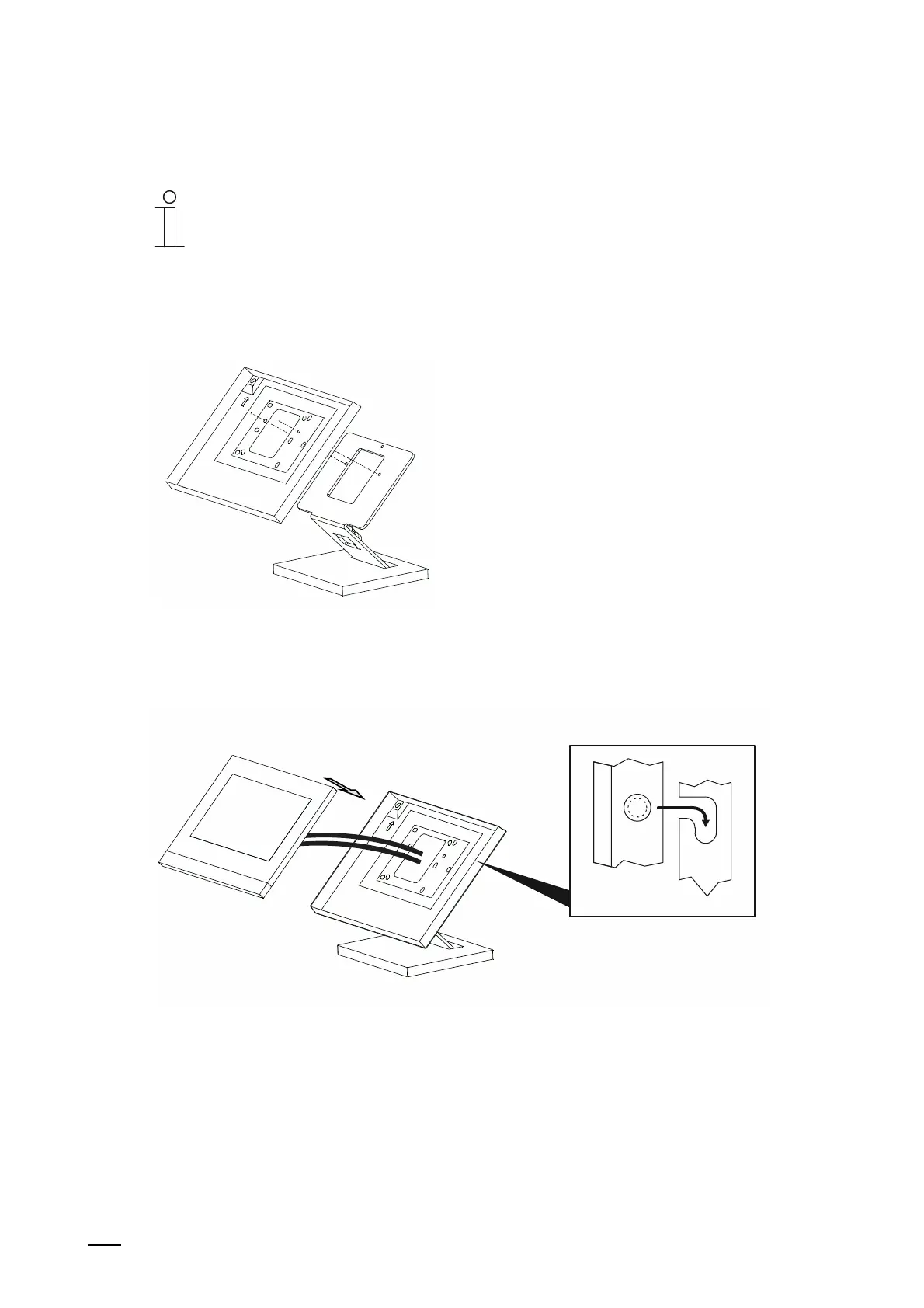
Fig. 32: Mounting indoor station table installation: Attach the installation box (only for LAN / WLAN version)
1. Connect the surface-mounted installation box with the table stand.
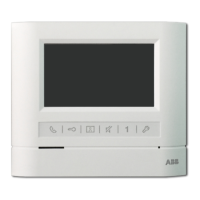
Fig. 33: Mounting indoor station table installation: Insert the device (possible only for LAN / WLAN version)
2. Mount the device into the installation box.
■
Establish the connection on the device.
■
Push the device into the lateral holders of the installation box and press down.








 To Next Page