Commissioning
System Manual
85
Connecting the "Smart Access Point" with the PC via WLAN
Use the following steps to connect with the PC:
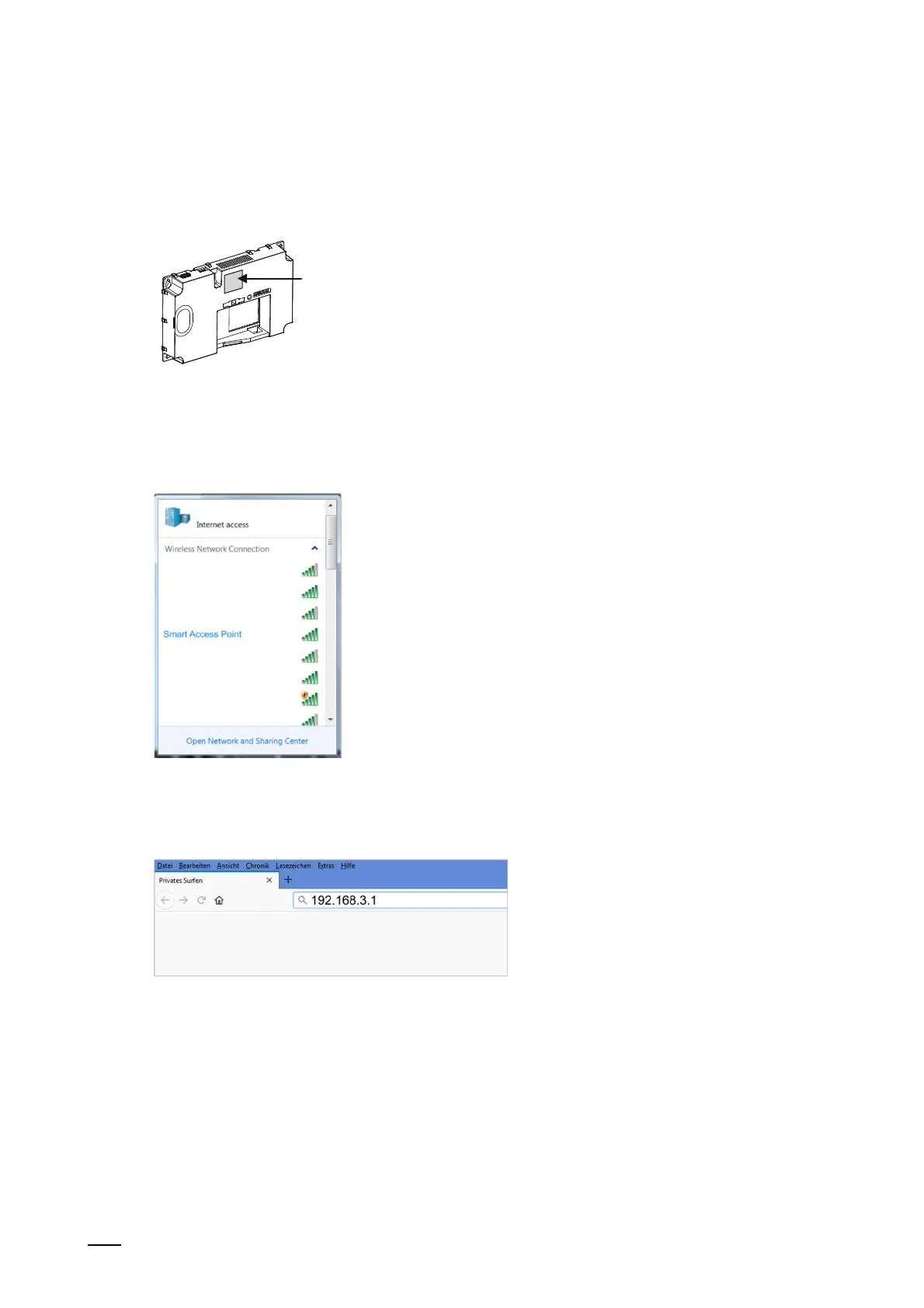
Fig. 60: WLAN access data
1. Note down the WLAN access data.
– The WLAN access data are located on the device. Remove the cover of the device.
Fig. 61: "Smart Access Point" in the network list of the PC
2. Connecting the PC with the WLAN of the "Smart Access Point".
Fig. 62: Entering the IP address in a browser
3. Call up the start page of the "Smart Access Point" in a commercially available browser.
– For this, enter the IP address "192.168.3.1" in the address line of the browser.















 To Next Page