Commissioning
System Manual
95
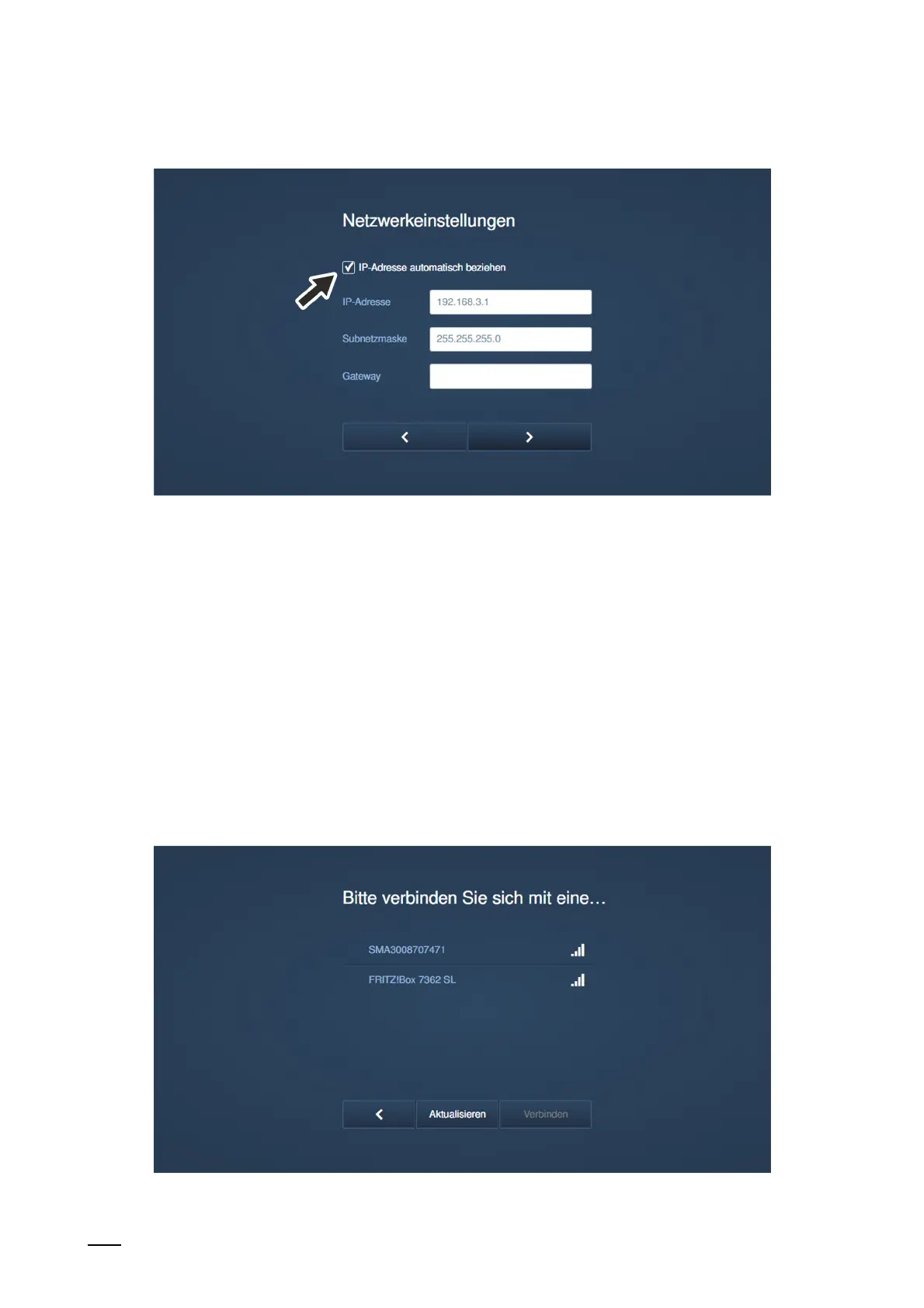
Fig. 71: Commissioning "Smart Access Point": LAN Network settings
7. Network settings
– If a LAN connection was selected, the IP address must be specified to establish the LAN
connection.
■
Checkbox "Obtain IP address automatically' is activated:
– The "Smart Access Point" functions as DHCP client.
– If the "Smart Access Point" is connected to DHCP server/router, the IP address is
assigned automatically.
■
Checkbox "Obtain IP address automatically' is deactivated:
– The "Smart Access Point" is to be reached in a network that operates with static IP
addresses.
– Here the network parameters such as IP address, subnet mask and gateway must
be configured manually.
Fig. 72: Commissioning "Smart Access Point": WLAN connection















 To Next Page