Chapter 9 Analyze the Comparative C
T
Experiment
Analyze the Experiment
Applied Biosystems 7500/7500 Fast Real-Time PCR System Getting Started Guide for Relative Standard Curve
and Comparative C
T
Experiments
160
Notes
Navigation Tips
How to Select Wells
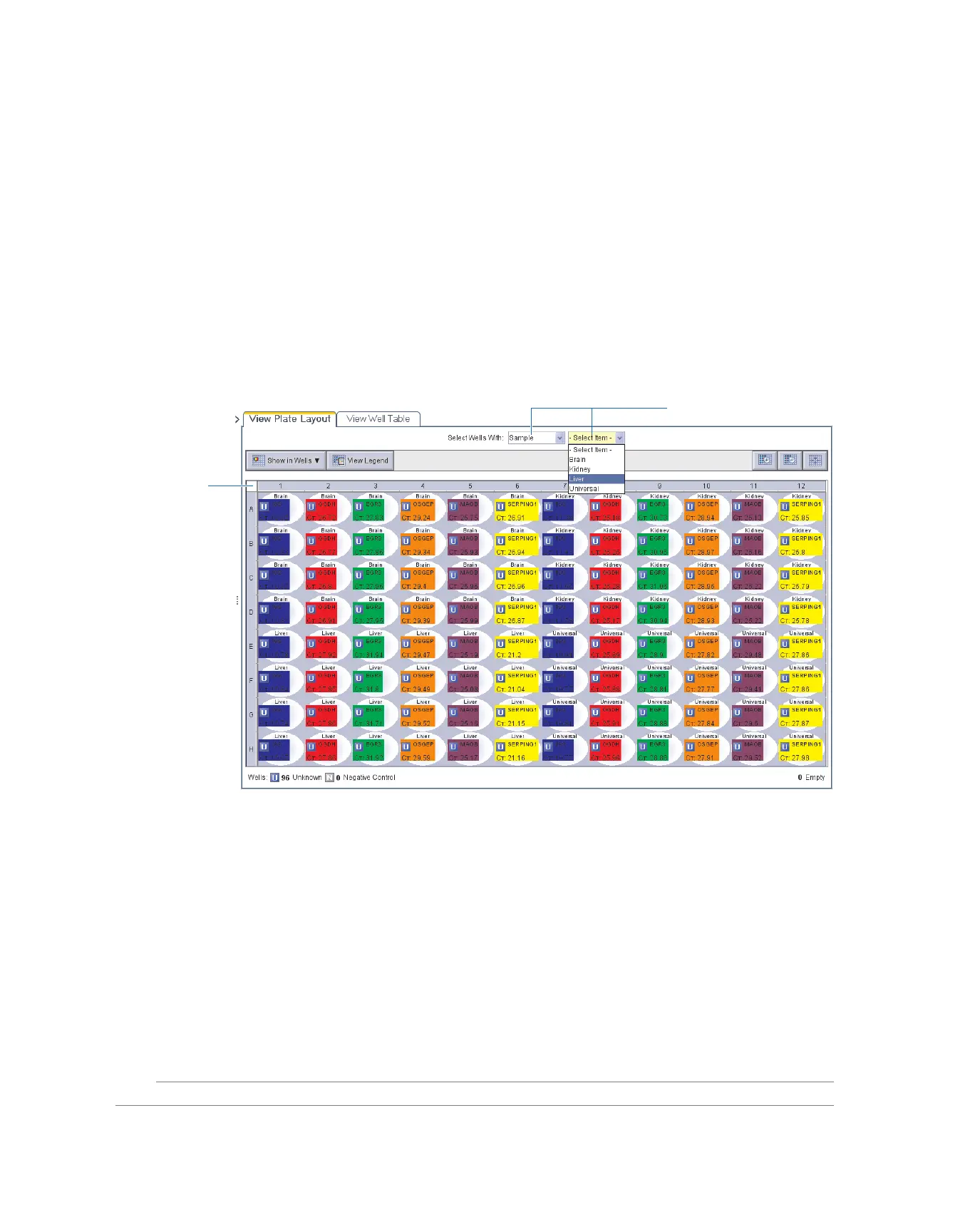
To display specific wells in the analysis screens, select the wells in the View Plate Layout
tab as follows:
1. To select wells of a specific type, use the Select Wells With drop-down lists, select
Sample, Target, or Ta sk, then select the sample, target, or task name.
2. To select a single well, click the well in the plate layout.
3. To select multiple wells, click-drag over the desired wells, or CTRL+click or
Shift+click the desired wells in the plate layout.
4. To select all 96 wells, click the upper left corner of the plate layout.
1
4



 To Next Page