EasyManua.ls Logo

ACT apricot - Page 252

ACT apricot
328 pages
Print Icon
To Next Page IconTo Next Page
To Previous Page IconTo Previous Page
Loading...
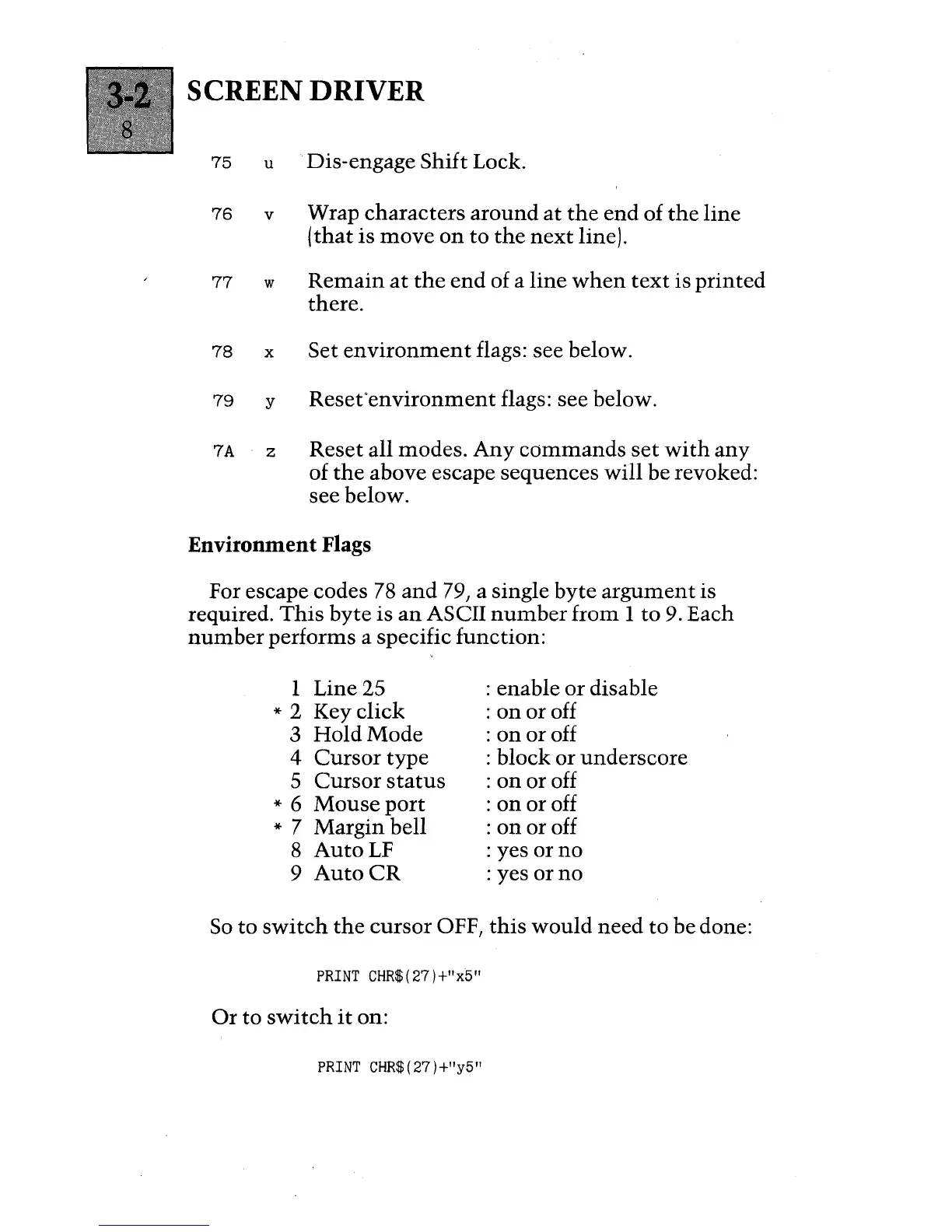
SCREEN DRIVER
75
u Dis-engage Shift Lock.
76
v
Wrap characters
around
at
the
end
of
the
line
(that
is
move
on
to
the
next
line).
77
w
Remain
at
the
end
of a
line
when
text
is
printed
there.
78
x
Set
environment
flags: see below.
79
y
Reset'environment
flags: see below.
7A
z
Reset all modes.
Any
commands
set
with
any
of
the
above escape sequences
will
be revoked:
see below.
Environment Flags
For escape codes
78
and
79, a single byte
argument
is
required.
This
byte is
an
ASCII
number
from 1
to
9. Each
number
performs a specific function:
1 Line 25
* 2 Key
click
3
HoldMode
4
Cursor
type
5
Cursor
status
* 6
Mouse
port
* 7 Margin bell
8
AutoLF
9
Auto
CR
: enable
or
disable
:
on
or
off
:
on
or
off
: block or underscore
:
on
or off
:
on
or off
:
on
or off
: yes
orno
: yes
orno
So
to
switch
the
cursor
OFF,
this
would
need
to
be done:
PRINT
CHR$(27)+l
x
5"
Or
to
switch
it
on:
PRINT
CHR$(27)+l
y
5"

Table of Contents

Other manuals for ACT apricot