EasyManua.ls Logo

ACT apricot - Page 81

ACT apricot
328 pages
Print Icon
To Next Page IconTo Next Page
To Previous Page IconTo Previous Page
Loading...
CRT
CONTROL
Vertical Displayed Register (R6).
The
contents
of
this
register
determine
the
number
of displayed character rows
on
the
screen.
VSync Position Register (R7).
The
contents
of
this
register
specify
the
position
of
the
vertical
sync pulse relative to
the
start
of
the
first active
scan
line
period.
The
value is
programmed
in
Character
row
periods. Increasing
the
value
in
R7 shifts
the
whole
display
on
the
screen upwards.
Decreasing
the
value shifts
the
display downwards.
Interlace Mode Register
(RS).
This
register selects
the
raster
scan mode. A choice of
non-interlace
(OOH),
interlace (OIH),
or
interlace
sync
and
video (03H)
modes
are available. In
the
non-interlace
mode,
the
scan
lines
are refreshed
at
the
frame
rate.
In
the
two
interlace
modes,
the
frame is divided
into
two
fields,
an
odd field
and
an
even
field. In
the
interlace
mode,
the
same
information
is displayed
in
both
fields. In
interlace sync
and
video,
the
even
lines
of a character are
displayed
in
the
even
field,
and
the
odd lines
in
the
odd field.
Max Scan Line Address Register (R9).
This
register
determines
the
number
of
scan
lines per character
row
~nd
is
programmed
with
a
number
one
less
than
the
desired
value.
Cursor Format (Start) Register
{RIO}.
The
contents
of RIO
with
the
contents
of
RII
specify
the
height
and
position
of
the
text
cursor
within
the
boundaries of
the
character cell.
RIO also selects
the
cursor display mode.
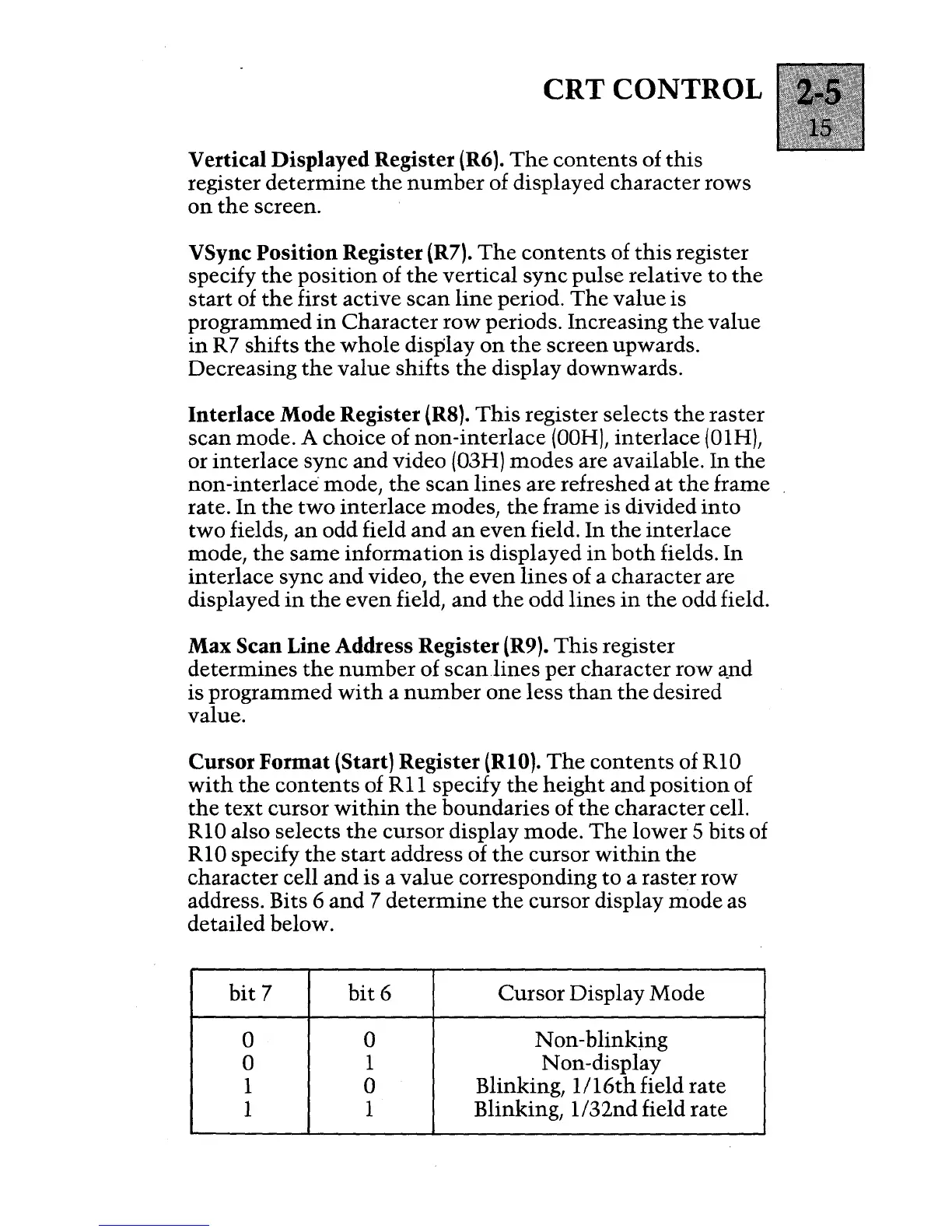
The
lower 5
bits
of
RIO specify
the
start
address of
the
cursor
within
the
character
cell
and
is a
value
corresponding
to
a raster row
address. Bits 6
and
7
determine
the
cursor display
mode
as
detailed below.
bit
7
bit
6
Cursor
Display Mode
0 0
Non-blinking
0
1 Non-display
1
0
Blinking,
I/I6th
field rate
1
1 Blinking, 1
132nd field
rate

Table of Contents

Other manuals for ACT apricot