!"##"$"%"&%*""#
Page ()'of (()XM_unity_Installation&Maintenance_Manual Ed.1.3c2013
ASSEMBLY INSTRUCTIONS
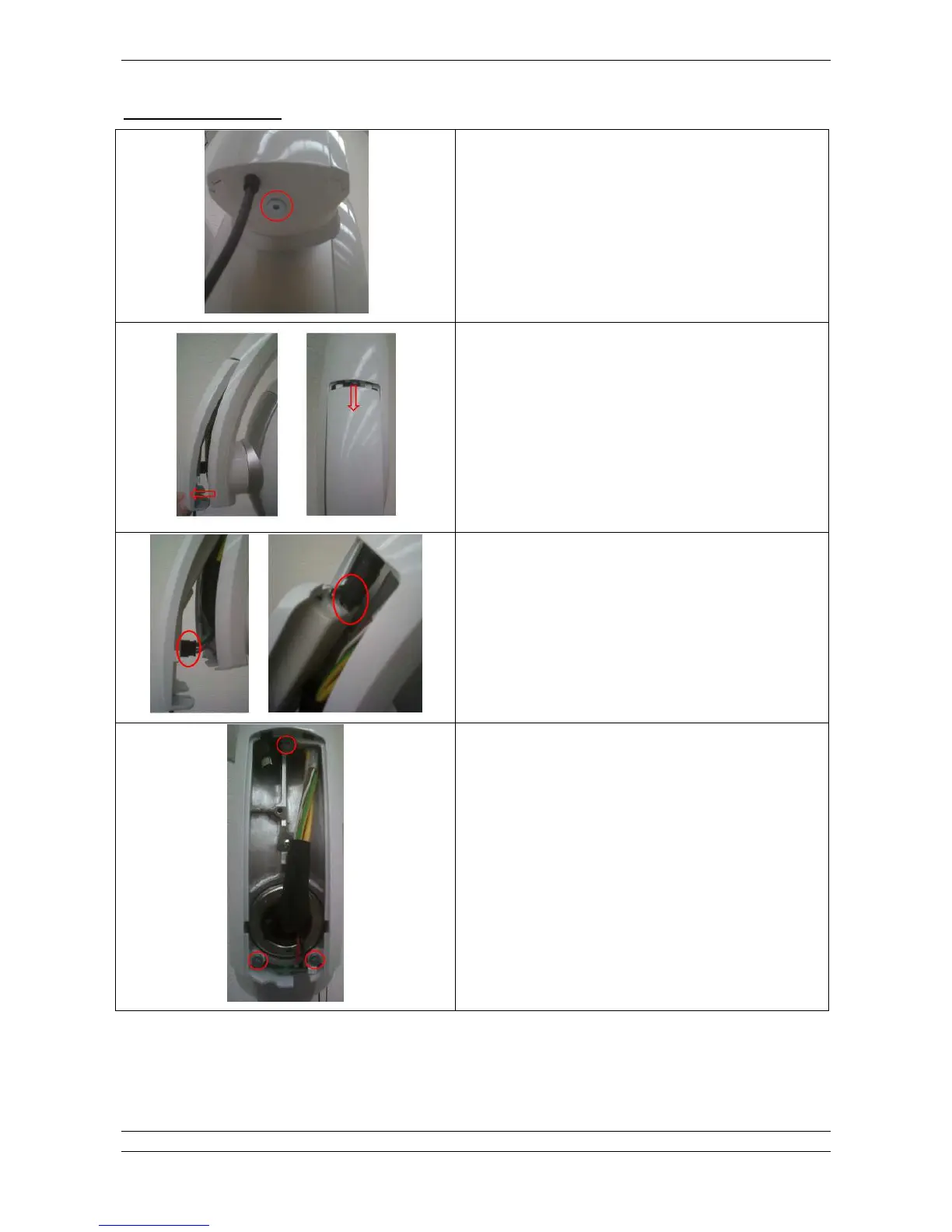
6. Remove fixing screw located at bottom side of the fork.
7. After removed the screw, move back and slide down the
bottom cover of the fork.
8. If the SOPIX/SOPIX2
2
Inside sensor is installed, disconnect
USB cable connection (right picture) and ACE cable
connection (left picture).
Otherwise proceed to next step directly.
9. Remove 3 fixing screws of the fork enclosure.















 To Next Page