!"##"$"%"&%*""#
Page ABof (()XM_unity_Installation&Maintenance_Manual Ed.1.3c2013
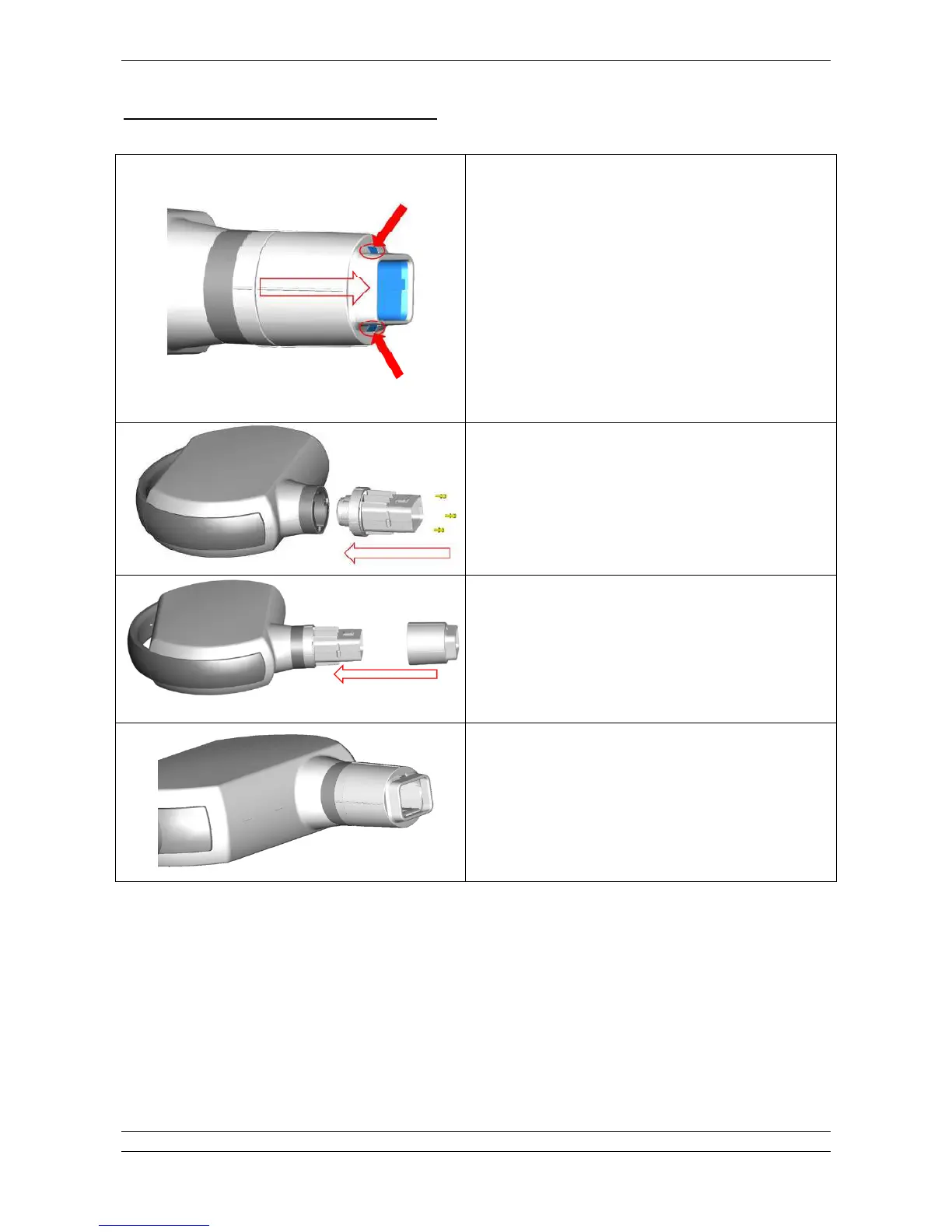
INSTRUCTIONS TO ASSEMBLE RECTANGULAR CONE:
Disassemble the existing cone.
Take out the rectangular cone and disassemble the cone cover
from beam limiter unit in order have access to fixing screws.
Fix the beam limiter unit to cone support by means of the 3 screws
provided.
Install the cone cover on the beam limiter by pushing it on the 2
flaps until hear the click of right assembling. Lightly try to pull out
the limiter assembly in order to check stability.
The square cone properly installed should be able to rotate and
not easily coming out.
Fig.13.9















 To Next Page