EasyManua.ls Logo

Acteon X-MIND unity - INSTALL and CONNECT X MIND Unity LIGHT (OPTIONAL)

Acteon X-MIND unity
110 pages
Print Icon
To Next Page IconTo Next Page
To Previous Page IconTo Previous Page
Loading...
 !"##"$"%"&%*""#
Page C)of (()XM_unity_Installation&Maintenance_Manual Ed.1.3c2013
@4  DE
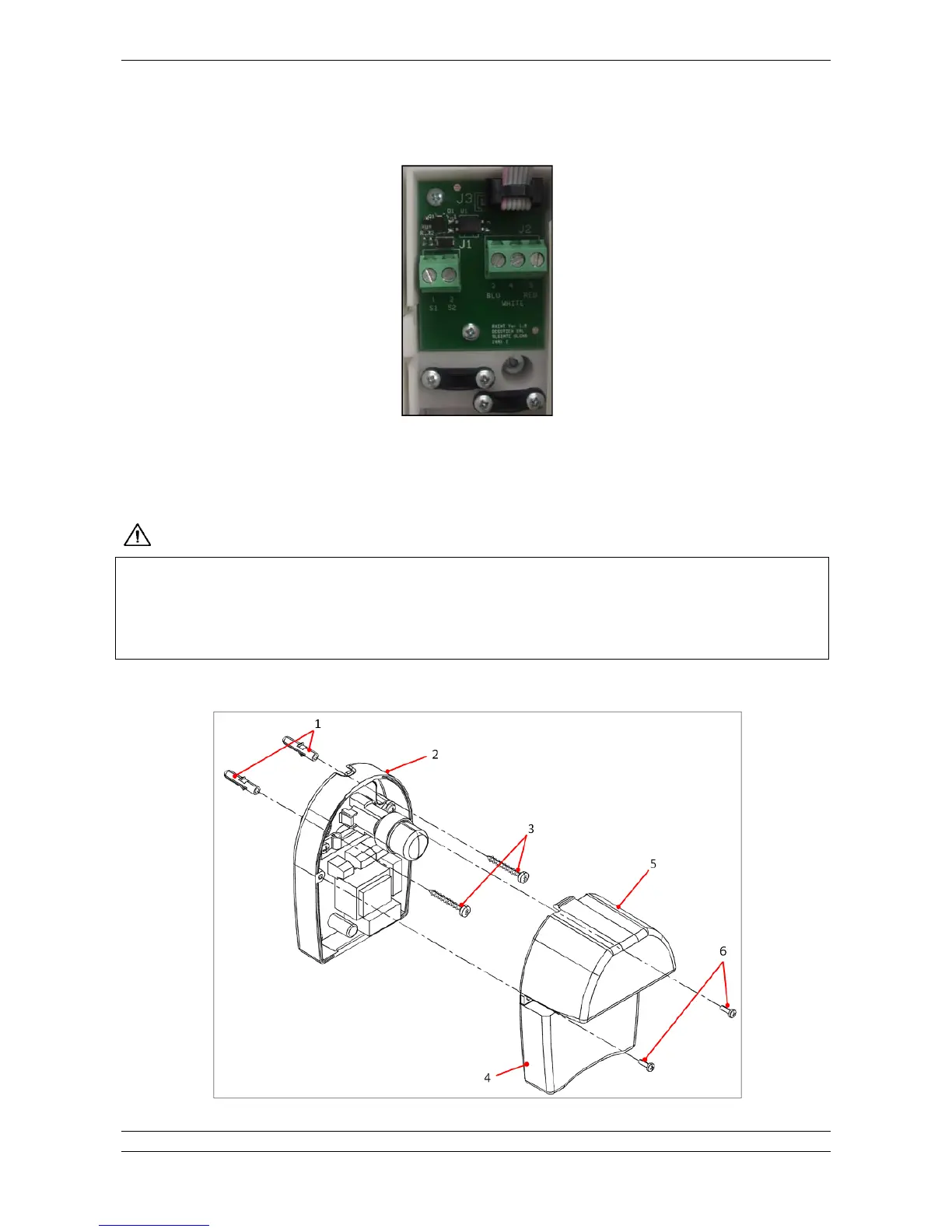
RXINT Board
Fig. 5.46
Necessary cables and wires for the connection should be arranged before the installation of the XMIND unity light.
This light needs an independent mains line (L + N) for the power supply and control cables (2 wires) coming directly from the control
unit.

!"8!$#%# .$08//%$!"##"%6-$!0%#H3/..%0%.0$*3%$0H"#-"0-0$2
/%/8/%9:%404#4
I
&%$
0$-4
3%&$0$#&0&!/%/&"%/.$03% #H3.&$HG&$%&H"/..%0%#H3$3!&0&&"
/"*"H%3%"/&$*-0$*!%3%$2%0"##!".% $.3%! !%*4
To install and connect XMIND unity light please refer to the following instructions:
Fig. 5.47

Table of Contents

Other manuals for Acteon X-MIND unity

Related product manuals