!"##"$"%"&%*""#
Page ;'of (()XM_unity_Installation&Maintenance_Manual Ed.1.3c2013
ASSEMBLING INSTRUCTIONS
1.
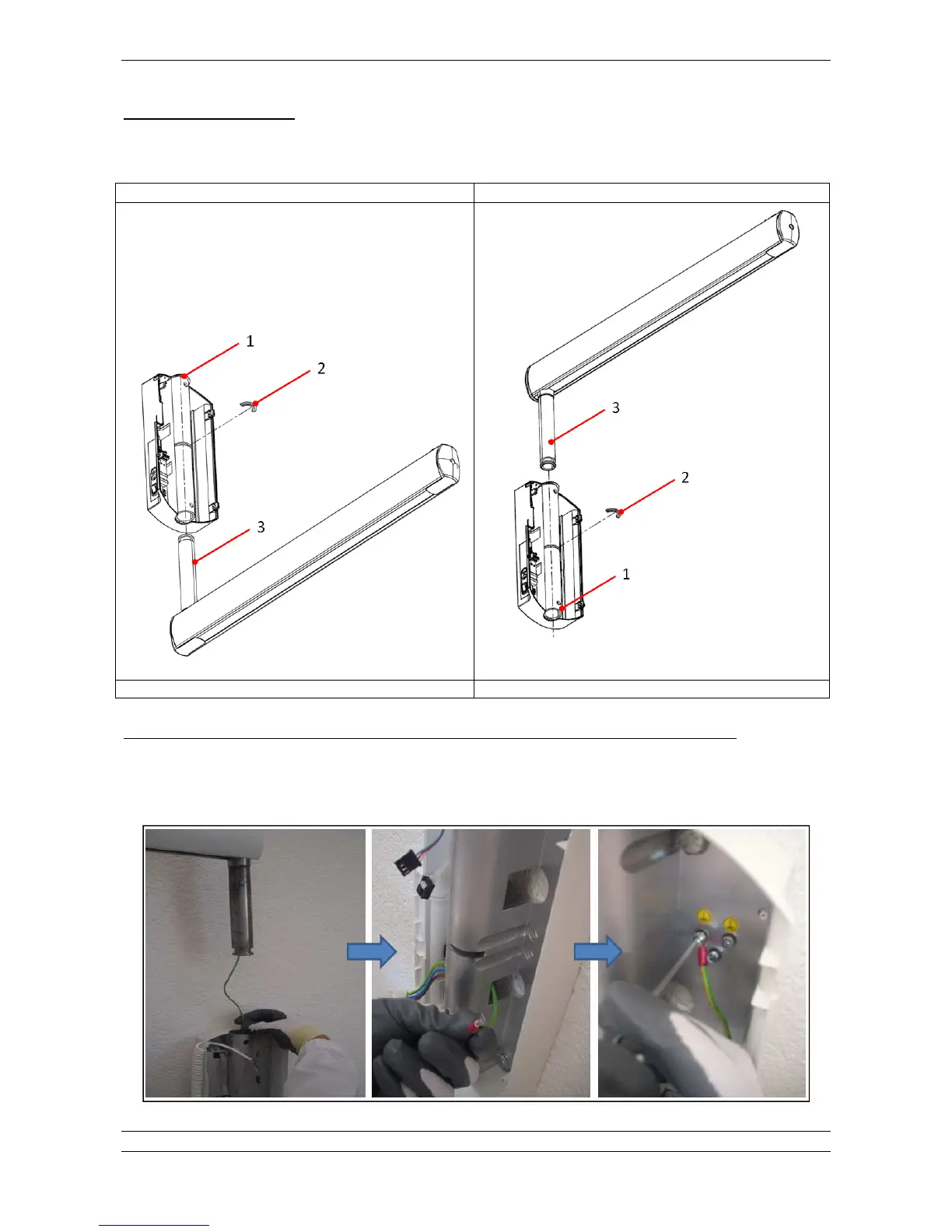
Insert the bracket pin D5E into the wall plate D(E (TOP or BOTTOM depends from installation and bracket type)
2.
Insert the half moon clip D'E
The bracket is provided from the factory with a ground cable already installed in the bracket, ready to be connected.
During the operation of insertion of the bracket tube in the wall plate hole, it is suggested first to insert the cable in the tube pushing it
gently inside, then fix the bracket by the half moon clip, take the ground cable out from the holes DE of the wall plate and then fix it
properly to the dedicated ground point prepared in the wall plate.















 To Next Page