!"##"$"%"&%*""#
Page A;of (()XM_unity_Installation&Maintenance_Manual Ed.1.3c2013
(54;4
$)E6
0)*
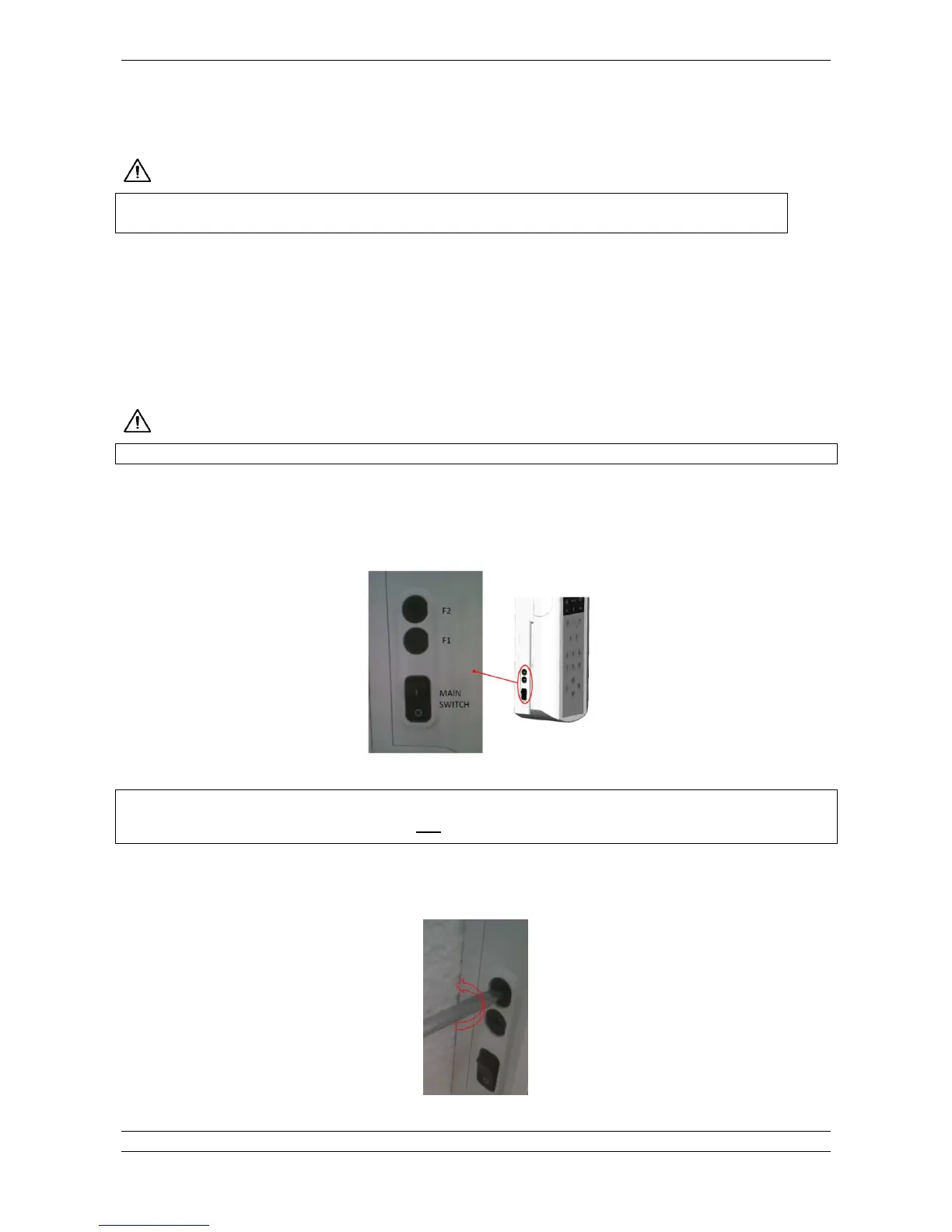
Depending by the installation type, the xray control unit of the XMIND unity is equipped by 1 or 2 fuses located on the electronic
board reachable from the outside by means of a flat screwdriver.
1. Single Fuse (Live): wall mounting versionpermanently installed
2. Double Fuse (Live and Neutral): mobile version of the XMIND unity.
"*
To replace them proceed as follows:
1. Locate the fuses and main switch at leftbottom side of the timer.
Fig. 13.1
(Z2%!%
'Z%0"#D!"##%/$# $ *$8#%2%0!$!E
2. Turn the power off putting the mains switch on “0”
3. Using a flat screwdriver unscrew (anticlockwise) the fuse holder and replace the fuse.
Fig. 13.2















 To Next Page