EasyManua.ls Logo

Acteon X-MIND unity - STEP 4 INSTALL and CONNECT REMOTE EXPOSURE SWITCH and X MIND Unity LIGHT (Optional); Step 5 Connecting Control Power Board

Acteon X-MIND unity
110 pages
Print Icon
To Next Page IconTo Next Page
To Previous Page IconTo Previous Page
Loading...
 !"##"$"%"&%*""# 
XM_unity_Installation&Maintenance_Manual Ed.1.3c2013 Page @=of (()
=4=4=4  ;            
D-$"#E
REFER TO CHAPTERS 6 and 7 for instructions otherwise proceed to the next step.
=4=4@4 =+

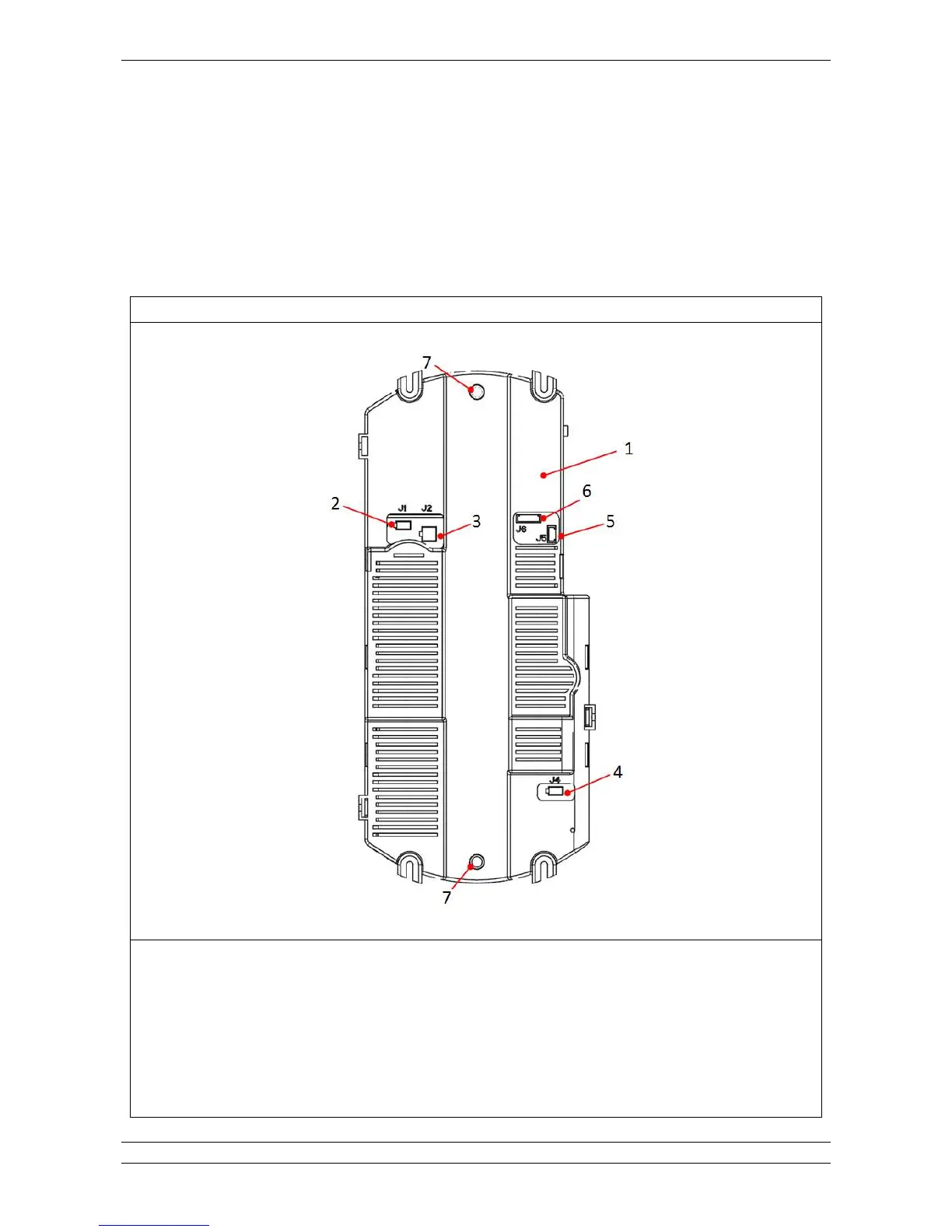
Fig.5.37
(4

8$6
4
'4 Q(&$%&$0.0$*4
54 Q'4&$%&$0.0$*4
;4 Q;&$4.0$*4
=4 Q=% (&$4.0$*#$&"#%6-!1&34
@4 Q@% 'S"*-&$4.0$*4
C4 %%0H!4

Table of Contents

Other manuals for Acteon X-MIND unity

Related product manuals