EasyManua.ls Logo

Acteon X-MIND unity - STEP 2 CONNECTING INPUT POWER BOARD and INTERFACE BOARD

Acteon X-MIND unity
110 pages
Print Icon
To Next Page IconTo Next Page
To Previous Page IconTo Previous Page
Loading...
 !"##"$"%"&%*""# 
XM_unity_Installation&Maintenance_Manual Ed.1.3c2013 Page @5of (()
=4=454 '"/+
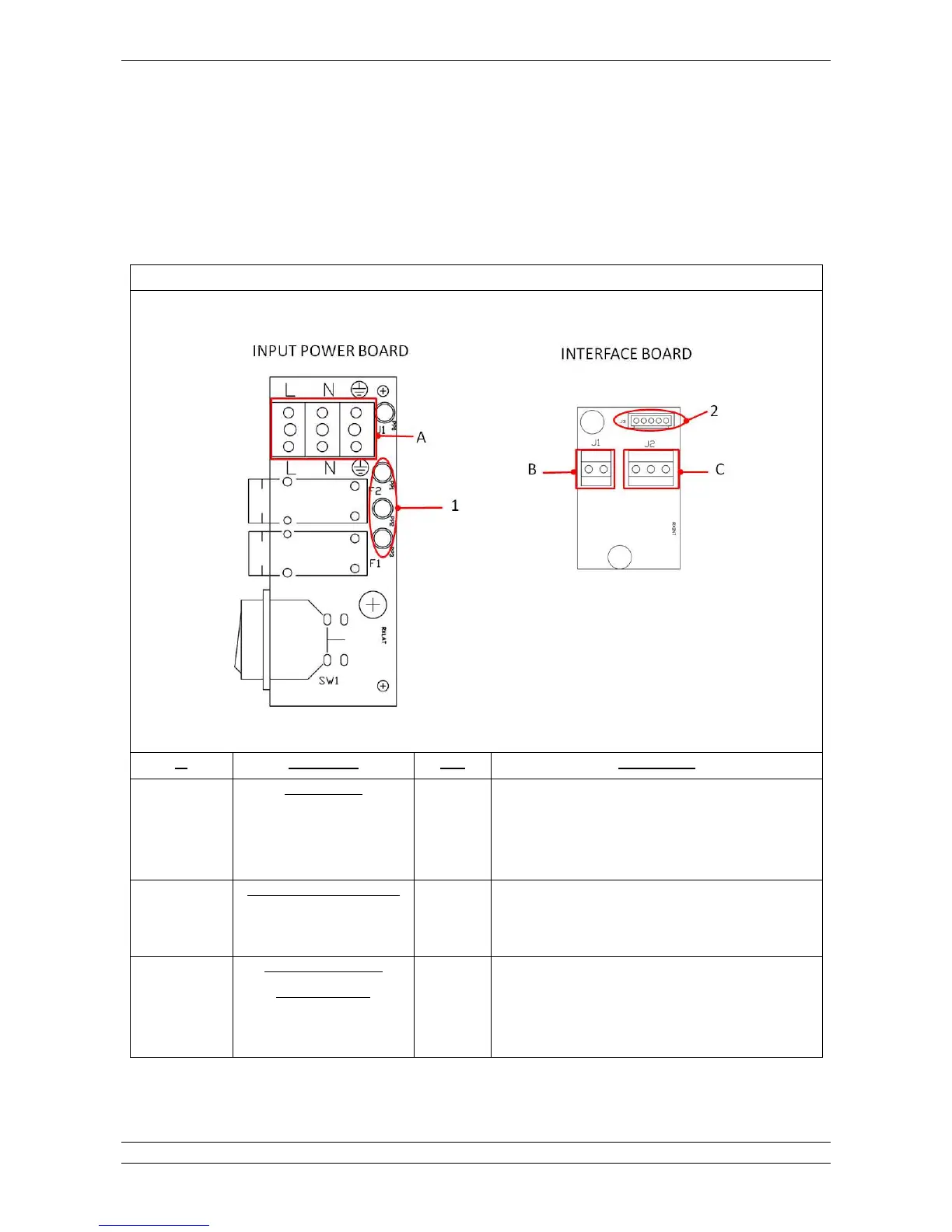
Connect the cables of mains, XMIND unity remote exposure switch and XMIND unity light as described below before proceed
assembling the next board.
Refer to the chart below for connections description.
For further details please check >? chapter at the end of this manual.



Fig.5.35




Q(


$1%0!--#
D-3"!%ED%0"#E
DH0$/E
( Q;
Q(

 %6%0"##H3
(D=E'D;E
'Q5
&$%&$0
Q@
Q'

 0%*$%
%6-$!0%!1&3
D(ED'E
D5E
'Q5
&$%&$0
Q@

Table of Contents

Other manuals for Acteon X-MIND unity

Related product manuals