!"##"$"%"&%*""#
XM_unity_Installation&Maintenance_Manual Ed.1.3c2013 Page CCof (()
C4
The “ “ xray system is factory configured in “;"5#'56'3!'(
”.
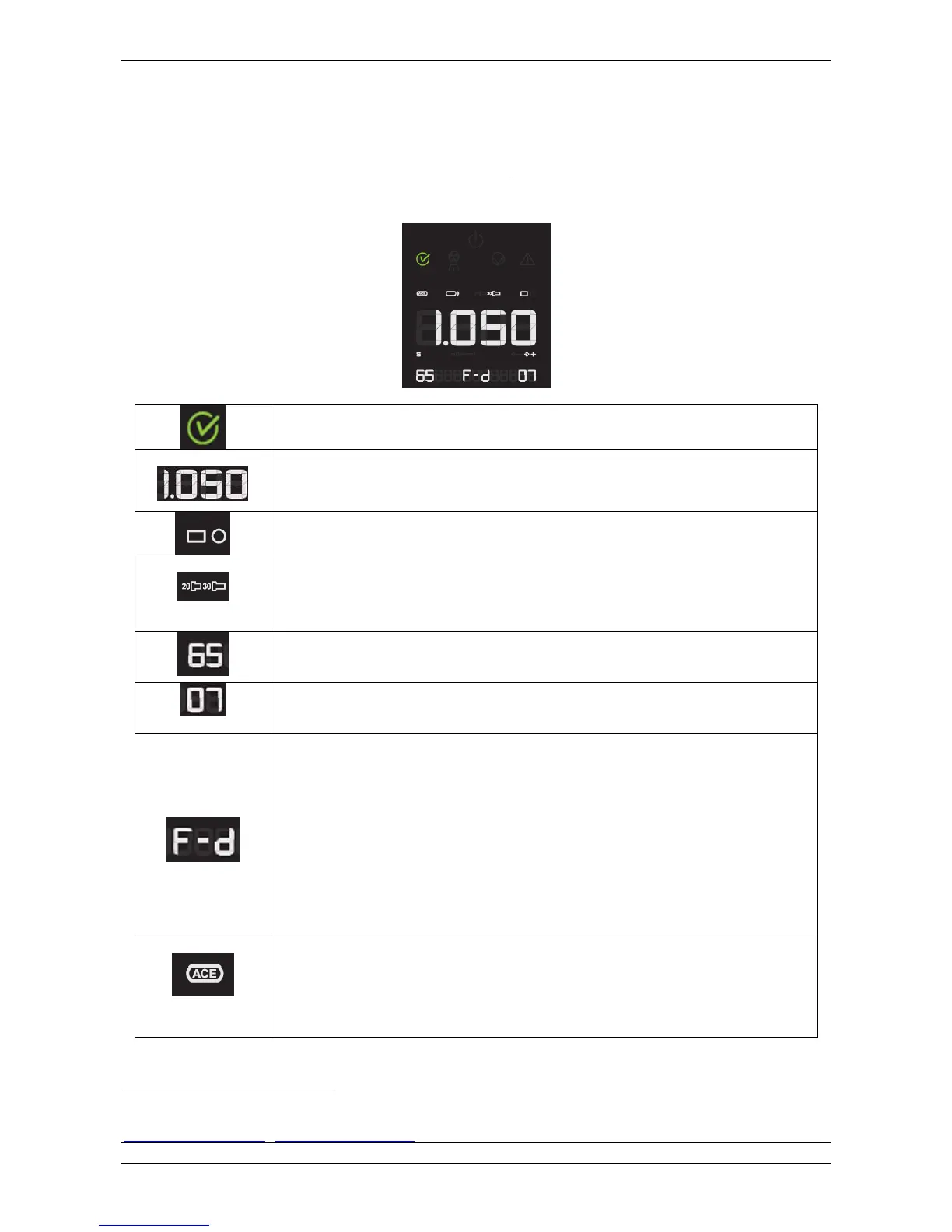
On the control panel, the led relevant to the following exposure parameters will light up:
Ready for xray exposure (Armed mode)
XRay Exposure Time selected
Type of cone installed (rectangular or circular shaped xray beam output)
20 [cm] (8”) = SHORT CONE (circular or rectangular)
30 [cm] (12”) = LONG CONE (circular or rectangular)
ray detector support type
Fd : FILM, D Speed
Fe : FILM, E Speed
Ff : FILM, F Speed
Dig : Digital XRay Sensor
PSP : Phosphor plates
ACE : The “ACE” code inside the list of selected type of supported detector (Fd, Fe, Fg, Ff, DIG,
PSP) is available only when a Sopix/Sopix
2
Inside is installed and properly armed.
Inside sensor is installed and properly
XMIND unity with the ACE system activated
2
. This icon lights up after the exposure performed in
ACE mode.
2
Refer to the operator’s manual of the SOPIX/SOPIX2
2
Inside xray sensor for more informations or contact the technical support of Sopro. : ZAC
Athélia IV • Avenue des Genévriers • 13705 LA CIOTAT cedex • FRANCE • Tél +33 (0) 442 98 01 01 • Fax +33 (0) 442 71 76 90 • Email:
info@sopro.acteongroup.com • www.sopro.acteongroup.com















 To Next Page