EasyManua.ls Logo

Acteon X-MIND unity - Positioning the Patient; Positioning Film or Sensor

Acteon X-MIND unity
110 pages
Print Icon
To Next Page IconTo Next Page
To Previous Page IconTo Previous Page
Loading...
 
!"##"$"%"&%
Page ;)of (()

2.
Fix the template with adhesive tape
3. Check the holes in order to obtain
4. Mark the fixing holes of
the wall pla
5. Also m
ark the holes for the electric

()

;<81=85>?2+
6. Drill the fixing holes
7. Remove the template DE
and inser
8. Insert the timer back cover DE
to th
9. Lean the assembly D(E
to the wall in
10. Hold the assembly D(E
to the wall a
11. Make sure that supply mains
cable
passing through the right hole. DE
12. Check that the
assembly (wall plate

. 3% 1"## ! $ -%0.%&# 
#%2%#%/
G -
/%.$0*"$!
&%
*""#

XM_unity_Installation&
Maintena
ape
the proper verticality
and alignment with the floor, using a pl
plate
tric cables connecting
mains, optional exposure key or ext
erna
*

sert the suitable anchor screws
DE
, according to the wall char
o the wall plate
DE using centering pins.
ll in correspondence of the holes.
ll and insert the screws
DE
with the relevant washers, then tigh
bles
, remote exposure key (X
MIND unity ECB) and external
late + timer back cover)
D(E is steadily fixed to the wall.
" !"8#% !3* 8%1%% 3% 1"## "/ 3% 1"## -#"%
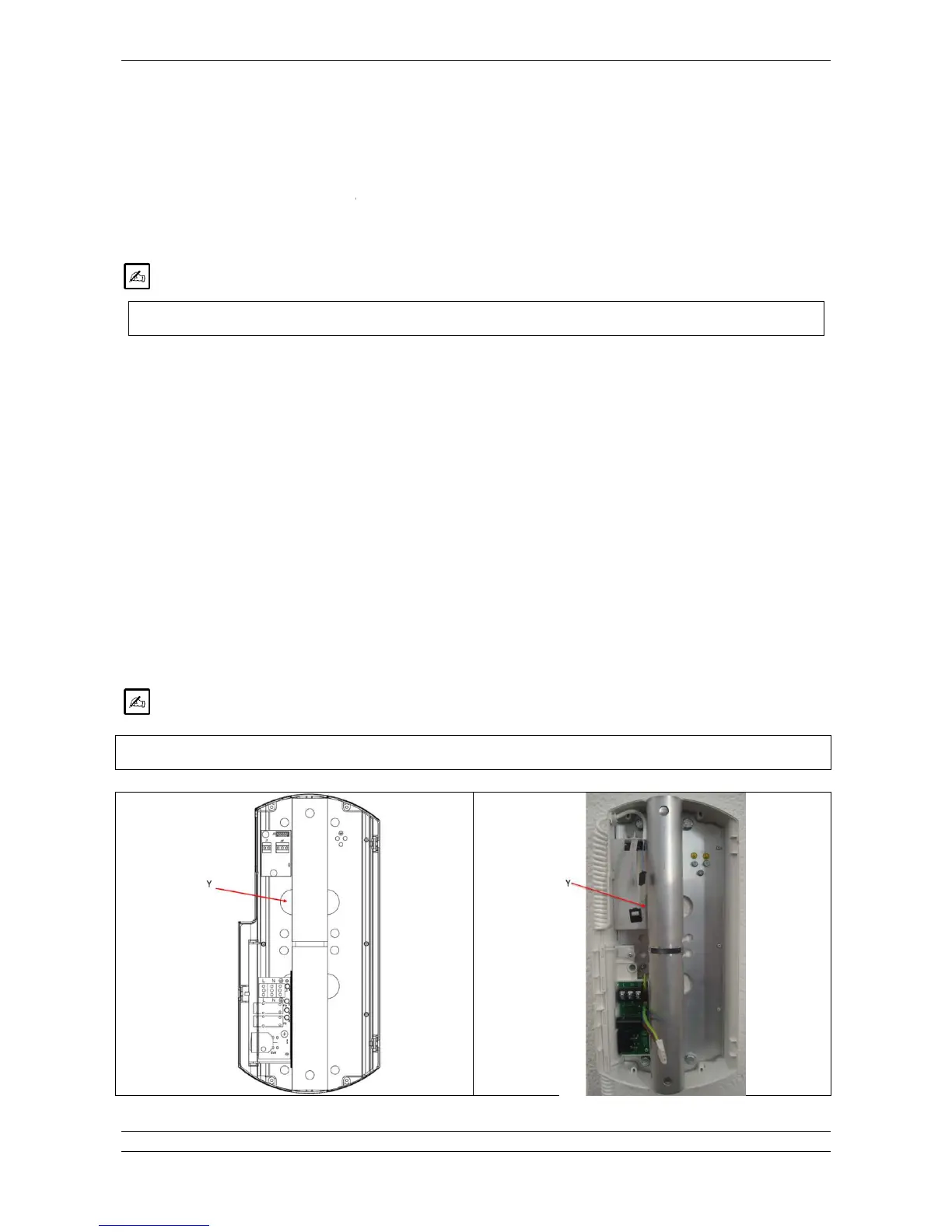
Fig.5.6
nance
_Manual Ed.1.3c2013
plumb line
rnal
light to the timer
+(*
haracteristics
.
tighten alternately
.
nal
light (XMIND unity light) are
"% $ -0%2% "  -$!!8#%

Table of Contents

Other manuals for Acteon X-MIND unity

Related product manuals