EasyManua.ls Logo

Acteon X-MIND unity - Page 85

Acteon X-MIND unity
110 pages
Print Icon
To Next Page IconTo Next Page
To Previous Page IconTo Previous Page
Loading...
 !"##"$"%"&%*""# 
XM_unity_Installation&Maintenance_Manual Ed.1.3c2013 Page B=of (()
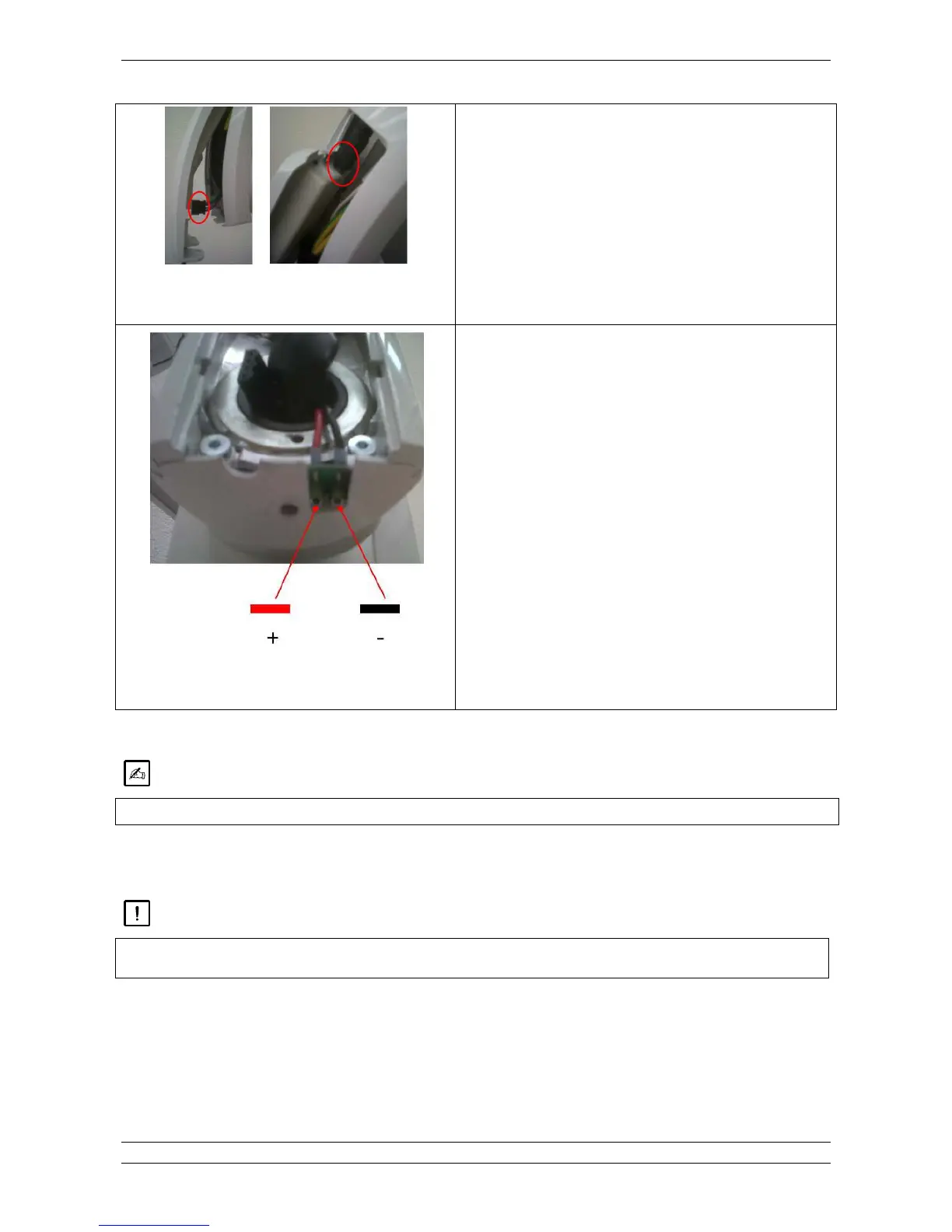
Fig.10.3
3. If Sopix/Sopix
2
Inside sensor is installed, disconnect the USB
cable and ACE cable.
Otherwise proceed to next step directly.
Fig.10.4
4. Connect the multimeter on the 2 test points and set the
instrument on VDC mode.
Take an exposure long at least 1 sec. and read the value
displayed.
5. To know the mA value apply this conversion to the value read
on the multimeter: (Z(*

**

Please check with your local regulatory body for specific test specifications.

#
 '"8'
"
>
+           


Table of Contents

Other manuals for Acteon X-MIND unity

Related product manuals