Doc : AM220-001E Release: 1.5 updated : October 2014
SWITCHING ON
CAUTION!
Once the analyzer has been unpacked, before switching-on, allow sufficient time (a few
hours) so that the analyzer adjusts to the laboratory temperature (especially if it has been
stored at low temperatures and/or at high humidity conditions).
Main Power Connection
The SP 10 analyzer operates from 100 to 240 Volts, at 50 or 60 Hz, in accordance with the majority of
countries where the analyzer is marketed.
Be sure that the main switch is OFF.
Plug the power cord provided with the SP 10 to the instrument socket , connect it to the main power
supply socket.
Press the Main Power Switch on the rear side of the analyzer to the ON position (see rear view
picture).
Verify the followings:
• The cooling fan is blowing
• The screen lights up and the Welcome Screen is displayed
• A self diagnostic test is initiated
SWITCHING OFF
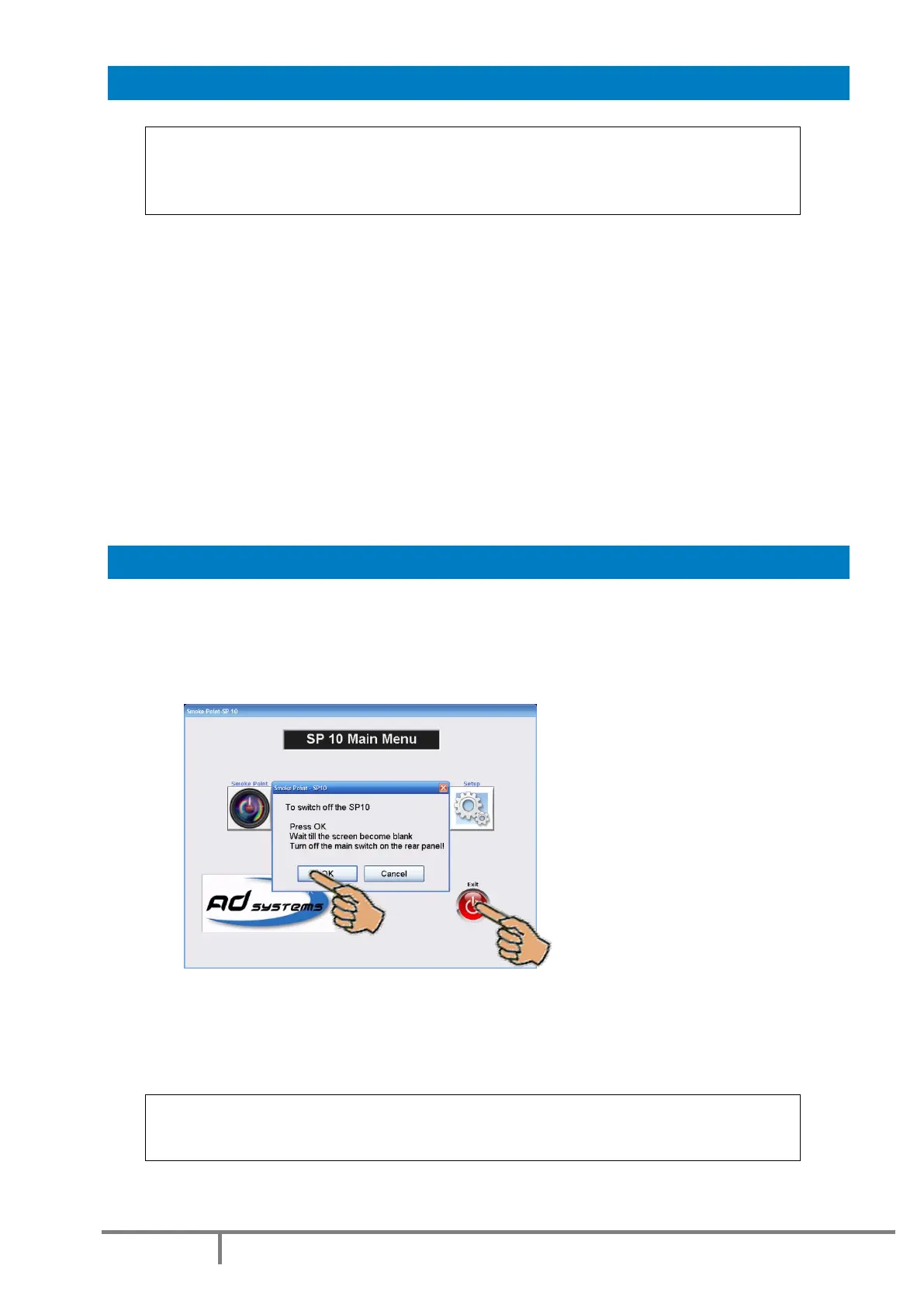
In order to switch the instrument OFF, proceed always as follow:
- If a test is running, abort the test first and wait for the candle release
- Go to the Main Menu
- Press EXIT button, confirm the operation
- Wait until the screen becomes blank
- Press the Main Power Switch on the back side of the analyzer
CAUTION!
Never switch off the main switch if test is running!
Protect the instrument from sudden power supply cuts.



 To Next Page