Doc : AM220-001E Release: 1.5 updated : October 2014
SETUP MENU
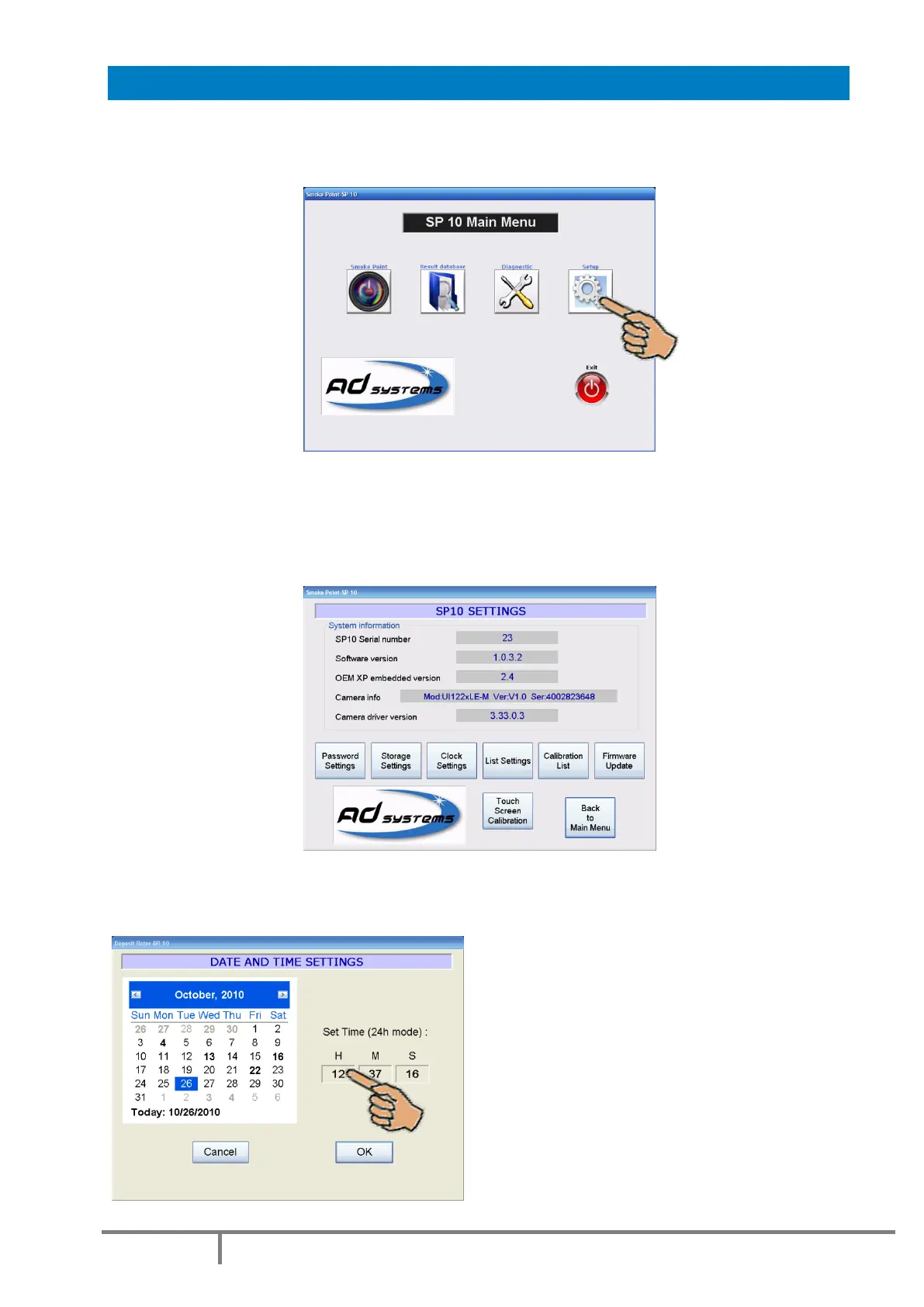
Use the “SETUP” button of the Main Menu to access to configuration, clock settings, firmware update and
other options.
System Configuration
The SETTINGS screen provides information on the current system configuration.
In case of communication with AD Systems technical support department, this information will be
requested.
How to set Date and Time
The “Clock Settings” button allows the setting or adjustment of the date and time.
Select the date in the calendar to change the date.
Touch the Hour / Minute / Second area to change
the value.
Settings are available in 24h mode only.



 To Next Page