Doc : AM220-001E Release: 1.5 updated : October 2014
REPORTING AND STORAGE OPTIONS
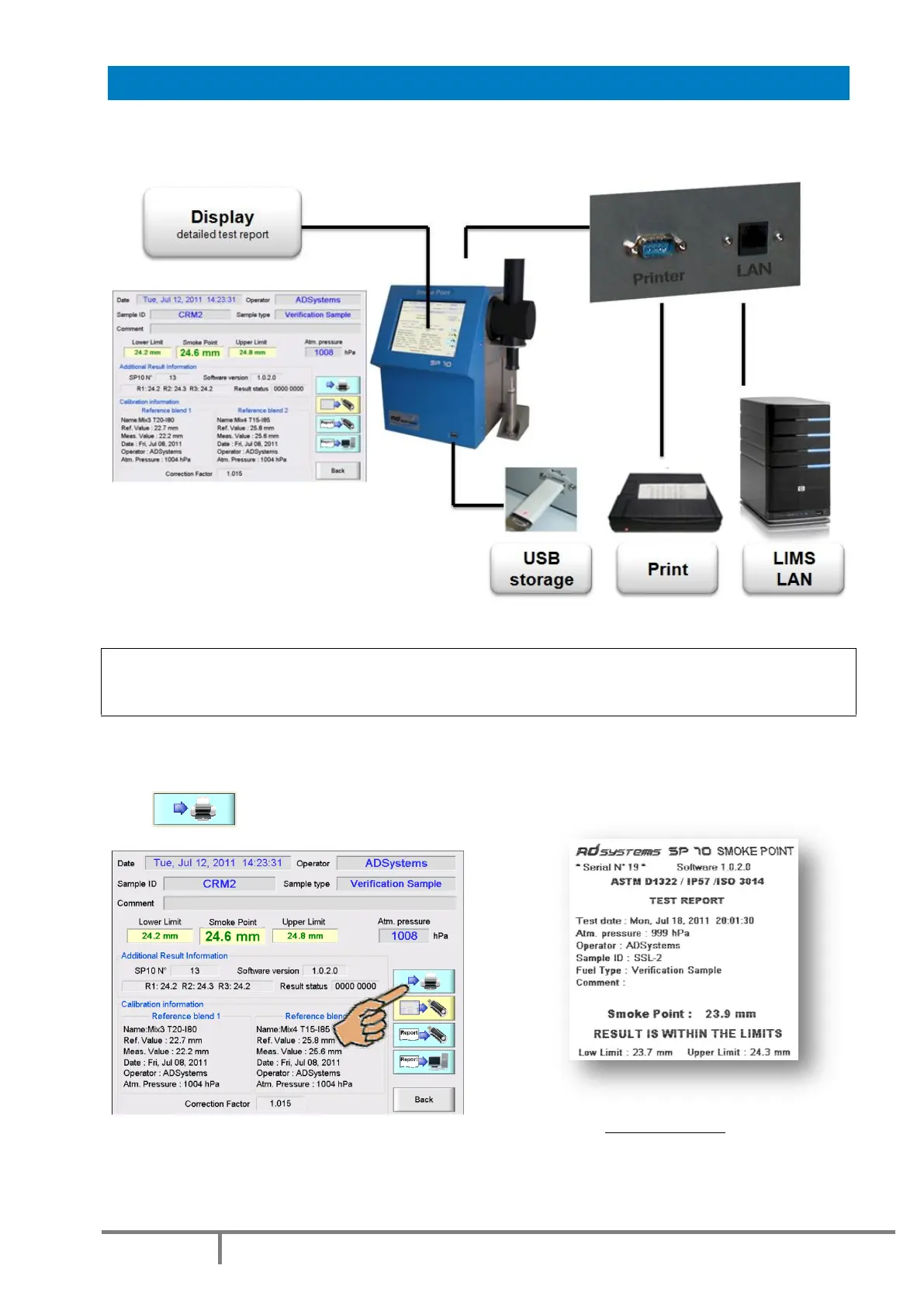
The SP 10 offers versatile reporting options. Results can be displayed, printed (with an optional printer),
stored on USB storage device and/or send to Local Area Network (LAN) via Ethernet link.
PRINTOUT
WARNING!
Use only a printer supplied or specified by AD Systems.
The printer is connected to the RS232 port located on the rear of the analyzer.
The printout of the test report is possible from the Test Result Screen
Press button to activate the printout.
Printout example
If the print button is inactive (faded), check if the printer is ON and check the connection cable.
Note: It is normal that the SP 10 menu is unavailable for 1 or 2 seconds when the printout starts.



 To Next Page