Doc : AM220-001E Release: 1.5 updated : October 2014
RESULTS DATABASE
The SP 10 built-in result database allows for test data recording, its future retrieval and visualization.
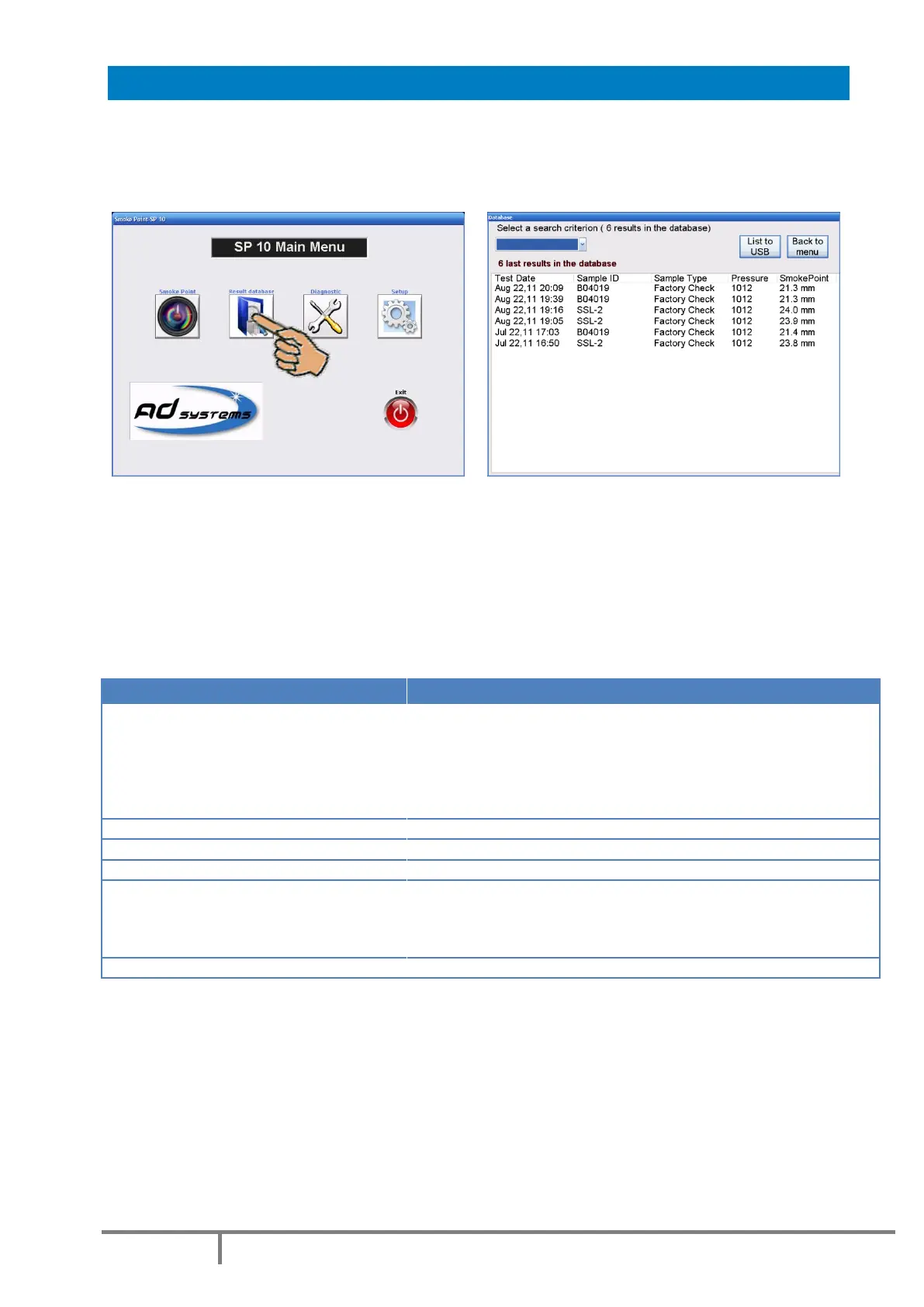
Press “Result Database” button on the Main Menu to access the database.
A window with the list of the 10 last test reports is opened. The message on the top of the page indicates the total
number of results contained in the SP 10 database.
In order to display the test report details, touch the line with a result or proceed with a search to find a specific
result.
Results Search
Results can be searched in the database with different criterion. The following search criteria are available:
Last result
Today
Last week
Last month
Select a date
Select a Period
Display most recent result in the database
Display all results of today
Display results done in last 7 calendar days
Display results done in last 30 calendar days
Display results of specified date (calendar will appear for selection)
Display results done in specified period of time
Display all results for specified Sample ID (enter from keyboard)
Display all results done by the operator (select from the list)
Display all results done with selected sample type
Lower than
Upper than
Equal to
Between
Display all results with SP value lower than specified value
Display all results with SP value upper than specified value
Display all results with SP value equal to specified value
Display all results with SS value in the specified range
Display all results for specified pressure (enter from keyboard)



 To Next Page