Doc : AM220-001E Release: 1.5 updated : October 2014
Report storage on USB in ASCII format
The section “USB Storage Settings” of STORAGE SETTINGS menu contains options to configure the ASCII
report storage on the external USB drive. The SP10 has 2 USB ports available: one on the front panel and
one on the rear side of analyzer).
CAUTION! The SP10 automatically detects the USB drive as soon as it is connected. If the drive capacity is
important, auto configuration of the device could take a few seconds. During this time the touch screen is
not responding.
Consequently it is highly recommended do not connect the USB storage device during test run. It could
interfere with the measurement and an error message could appear.
All report files will be stored in the folder /SP10_Reports. If the folder does not exist, it will be
automatically created.
Report filename
If a specific filename prefix needs to be used for file storage on the USB drive, set it in the Filename Prefix
window. If this option is set, the specified prefix will be added upfront of the report filename. Maximum
length for this prefix is 3 characters. Filename extension can be selected of .CSV and .TXT
Each report filename is generated automatically and has the following structure:
PPPYYYYYYYYYY-SPXXX.csv
Where,
PPP – prefix (if set)
YYYYYYYYYY – is date and time of the test coded in Windows format
SPXXX is the SP10 serial number
Report types and data format are the same to those explained above for the LAN storage.
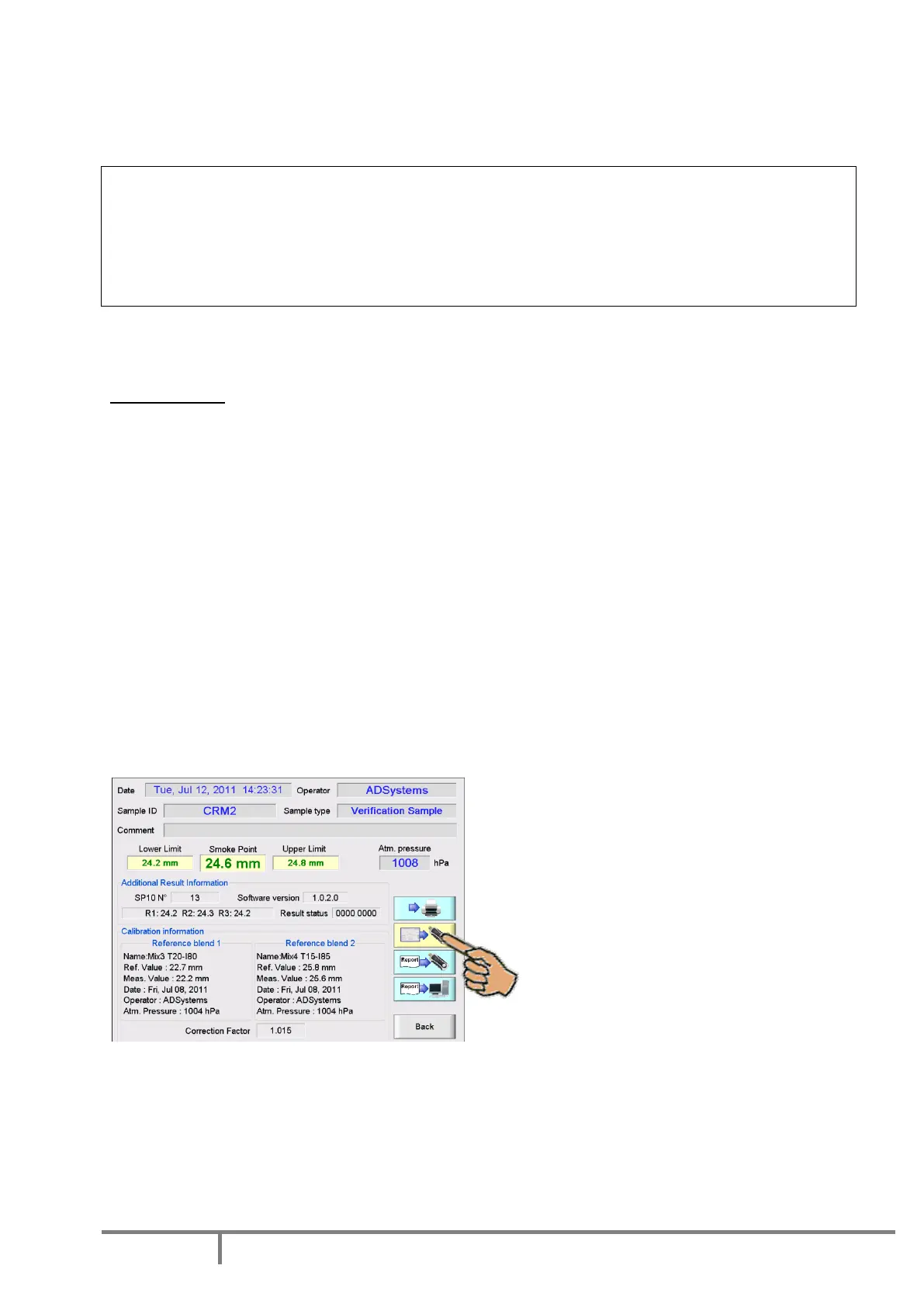
Report screenshot storage on USB
It is possible to save on USB drive the complete screen shot of the test report as an image file in BMP
format. Connect the USB drive and press yellow control button on the Report Screen.
File size of one screen shot is 1,8 Mbyte. Please be sure that the USB drive has sufficient memory space.
All screen shot files will be stored in the folder /SP10_Reports. If the folder does not exist, it will be
automatically created.
The filename has the same structure as for the ASCII reports. Please see details above.



 To Next Page