Doc : AM220-001E Release: 1.5 updated : October 2014
If the optical window surface is contaminated with the soot of combustion, it is possible to clean it.
CAUTION! Need to have particular care then cleaning the optical window!
Don’t touch the surface with your fingers!
Don’t scratch the surface!
Air blower may be used to safely remove surface dirt
Gently wipe window out using soft non-abrasive Microfiber tissue or Lens Cleaning Cloth saturated with
reagent-grade isopropyl alcohol or de-ionized water. It is effective way in removing smudges.
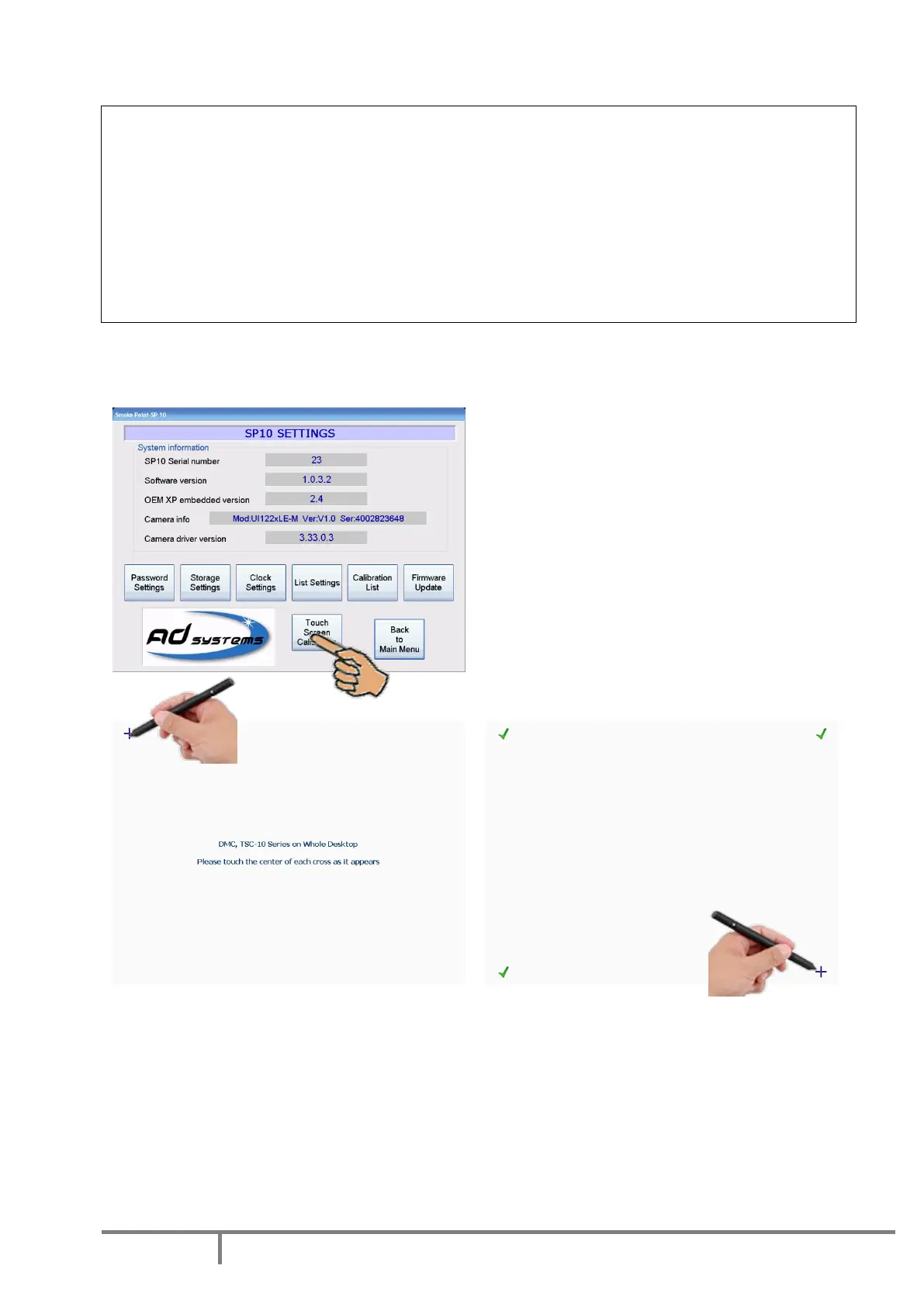
Calibration of touch screen panel
In case of repair or replacement of the touch screen, it needs to be calibrated.
A special function in the menu SETTINGS facilitates
this operation.
Press “Touch Screen Calibration” button.
If the touch panel is fully misadjusted and it is not
possible to use touch screen, connect an USB mouse
to the USB port of the instrument and use the
mouse to access to the menu.
To calibrate the touch screen use a pointing device
like a stylus.
In the calibration mode, touch the center of each
cross which will appear on the screen.
After consequently touching calibration crosses in the 4 corners of the screen, the menu asks for
confirmation of the calibration by touching the CONFIRM button in the center of the screen.
Attention!
If you see that calibration is not successful (you mismatched a cross), don’t confirm it!
Don’t press Confirm button.
Just wait 10 seconds, the SP10 menu will re-appear.
Press “Touch Screen Calibration” button and repeat the calibration properly.



 To Next Page