Doc : AM220-001E Release: 1.5 updated : October 2014
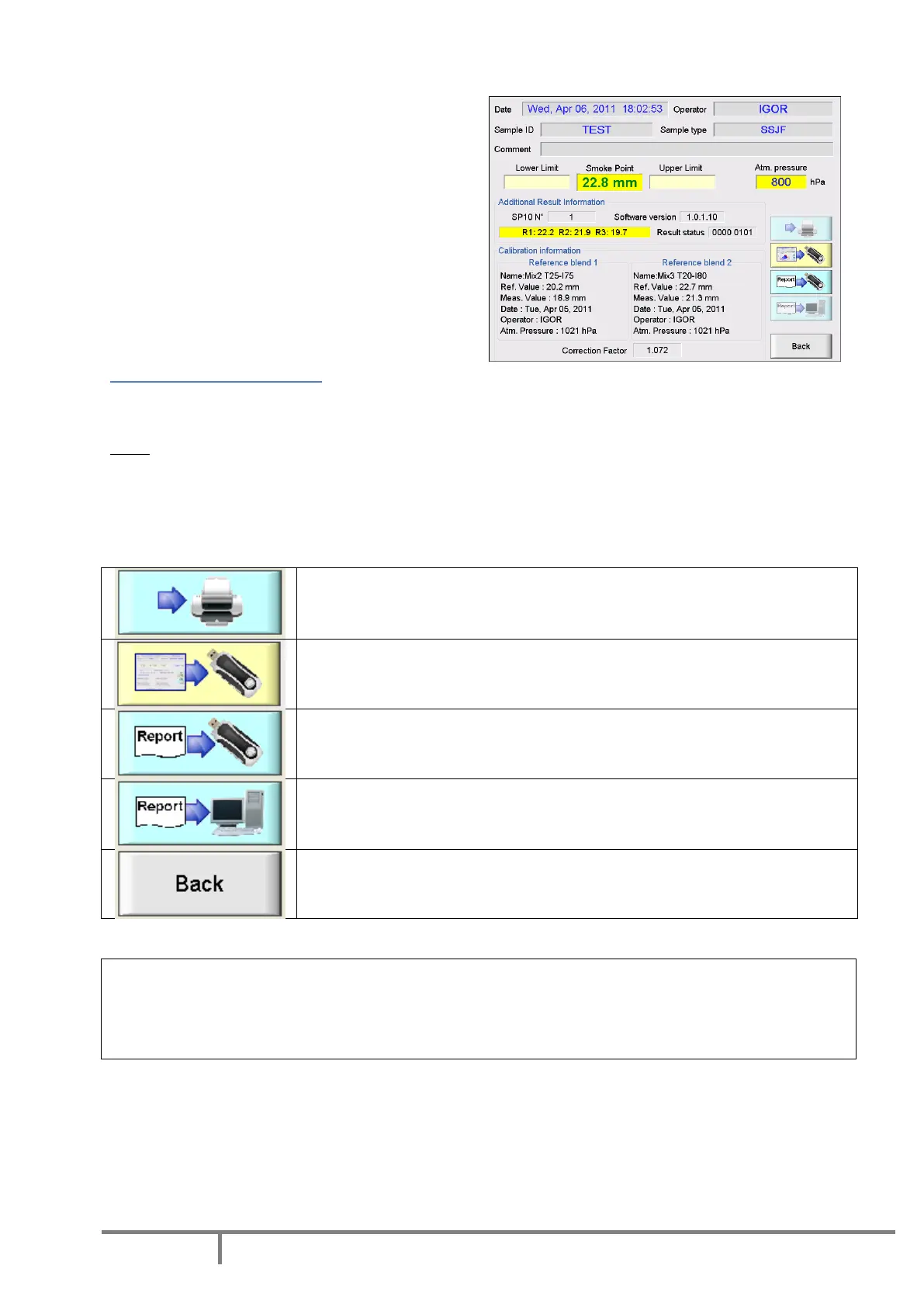
In this example, the barometric pressure is much different to the best matching pressure found in
calibration database. In addition, there is a problem
in 3 readings. One result is significantly (more than
1 mm) different compared with the 2 others.
In that particular case, when the Result Status is not
zero, the operator is in charge of accepting or not
the reported result.
The Result Status is included in the ASCII test report
sent to the LAN. It can be used for automatic
acceptance of the test result into LIMS.
Calibration information
This information contains details about the pair of reference fuels that have been used to calculate lamp
factor for this test. Resulting calibration factor is displayed for traceability.
Note: The instrument calibration information can be included in the ASCII test report file. To do so, use
report type 2 (for more details please refer to “Test data storage” in this manual).
Control buttons
Control buttons on the result screen provides versatile reporting options.
To print the result with the optional printer
To save the snap shot of the report screen on a USB storage device (the
button is activated when USB storage device is connected)
To save the test report in ASCII format on a USB storage device (the button
is activated when USB storage device is connected)
To send the test report in ASCII format to LAN (the button is activated when
the SP 10 is connected to a LAN)
To return to the Main Menu or get access to search result database
CAUTION! The SP 10 automatically detects the USB drive as soon as it is connected. If the drive capacity is
important, its detection could take a few seconds. Consequently it is highly recommended not to connect
the USB storage device during test progress. It could interfere with the measurement and an error
message could appear.



 To Next Page