Chapter 9: Monitoring Status and Activity ● 107
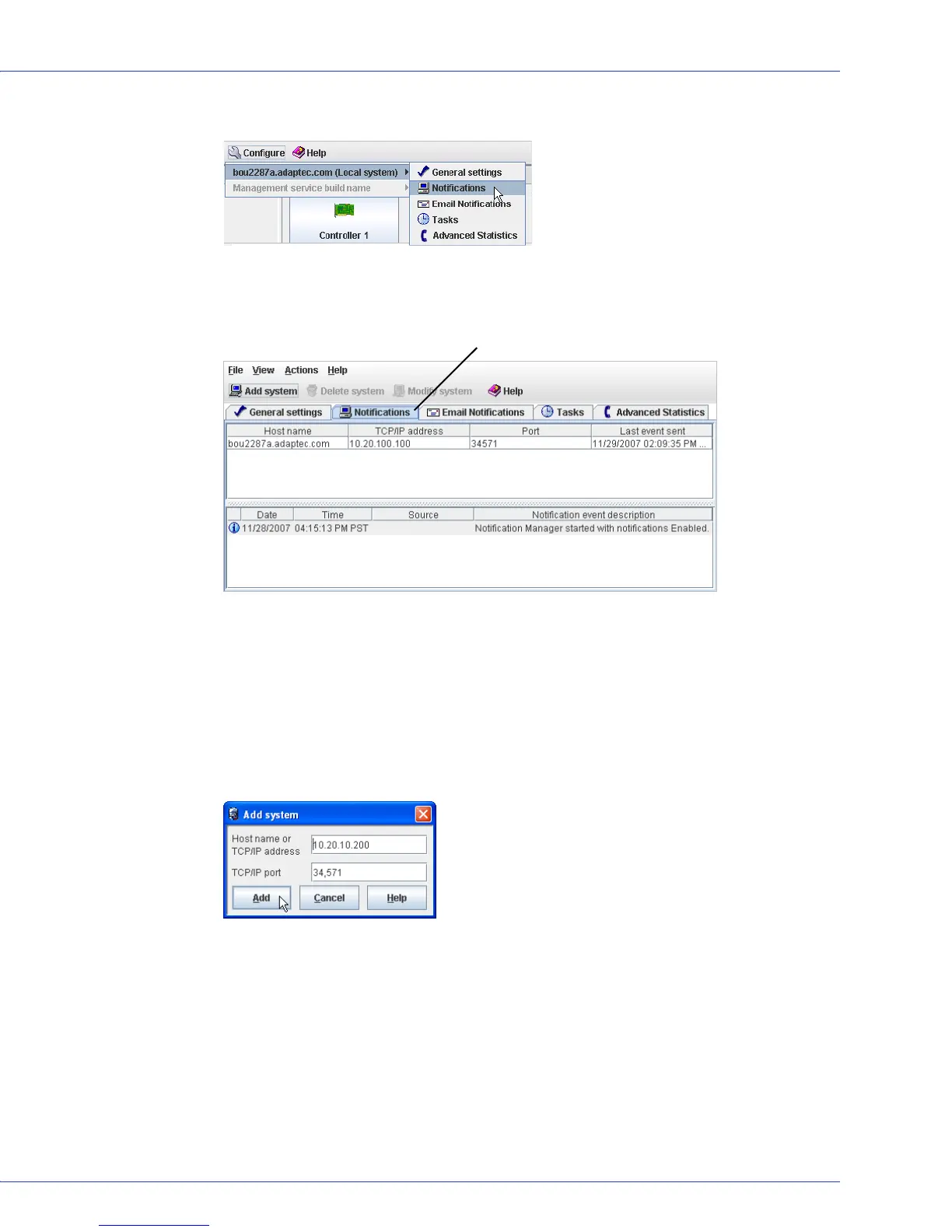
3 On the tool bar, click Configure, point to the system, then click Notifications.
The Notifications Manager opens. The local system is automatically included in the list of
systems receiving logged notifications. (By default, all local events are listed in the local
event log.)
Note:
You can access other features in this window, such as the Task Manager (see
Scheduling Recurring or Resource-Intensive Jobs on page 80), by clicking their tabs.
4
In the tool bar, click Add system.
The Add System window opens.
5 Enter the host name or TCP/IP address of another system in your storage space that will
receive event notifications generated by the local system. (If you are not using the default
port number, 34571, enter the TCP/IP port.) Then, click Add.
Repeat this step to add other systems to Notifications Manager.
Notifications Manager on Notifications Tab



 To Next Page