Chapter 8: Maintaining Physical Devices ● 94
Resetting the Statistics Logs on a Controller
Adaptec Storage Manager adds statistics to the statistics log for a controller (cumulatively)
until you reset the log.
To reset the statistics log for a controller:
1 In the Enterprise view, select a controller.
2 In the menu bar, select Actions, select Advanced Statistics, then click Reset.
Testing and Silencing System and Enclosure Alarms
Adaptec Storage Manager supports an audible alarm which is triggered on the local system
when a Warning- or Error-level event (see page 104) occurs on any system in your storage
space. Adaptec Storage Manager also supports audible alarms on enclosures.
This section describes how to work with the audible alarms in your storage space:
● For system alarms, see the next section.
● For enclosure alarms, see page 96.
Working with System Alarms
Warning- or Error-level events (see page 104) on a system trigger an audible alarm, a series of
beeps which sound every five minutes until the event is resolved.
The alarm is enabled by default, but can be disabled on any system, if required. You can also
change the
frequency and duration of the alarm
.
Note:
A system alarm is not the same as a controller alarm. For controller alarm information, see
Working with Controllers on page 91.
This section describes how to work with your systems’ audible alarms.
Testing a System’s Alarm
To test the audible alarm to ensure that it’s working on your local system:
1 Ensure that the speakers on your local system aren’t muted.
2 In the Enterprise View, click on your local system.
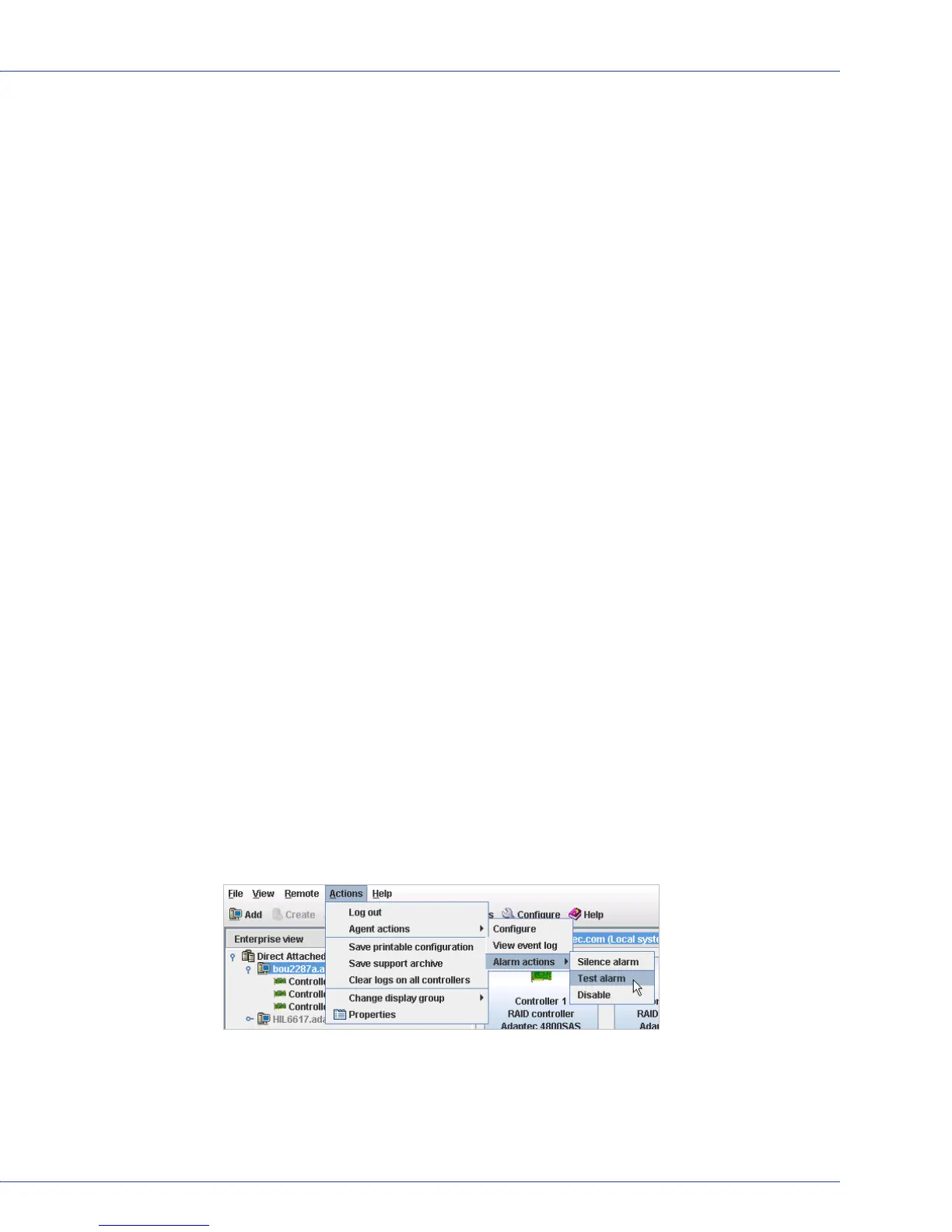
3 In the menu bar, click Actions, then select Agent actions.
4 Select Alarm actions, then click Test alar m.
The alarm sounds.
5 To stop the test, click OK.



 To Next Page