Chapter 4: Exploring Adaptec Storage Manager ● 51
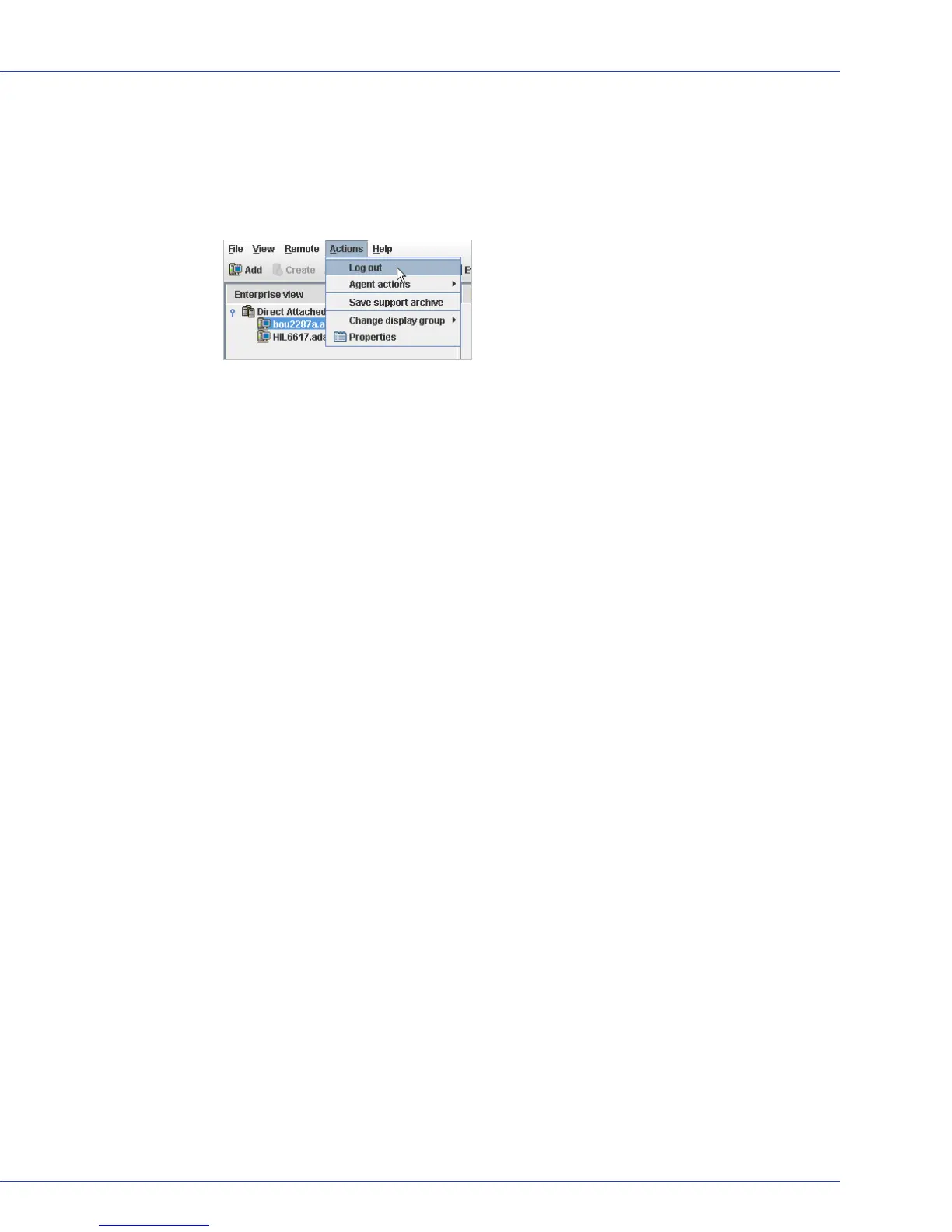
Logging Out of Adaptec Storage Manager
To log out of Adaptec Storage Manager:
1 In the Enterprise View, click on the local system.
2 In the menu bar, select Actions, then click Log out.
You are logged out of Adaptec Storage Manager.
Logging Back In
To log in to Adaptec Storage Manager:
1 In the Enterprise View, click on the local system.
2 In the menu bar, select Actions, then click Log in.
3 Enter your user name and password, then click Connect.
Uninstalling Adaptec Storage Manager
To uninstall Adaptec Storage Manager, follow the instructions for your operating system.
Uninstalling From Windows Systems
To uninstall Adaptec Storage Manager from a Windows system, use the Add or Remove
Programs tool in the Control Panel. All Adaptec Storage Manager components are uninstalled.
Uninstalling From Linux Systems
To uninstall Adaptec Storage Manager from a Linux system, type this command:
rpm --erase StorMan
Adaptec Storage Manager is uninstalled.
Uninstalling From UnixWare or OpenServer Systems
To uninstall Adaptec Storage Manager from a UnixWare or OpenServer system, type this
command:
pkgrm StorMan
Adaptec Storage Manager is uninstalled.



 To Next Page