Chapter 8: Maintaining Physical Devices ● 98
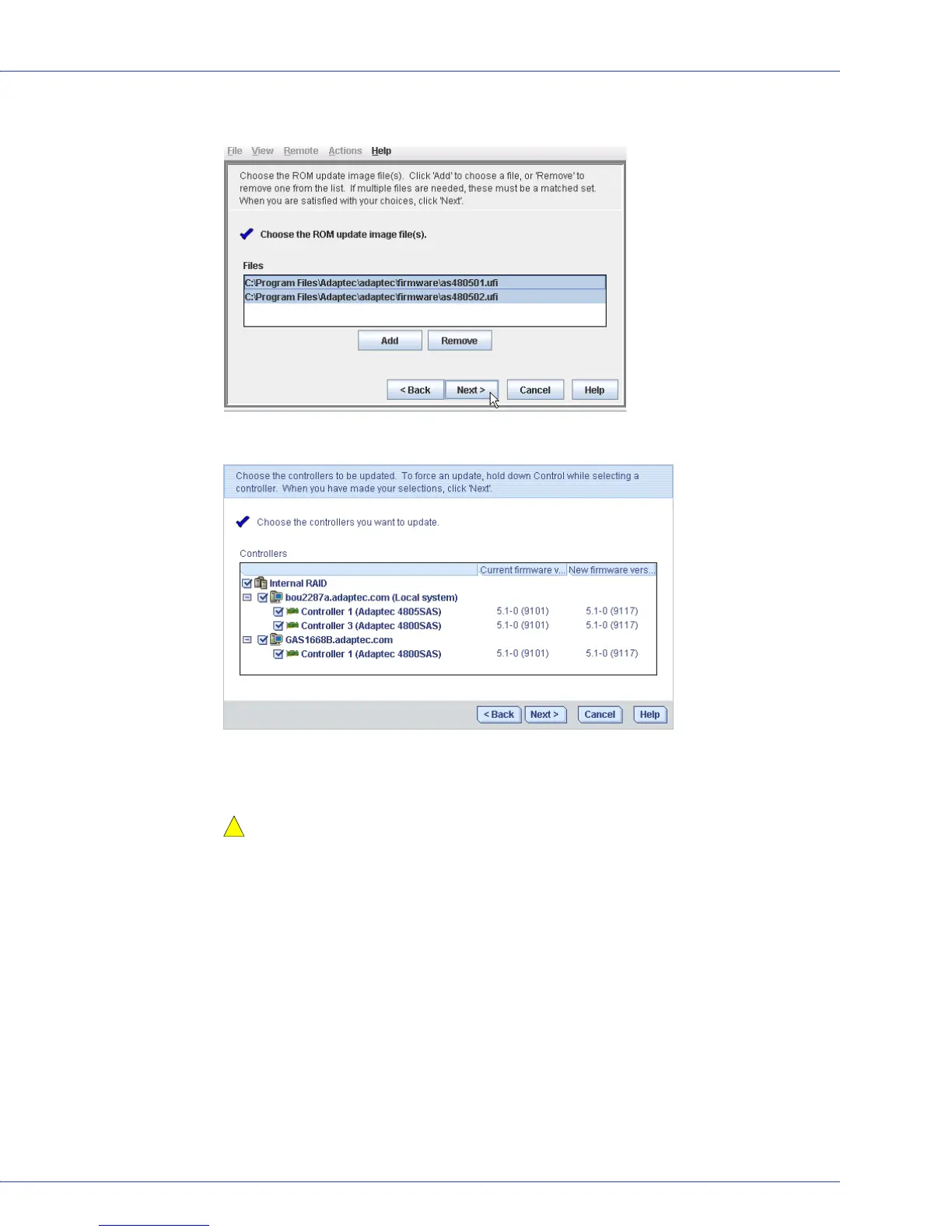
4 In the wizard, select the image files you want, then click Next.
5 Select the controllers you want to update, then click Next.
6 Review the update summary, then click Apply.
7 When prompted, click Ye s to begin the update.
Caution:
Do not power down the controller(s) during the update.
8
When the update is complete, click OK. Then, restart the server(s) to activate the new
firmware images.
Updating the Disk Drive Firmware
Note: This task is recommended for advanced users only.
Adaptec Storage Manager provides a wizard to help you update the firmware for the disk drives
in your storage space. The wizard updates the firmware for all disks of the same type on local
and remote systems. You can update only one type of disk drive at a time.
Before You Begin
Before you begin, download the latest firmware images from your vendor’s support site on the
World Wide Web. The image file name and extension vary by manufacturer.
!



 To Next Page