Chapter 10: Updating and Customizing Adaptec Storage Manager ● 133
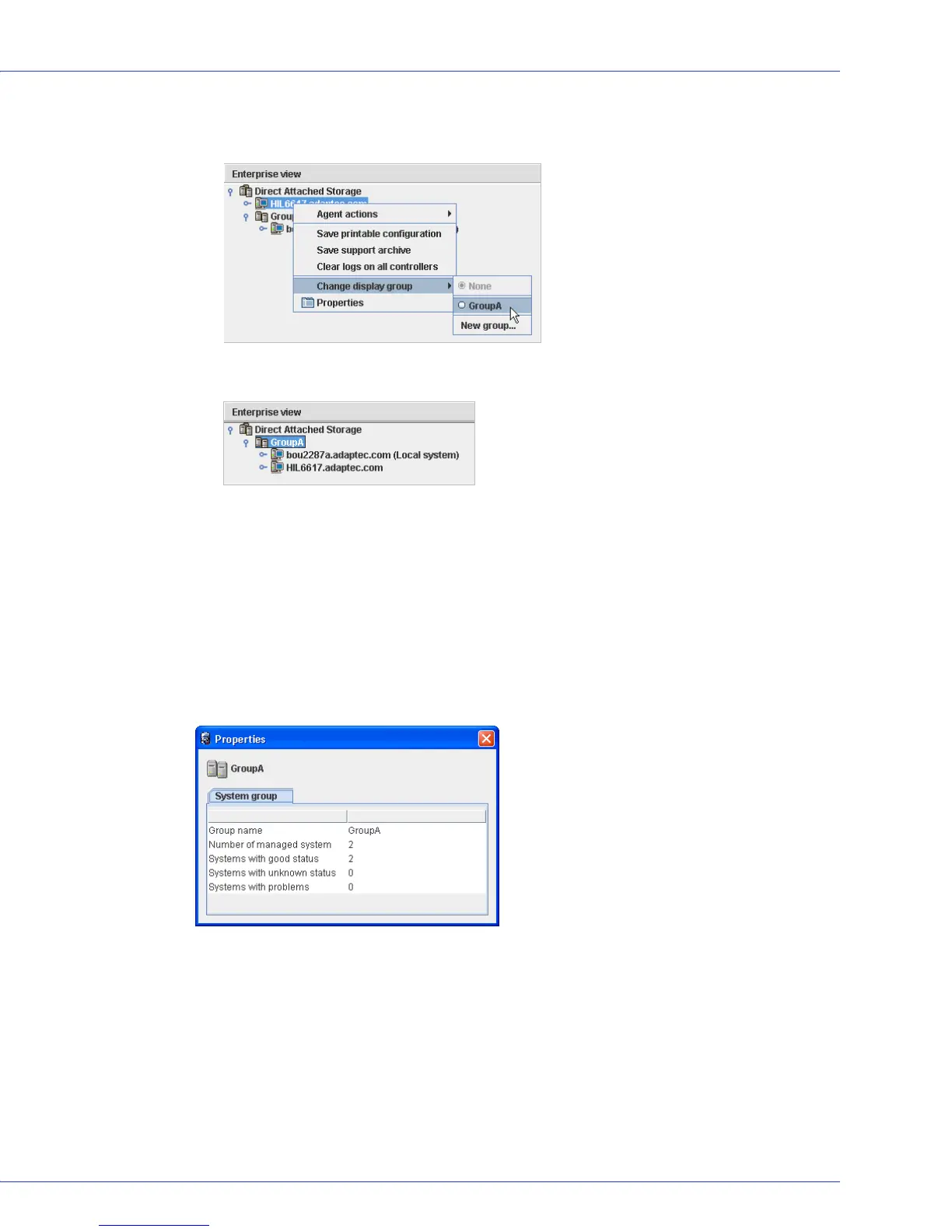
3 To add another system to the display group, repeat right-click on that system in the
Enterprise View, select Change display group, then click the display group name.
The system is added to the display group.
Note:
A system can belong to only one display group at a time; you can’t include the same
system in multiple display groups.
Viewing Display Group Status
To quickly view the status of systems within a display group, you can open the display group
Properties window.
In the Enterprise View, right-click on the display group, then click Properties. The Properties
window opens for that display group, summarizing the status of the systems that belong to that
group.
Moving a System from One Display Group to Another
To move a system from one display group to another:
1 In the Enterprise View, right-click the system you want to move.
2 Select Change display group, then click the name of the display group you want.
The system moves to its new display group.



 To Next Page