Chapter 2: Installing Adaptec Storage Manager ● 19
Installing on Windows
This section describes how to install Adaptec Storage Manager on systems running Windows.
See System Requirements on page 17 for a list of supported operating systems.
Note:
You need administrator or root privileges to install Adaptec Storage Manager. For details on
verifying privileges, refer to your operating system documentation.
If a previous version of Adaptec Storage Manager is installed on your system, you must remove
it before beginning this installation. To uninstall Adaptec Storage Manager, use the Add/
Remove Programs option in your Windows Control Panel.
Note:
Advanced users only
—To perform a silent installation, follow the instructions in
Appendix A
.
To install Adaptec Storage Manager:
1 Insert the Adaptec Storage Manager Installation CD.
The Installation wizard opens automatically. (If it doesn’t open, browse to the CD in
Windows Explorer, then click Autorun.)
2 Click Next to begin the installation, click I accept..., then click Next.
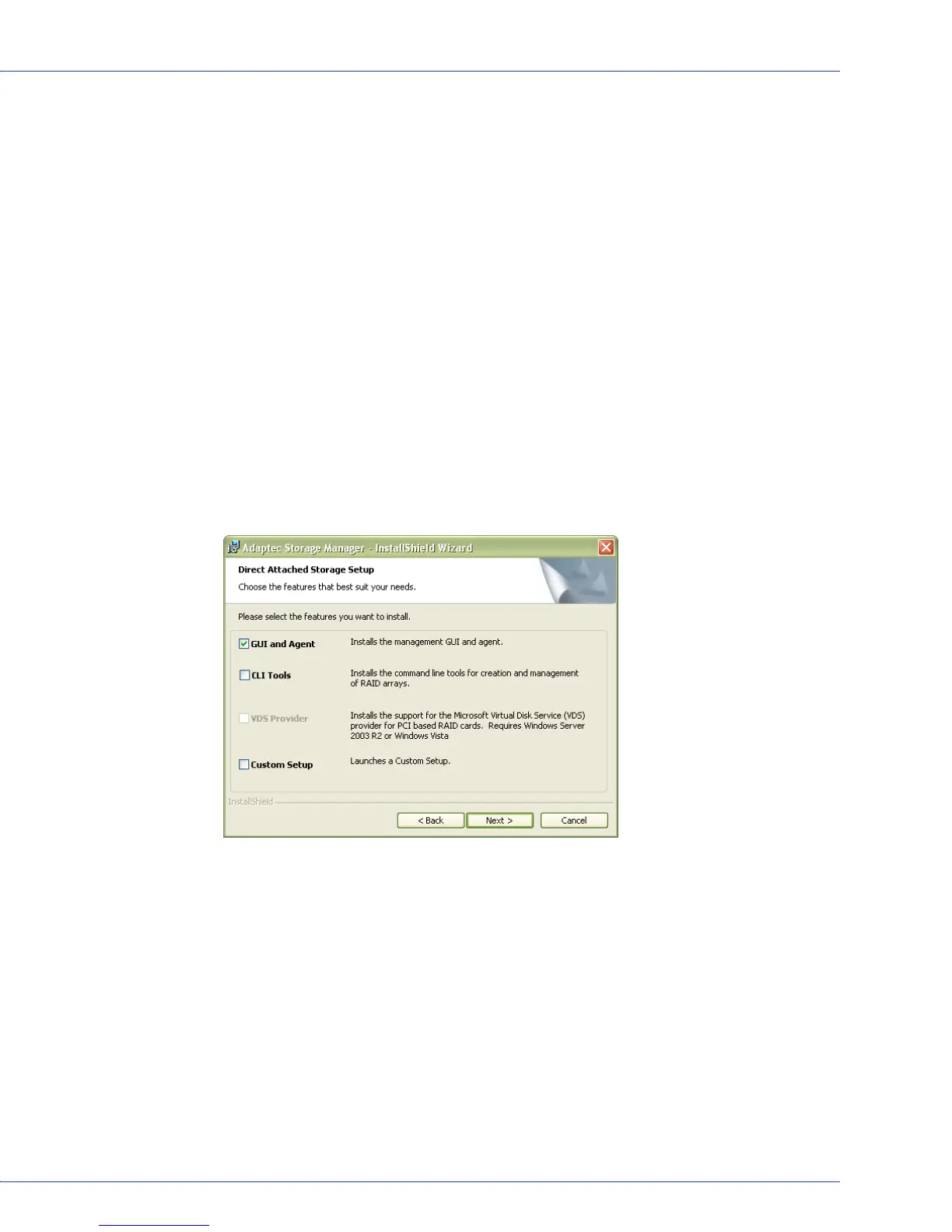
3 Select GUI and Agent. Then click Next.
4 Repeat these steps to install Adaptec Storage Manager on every Windows system that will
be part of your storage space.



 To Next Page