Appendix C: Quick Answers to Common Questions... ● 166
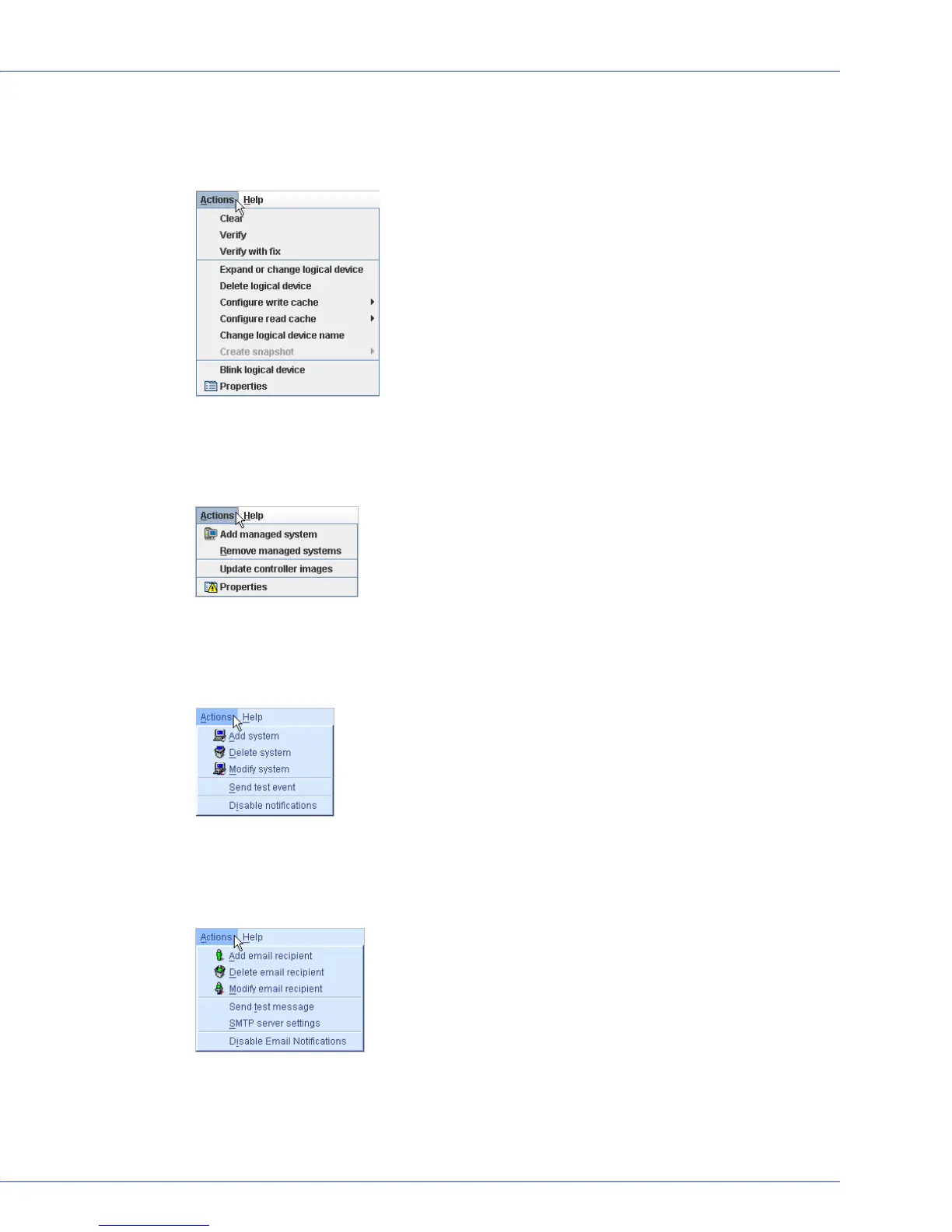
Logical drives?
In the Logical Devices View, click on a logical drive. In the menu bar, select Actions to view
these options:
Direct Attached Storage?
In the Enterprise View, click Direct Attached Storage. In the menu bar, select Actions to view
these options:
The Notification Manager?
In the tool bar, click
Configure
,
point to
the system you want, then click
Notifications
.
In the
menu bar, select Actions to view these options
:
The Email Notification Manager?
In the tool bar, click
Configure
,
point to
the system you want, then click
Email
Notifications
.
In
the menu bar, select Actions to view these options
:



 To Next Page